





Kyocera-Mita
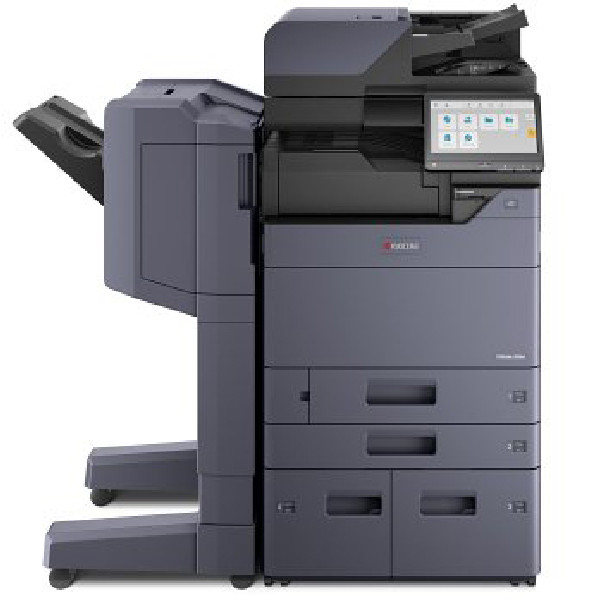
Every Kyocera-Mita cartridge we sell is reached from this page. The range is organized into seven printer series, and each series page leads to its model pages, where the exact cartridge for one printer is listed. Kyocera names most cartridges twice: a short TK code, such as the TK-132, and the full part number it answers to, 1T02HS0US0, printed together on the same listing. The oldest machines skip the short form entirely and carry only a long number, like the 370QB0KM behind the TK-18. Shop by the code on your empty cartridge or by the model name on the front panel; both routes end at the same shelf.
Two badges share this catalog. Most machines wear the Kyocera Mita name, but a slice of the range was sold in the United States under the Copystar badge — the CS Series in the directory below — and a Copystar machine usually has a Kyocera Mita twin that takes the identical cartridge: the CS-1820 and the KM-1820 are the same hardware under two logos, and both run on the TK-18. The rest of the directory divides by era and duty. The FS Series is the long-running workhorse line, the KM Series holds the older copier-based multifunction machines, ECOSYS is the current line of printers and MFPs, and TASKalfa covers the departmental systems at the top. The M and P pages collect the compact ECOSYS-era models.
Popular Kyocera-Mita cartridges
The table below collects the flagship black cartridge of each major family — a starting point, not the whole shelf: each model page carries every cartridge sold for that printer.
| Cartridge | Color/Type | Page Yield |
|---|---|---|
| TK-112 (1T02FV0US0) | Black | See product page |
| TK-1122 (1T02M70UX0) | Black | See product page |
| TK-1142 (1T02ML0US0) | Black | See product page |
| TK-132 (1T02HS0US0) | Black | See product page |
| TK-162 (1T02LY0US0) | Black | See product page |
| TK-172 (1T02LZ0US0) | Black | See product page |
| TK-18 (370QB0KM) | Black | See product page |
| TK-3102 (1T02MS0US0) | Black | See product page |
| TK-3112 (1T02MT0US0) | Black | See product page |
| TK-312 (1T02F80US0) | Black | See product page |
| TK-3122 (1T02L10US0) | Black | See product page |
| TK-3132 (1T02LV0US0) | Black | See product page |
| TK-322 (1T02F90US0) | Black | See product page |
| TK-332 (1T02GA0US0) | Black | See product page |
| TK-342 (1T02J00US0) | Black | See product page |
| TK-352 (1T02J10US0) | Black | See product page |
| TK-362 (1T02J20US0) | Black | See product page |
| TK-421 (370AR011) | Black | See product page |
| TK-477 (1T02K30US0) | Black | See product page |
| TK-5142K (1T02NR0US0) | Black | See product page |
| TK-5152K (1T02NS0US0) | Black | See product page |
| TK-542K (1T02HL0US0) | Black | See product page |
| TK-552K (1T02HM0US0) | Black | See product page |
| TK-562K (1T02HN0US0) | Black | See product page |
| TK-572K (1T02HG0US0) | Black | See product page |
| TK-582K (1T02KT0US0) | Black | See product page |
| TK-592K (1T02KV0US0) | Black | See product page |
| TK-6307 (1T02LH0US0) | Black | See product page |
| TK-677 (1T02H00US0) | Black | See product page |
| TK-7107 (1T02P80US0) | Black | See product page |
| TK-712 (1T02G10US0) | Black | See product page |
| TK-7207 (1T02NL0US0) | Black | See product page |
| TK-8307K (1T02LK0US0) | Black | See product page |
| TK-8327K (1T02NP0US0) | Black | See product page |
| TK-8507K (1T02LC0US0) | Black | See product page |
| TK5232 | Black | See product page |
| TK5242 | Black | See product page |
| TK8309 | Black | See product page |
| TK897 | Black | See product page |
| TK67 | Black | See product page |
| TK410 | Black | See product page |
| TK1172 | Black | See product page |
| TK3162 | Black | See product page |
| TK3172 | Black | See product page |
| TK3182 | Black | See product page |
| TK3192 | Black | See product page |
| 370AB011 | Black | See product page |
| 1T02BR0US0 | Black | See product page |
| TK1152 | Black | See product page |
| TK5197K | Black | See product page |
| TK717 | Black | See product page |
| 370QC0KM | Black | See product page |
| TK1162 | Black | See product page |
Which cartridge should you buy?
Start from the printer, not from the code. A short code typed from memory can sit one digit away from a different family, while your model name matches exactly one page. Find the series first — the ECOSYS Series for a current desktop machine, the TASKalfa Series for a floor-standing departmental system — then open the model page and order the cartridge named at the top of its shelf. On pack sizes, the table above leans on the flagship listings most shoppers settle on; singles and larger packs for the same codes are listed on the model pages.
Chip, toner and everyday use
Each cartridge carries a chip the printer reads to confirm the part and track toner levels, so the code has to match its family exactly — a near-matching number from a neighboring family will not register. Seat a new cartridge firmly, let the machine finish its start-up cycle, and judge the output after a few pages rather than the first sheet. Keep spares sealed and stored flat, away from heat and direct sunlight, and hold on to the old cartridge until the new one prints cleanly, so any problem can be traced to the part that changed. Every compatible cartridge in this range is covered by a 1-year warranty and 1-year returns.
Frequently Asked Questions
I only have a long part number, not a TK code. Can I still find my cartridge?
Yes. The two names describe one cartridge, and the listings print both, so searching the long number works just as well as searching the short code. The long number is also the safer search, since it cannot be confused with a neighboring family the way a short code one digit off can.
Are Copystar and Kyocera Mita cartridges interchangeable?
Where the machines are twins, yes. The CS-1820 and KM-1820 are the same hardware and share the TK-18, and the KM-2550 and CS-2550 pair shares the TK-421. The badge on the front panel decides nothing; the model number decides everything, so confirm the cartridge on the model page.
Do all Kyocera-Mita printers use TK cartridges?
Current and recent lines do. The oldest models never adopted the TK short form, and their cartridges answer to a single long number in the 370 range, like the 370QB0KM behind the TK-18. A few early listings are sold under the model's name instead. Whatever the naming style, the model page names the cartridge that fits.
My printer seems to belong to two series at once. Which page do I use?
A few models were cataloged under two series — the P6021CDN appears in both the P Series and the ECOSYS Series — because the same hardware was positioned in two lines. Either page leads to the same cartridge family; order from the model page that matches the name on your machine.
Kyocera-Mita printer series
Seven series pages organize the whole range; open yours to see every model page beneath it.