




CS305
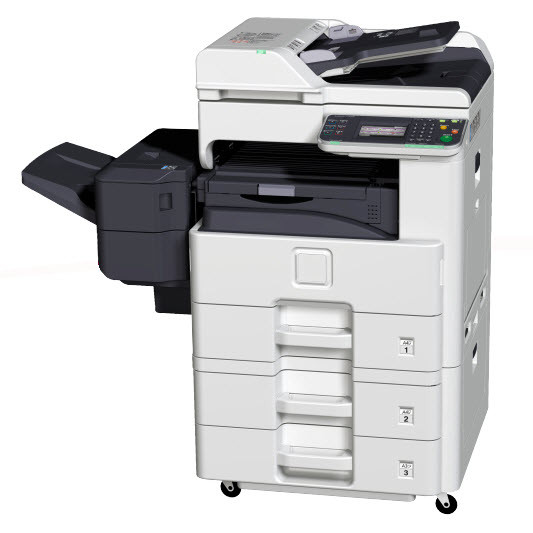
Stepping up to the 30-class, the Copystar CS305 gives copy-centric departments more speed on the same supply platform they already know. Its toner is the TK-477 black cartridge — Kyocera part 1T02K30US0, the cartridge also listed without the dash as TK477 — rated at about 15,000 pages per ISO/IEC 19752. Buyers cross-shopping European listings will see the same toner called the TK-475; in North America the TK-477 number is the one to order.
The CS305's signature trick is duplex copying as a standard feature: double-sided originals come out double-sided without anyone standing at the machine flipping pages. That makes it the copier for departments processing two-sided contracts, statements and reports all day, where the walk-up workload is measured in stacks, not pages. Modern connectivity works quietly underneath the copying — network printing is there when needed — but the machine earns its floor space at the copy glass, and it sips from the same cartridge as the smaller CS255.
Toner Cartridges for CS305
- TK-477 single cartridge — black, rated about 15,000 pages
- TK-477 2 Pack — two cartridges, about 15,000 pages each
- TK-477 3 Pack — three cartridges, about 15,000 pages each
- TK-477 5 Pack — five cartridges, about 15,000 pages each
- TK-477 10 Pack — ten cartridges, about 15,000 pages each
- 1T02K30US0 (CS255) single cartridge — black, rated about 15,000 pages
- 1T02K30US0 (CS255) 2 Pack — two cartridges, about 15,000 pages each
- 1T02K30US0 (CS255) 4 Pack — four cartridges, about 15,000 pages each
- 1T02K30US0 (CS305) single cartridge — black, rated about 15,000 pages
- 1T02K30US0 (CS305) 2 Pack — two cartridges, about 15,000 pages each
- 1T02K30US0 (CS305) 4 Pack — four cartridges, about 15,000 pages each
- TK477 (TK-477) 2 Pack — two cartridges, about 15,000 pages each
Which cartridge should you buy?
There is no standard-versus-high-yield decision on this machine — one cartridge, one 15,000-page rating. The decision is pack size, and duplex copying tilts it: two-sided work moves stacks faster, so a busy CS305 can work through a cartridge sooner than its page count alone suggests. Departments that copy daily should buy the 2-pack or 4-pack and treat the second cartridge as insurance that is already paid for. If your building also runs the CS255, the arithmetic gets simpler still — both machines drink from the same cartridge, so a single shelf stock covers the floor.
Chip, toner and everyday use
Because the cartridge is a self-contained toner unit, everyday care is mostly about timing. Change it when output starts to fade rather than mid-stack if you can — the machine will warn you well ahead. Before installing, hold the new cartridge level and rock it end to end so the toner inside is evenly distributed; a cartridge stored on one end for months can print light on one side until the toner settles. Keep the empties out of the paper path area and the new cartridge's seal tab fully removed, and recognition problems are rare.
Frequently Asked Questions
What toner does the Copystar CS305 take?
The TK-477 black toner cartridge (Kyocera part 1T02K30US0), rated for approximately 15,000 pages under ISO/IEC 19752.
Is CS305 toner the same as CS255 toner?
Identical. The CS255 and CS305 run the same cartridge, so stock bought for one machine works in the other — a genuine convenience when both sit in the same building.
Does duplex copying change how much toner I should keep?
Duplexing saves paper, not toner — every printed side still uses toner. It does move work faster, so plan stock by printed sides per month, and keep at least one spare cartridge per machine.
My CS305 says the cartridge is not recognized. What now?
Open the front cover, pull the cartridge out, and reseat it with a firm push until it clicks. Check that the sealing tape came out completely and that the cartridge is the TK-477 family — a cartridge from a different Kyocera line will not seat or read correctly.
More printers that use the same cartridges
These models share the CS305's cartridge, so one toner stock can cover them all:
CS255, FS-6025, FS-6030, FS-6525MFP, FS-6530MFP, TASKalfa 255, TASKalfa 305