




ECOSYS Series
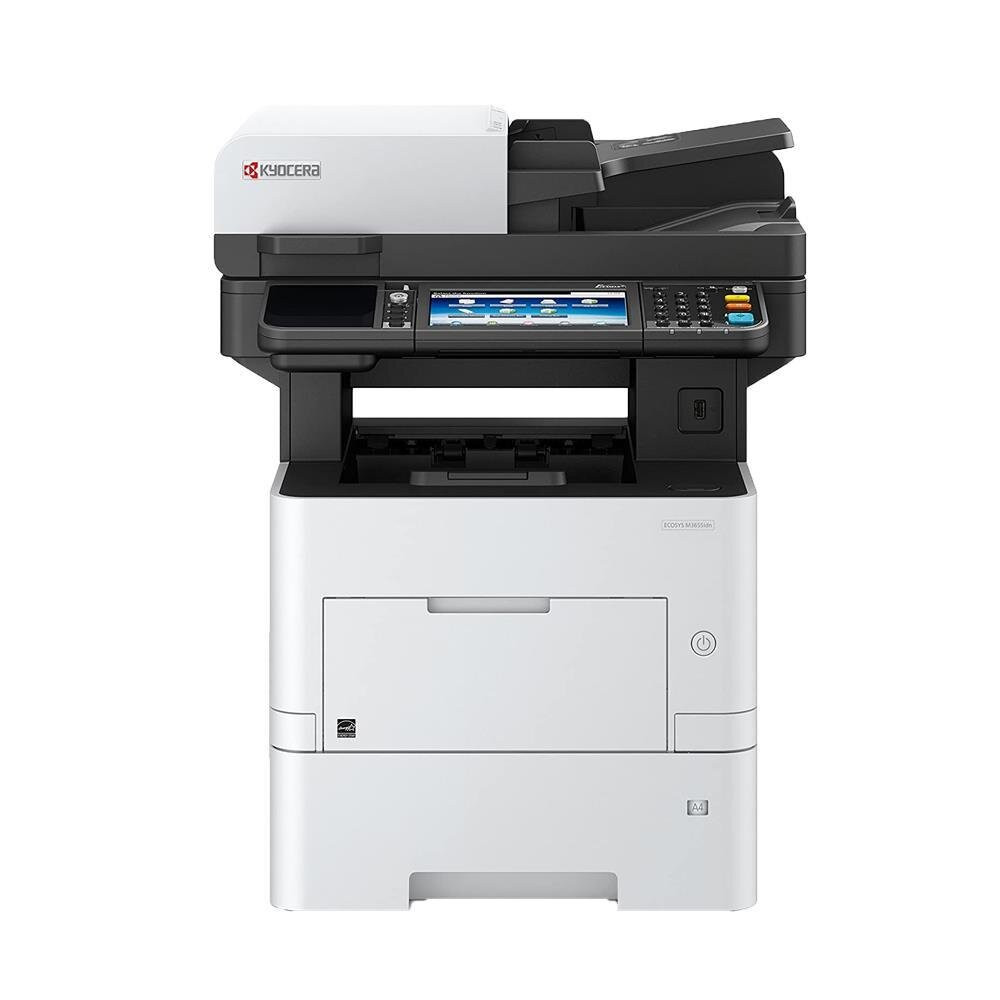
ECOSYS is the current Kyocera line in this catalog, and its pages split by a single letter: M models are multifunction machines that print, copy and scan, while P models are printers only. Twenty-eight model pages sit below, from compact desktop units to the color machines whose names carry cdw or cidn. The cartridge naming follows the house pattern — a short code such as the TK-1172 beside its family — and the color families, like the TK-5142K (1T02NR0US0), sell each color as its own cartridge.
The ECOSYS idea, visible right in the name, is economy through longevity: the drum inside these machines is a long-life part, so the cartridge you replace carries toner only, and running costs stay low across years of service. That design is why this shelf is organized around cartridge generations — TK-11xx for the compact mono machines, TK-31xx for the workgroup printers, TK-5xxx for color — and why a code from one generation never substitutes for another, even when the printers look alike on the shelf.
Popular cartridges for the ECOSYS Series
One representative cartridge per family and color, taken from the 142 products on this series shelf. The model pages carry the full shelf for each printer.
| Cartridge | Color/Type | Page Yield |
|---|---|---|
| TK-1142 (1T02ML0US0) | Black | See product page |
| TK-162 (1T02LY0US0) | Black | See product page |
| TK-172 (1T02LZ0US0) | Black | See product page |
| TK-3102 (1T02MS0US0) | Black | See product page |
| TK-3122 (1T02L10US0) | Black | See product page |
| TK-5142K (1T02NR0US0) | Black | See product page |
| TK-5142C (1T02NRCUS0) | Cyan | See product page |
| TK-5142M (1T02NRBUS0) | Magenta | See product page |
| TK-5142Y (1T02NRAUS0) | Yellow | See product page |
| TK-5152K (1T02NS0US0) | Black | See product page |
| TK-5152C (1T02NSCUS0) | Cyan | See product page |
| TK-5152M (1T02NSBUS0) | Magenta | See product page |
| TK-5152Y (1T02NSAUS0) | Yellow | See product page |
| TK-562K (1T02HN0US0) | Black | See product page |
| TK-562C (1T02HNCUS0) | Cyan | See product page |
| TK-562M (1T02HNBUS0) | Magenta | See product page |
| TK-562Y (1T02HNAUS0) | Yellow | See product page |
| TK-572K (1T02HG0US0) | Black | See product page |
| TK-572M (1T02HGBUS0) | Magenta | See product page |
| TK-582K (1T02KT0US0) | Black | See product page |
| TK-582C (1T02KTCUS0) | Cyan | See product page |
| TK-582M (1T02KTBUS0) | Magenta | See product page |
| TK-582Y (1T02KTAUS0) | Yellow | See product page |
| TK-592K (1T02KV0US0) | Black | See product page |
| TK-592C (1T02KVCUS0) | Cyan | See product page |
| TK-592M (1T02KVBUS0) | Magenta | See product page |
| TK-592Y (1T02KVAUS0) | Yellow | See product page |
| TK5232K | Black | See product page |
| TK5232C | Cyan | See product page |
| TK5232M | Magenta | See product page |
| TK5232Y | Yellow | See product page |
| TK5242K | Black | See product page |
| TK5242C | Cyan | See product page |
| TK5242M | Magenta | See product page |
| TK5242Y | Yellow | See product page |
| TK1172 | Black | See product page |
| TK3132 | Black | See product page |
| TK3162 | Black | See product page |
| TK3172 | Black | See product page |
| TK3182 | Black | See product page |
| TK3192 | Black | See product page |
| TK1162 | Black | See product page |
Which cartridge should you buy?
Use the model page, not the family resemblance. Two ECOSYS printers can share a chassis shape and still take different cartridge generations, so open your exact model — the ECOSYS M2040dn page for a compact mono MFP, the ECOSYS P5021cdw page for a desktop color printer — and order the code named there. For color machines, replace the one color that is empty; the set listings on the model page only earn their keep when several colors run low together. And mind the generations: a code written for one P model is not promised to another P model just because the names look close.
Chip, toner and everyday use
Because the ECOSYS drum is a long-life part, print-quality problems are almost never a drum problem at cartridge time — they are a cartridge problem, which is why the swap is the first test. The machine reads the new cartridge's chip on start-up and recalibrates; give it a few pages before judging density, and keep the old cartridge until those pages print clean, so a bad unit can be identified without guesswork. Store spares sealed, flat and away from sunlight. Every compatible cartridge on this page is covered by a 1-year warranty and 1-year returns.
Frequently Asked Questions
What do the M and P prefixes mean?
M models are multifunction machines — print, copy and scan in one unit, with fax on many of them. P models are printers only. The split matters for supplies shopping only in one way: the two branches draw on overlapping but not identical cartridge families, so the model page, not the prefix, names your cartridge.
What do the letters at the end of a model name mean — cdw, cidn, dn?
They describe the configuration. The c marks a color machine, d is automatic two-sided printing, w is wireless, and n or idn marks a networked model. Two printers that differ only in these letters are the same base machine and normally share its cartridge family, which the model pages confirm.
Are ECOSYS cartridges interchangeable with FS cartridges?
A few families cross over — the TK-1142, TK-162 and TK-172 appear on both series shelves — but most do not, and the generations never substitute for each other. If your cartridge code appears on the model page of your ECOSYS machine, it fits; if it only appears under an FS model, it does not.
Why is there no drum cartridge listed for my ECOSYS printer?
Because the drum is not the consumable on these machines. ECOSYS engines use a long-life drum that stays in the printer across many cartridge changes, so the replaceable supply is the toner cartridge alone. That is the design the running-cost reputation of the line rests on.
ECOSYS Series models
- ECOSYS M2040dn
- ECOSYS M2540dw
- ECOSYS M2640idw
- ECOSYS M3040idn
- ECOSYS M3540idn
- ECOSYS M3560idn
- ECOSYS M5521cdw
- ECOSYS M5526cdw
- ECOSYS M6035cidn
- ECOSYS M6530cdn
- ECOSYS M6535cidn
- ECOSYS P2035D
- ECOSYS P2035DN
- ECOSYS P2040dn
- ECOSYS P2040dw
- ECOSYS P2135D
- ECOSYS P2135DN
- ECOSYS P3045dn
- ECOSYS P3050dn
- ECOSYS P3055dn
- ECOSYS P3060dn
- ECOSYS P5021cdw
- ECOSYS P5026cdw
- ECOSYS P6021CDN
- ECOSYS P6030CDN
- ECOSYS P6035cdn
- ECOSYS P6130cdn
- ECOSYS P7035CDN