




ECOSYS P6035cdn
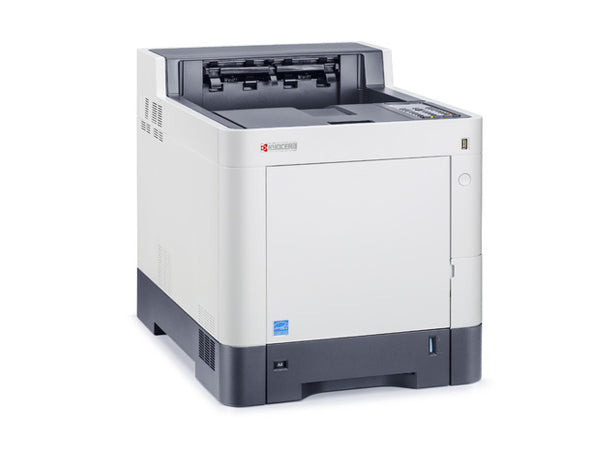
Not every workgroup needs a scanner on every device. The ECOSYS P6035cdn is the printer-only answer in the 6035 family — networked and duplexing as standard, built for steady, reliable color output day after day. It shares the TK5152 toner set with its multifunction siblings: TK5152K black at up to 12,000 pages and TK5152C cyan, TK5152M magenta, TK5152Y yellow at up to 10,000 pages each. Also listed on this page are the TK5142 color sets — TK5142K black with TK5142C, TK5142M and TK5142Y — listed after the TK5152 table below.
Deploy it where printing is the whole job: beside a team that scans at a central multifunction but prints all day locally. Because its cartridges are the family standard, a mixed deployment of this printer next to the M6035cidn and M6535cidn multifunctions still runs off one supply shelf — one black to stock, three colors, no per-machine exceptions for whoever orders the toner.
Toner Cartridges for ECOSYS P6035cdn
| Cartridge | Color | Page Yield |
|---|---|---|
| TK5152K Black | Black | 12,000 pages (ISO/IEC 19798) |
| TK5152K Black 2 Pack | Black | 12,000 pages each |
| TK5152K Black 3 Pack | Black | 12,000 pages each |
| TK5152K Black 5 Pack | Black | 12,000 pages each |
| TK5152C Cyan | Cyan | 10,000 pages (ISO/IEC 19798) |
| TK5152M Magenta | Magenta | 10,000 pages (ISO/IEC 19798) |
| TK5152Y Yellow | Yellow | 10,000 pages (ISO/IEC 19798) |
| TK5152 4 Color Set | Black + C/M/Y | One of each cartridge above |
| TK5152 (TK5152K) Black | Black | 12,000 pages (ISO/IEC 19798) |
| TK5152 (TK5152K) Black — second listing | Black | 12,000 pages (ISO/IEC 19798) |
Also stocked on this page, the TK5142 color family in set form:
- TK5142 — 5 Color Set
- TK5142 — 8 Color Set
- TK5142 — 6 Color Set (colors only)
- TK5142 — 3 Color Set (colors only)
Which cartridge should you buy?
A printer that works steadily rewards steady buying. Match black purchases to your report cycle — a 3 or 5 Black pack at the start of a heavy quarter beats three emergency singles — and let the colors ride along as singles, since a 10,000-page color cartridge in a print-only role lasts a long time. The 4 Color Set is the clean choice when the machine is first installed or relocated and you want every cartridge fresh at once.
Chip, toner and everyday use
Toner and imaging components are separate on the P6035cdn, so the cartridge is the only routine swap; the chip on each cartridge reports its level to the printer as it works. Ratings assume about 5% coverage per page. If output lightens near the end of a cartridge, remove it and rock it gently from side to side to redistribute the remaining toner — a useful bridge of a few days while the replacement is in transit. Keep the spare sealed until the day it goes in.
Frequently Asked Questions
Which toner cartridges does the ECOSYS P6035cdn use?
The TK5152 set: TK5152K black (up to 12,000 pages) plus TK5152C cyan, TK5152M magenta and TK5152Y yellow (up to 10,000 pages each), all listed in the table above.
Are the supplies the same as the ECOSYS M6035cidn's?
Yes — the ECOSYS M6035cidn multifunction and this printer use the identical TK5152 cartridges, which is what makes mixed deployments simple to feed.
Does the P6035cdn need a separate drum unit?
Toner and imaging are separate here, so routine replacement is the toner cartridge alone; the drum is a long-life component of the machine.
Why pick this model over the multifunction versions?
If the location only prints, the P6035cdn skips the scanner and fax hardware entirely and puts the money into a networked, duplexing color engine instead — with the same cartridges as its bigger siblings.
More printers that use the same cartridges
Printers sharing this page's TK5152 cartridges: ECOSYS M6035cidn, ECOSYS M6530cdn, ECOSYS M6535cidn, ECOSYS P6130cdn.