




FS-1350DN
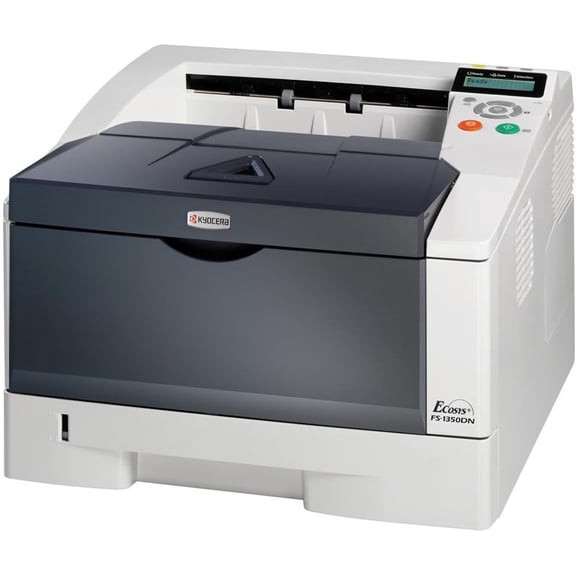
The Kyocera FS-1350DN is the step-up printer in the 1300 line: a single-function monochrome laser with duplex and networking fitted as standard, a larger standard paper capacity, and output rated up to 30 pages per minute at 1200 x 1200 dpi. It consumes exactly one supply — the TK-132 black cartridge, factory number 1T02HS0US0 and hyphen-free code TK132 — good for about 7,200 pages per ISO/IEC 19752 and sold in Europe as the TK-130. Supplies stay interchangeable with the smaller 1300 models, so the step up changes pace, not purchasing.
This is the printer for a growing office whose 1300DN has started to feel limiting: Monday-morning print rushes get absorbed without constant tray refills, and the queue moves at a workgroup pace while the running cost stays at the small-machine level. No scan, no fax, nothing to configure beyond the network — just a fast, two-sided page, thousands of times over.
Toner Cartridges for FS-1350DN
| Cartridge | Color | Page Yield |
|---|---|---|
| 1T02HS0US0 (TK-132) | Black | 7,200 pages |
| TK132 Toner Cartridge Black (TK132) | Black | 7,200 pages |
| 1T02HS0US0 (TK-132) Black 3 Pack | Black | 7,200 pages each |
| TK132 Toner Cartridge 2 Black (TK132) | Black | 7,200 pages each |
| 1T02HS0US0 (TK-132) Black 5 Pack | Black | 7,200 pages each |
| TK132 Toner Cartridge 3 Black (TK132) | Black | 7,200 pages each |
| TK132 Toner Cartridge 5 Black (TK132) | Black | 7,200 pages each |
| 1T02HS0US0 (TK-132) Premium Quality Black 5 Pack | Black | 7,200 pages each |
| TK132 Toner Cartridge 10 Black (TK132) | Black | 7,200 pages each |
Which cartridge should you buy?
Forget standard-versus-high-yield comparisons here: the TK-132 is a single cartridge at a single generous capacity, so the only lever on cost per page is pack size. A printer working at 30 pages per minute can move through 7,200 pages quickly in a deadline week, which argues for the 5-pack or 10-pack listings in offices that print in bursts — the buffer turns a toner warning from an emergency into a calendar note. Lighter users lose nothing by buying singles; the cartridge is the same either way, under both its factory-number and TK132 listing names.
Chip, toner and everyday use
A chipped cartridge and honest level reporting mean the printer tells you where it stands long before quality dips. Rated yield assumes documents near 5% coverage; a run of dense forms will count pages faster than the same count of emails. When output finally lightens, rocking the cartridge gently buys a short reprieve while the spare is fetched — on a duplex machine, finish the current job two-sided rather than reprinting single-sided and doubling paper use. Keep the reserve cartridge sealed and stored flat, and the next swap takes under a minute. Compatible cartridges on this page are backed by a 1-year warranty and 1-year returns.
Frequently Asked Questions
Which toner does the FS-1350DN use?
The TK-132 black cartridge (1T02HS0US0), rated for approximately 7,200 pages. It is the US version of the cartridge Europe knows as the TK-130, and it is the only supply this printer consumes.
Can I use the toner I bought for an FS-1300D or FS-1300DN?
Yes. The FS-1300D, FS-1300DN and FS-1350DN all run the identical TK-132 cartridge, so existing spares carry over when you step up to the faster machine.
Is there a separate high-yield cartridge for this printer?
No second capacity exists — the standard cartridge is already the high-yield option at roughly 7,200 pages. For the lowest cost per page, the multi-pack listings in the table above are the route.
Does the FS-1350DN print two-sided automatically?
Yes, automatic duplex is standard, as is network connectivity — the DN suffix is literal. That pairing is what makes it a workgroup printer rather than a personal one.
More printers that use the same cartridges
Stepping up did not change the cartridge: the TK-132 also serves the following Kyocera models: FS-1028MFP, FS-1128MFP, FS-1300D, FS-1300DN, KM-2810, KM-2820.