




FS-3800
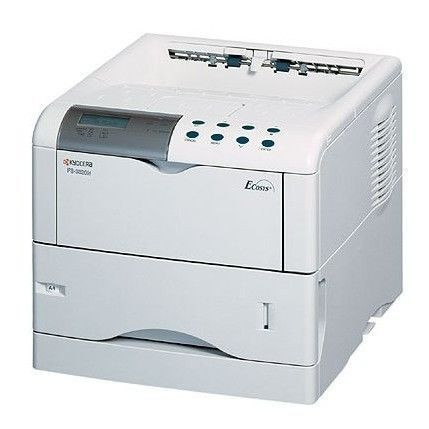
Kyocera placed the FS-3800 a step above the 1800 line for offices whose print queue keeps getting longer: the same economical monochrome laser formula, in a machine positioned to absorb heavier daily loads. Crucially for the supply closet, the step up does not change what you feed it — the FS-3800 runs on the TK-60 (1T02BR0US0), the family's long-running black cartridge rated at 20,000 pages per ISO/IEC 19752.
That shared supply is the quiet advantage of this branch of the FS family. An office can let the smaller FS-1800 units handle routine desks and put the FS-3800 on the heavy work, yet order one toner for both. The 3800 keeps pace when the queue stacks up at month-end — statements, shipping paperwork, long reports — without asking the storeroom to learn a new SKU or the budget to absorb a pricier cartridge. It is the upgrade path Kyocera intended: more printer, same feeding cost.
Toner Cartridges for FS-3800
| Cartridge | Color | Page Yield |
|---|---|---|
| TK-60 (1T02BR0US0) | Black | 20,000 pages |
| TK-60 (1T02BR0US0) — 2 Pack | Black | 20,000 pages per cartridge |
| TK-60 (1T02BR0US0) — 4 Pack | Black | 20,000 pages per cartridge |
Which cartridge should you buy?
One cartridge here wears several catalog labels, because it also serves the rest of this printer family. Beyond the listings in the table, the identical TK-60 is stocked for the FS-1900 as a single, 2-pack and 4-pack; for the FS-1900N as a single, 2-pack and 4-pack; under this printer's own FS-3800 name as a single, 2-pack and 4-pack; and for the FS-3800N as a single, 2-pack and 4-pack. Choose whichever listing you like — the cartridge in the box is the same.
On quantity, think in pages rather than boxes. One TK-60 covers about 20,000 pages at standard coverage, so a single cartridge is a long runway for an average office; a 2-pack or 4-pack makes sense where the FS-3800 anchors a busy department or where several family machines draw from one shelf. Every listing carries the same compatible cartridge with a 1-year warranty and 1-year returns.
Chip, toner and everyday use
Heavy queues reward a small routine. Keep one spare cartridge beside the machine so a mid-run empty never becomes a mid-run stoppage, and rotate stock so the oldest spare is used first. When pages start to lighten, pull the cartridge and rock it gently end to end — redistributing the toner inside typically restores density for the remainder of its life. Remember that the 20,000-page figure assumes 5% coverage; statement runs and dense forms spend toner faster than memos do. A monthly wipe of paper dust from the tray and feed path keeps a hard-working machine feeding cleanly.
Frequently Asked Questions
Which toner does the FS-3800 use?
The Kyocera TK-60 black cartridge, part number 1T02BR0US0, rated at 20,000 pages per ISO/IEC 19752 — the same cartridge as the rest of this FS family.
Is the FS-3800 just a faster FS-1800?
It sits above the 1800 in Kyocera's line and is positioned for heavier print loads, but from a supplies standpoint the two machines are interchangeable: both take the TK-60, so an upgrade changes nothing in the storeroom.
How long will one cartridge last in a busy office?
That depends on coverage more than on the calendar. At the standard 5% coverage behind the rating, expect up to about 20,000 pages; offices printing dense, graphics-heavy pages will see fewer. The practical approach is to keep a spare on hand once the low-toner message appears.
My prints have started to fade. Is the cartridge finished?
Not always. Fading late in a cartridge's life usually means the toner inside has settled to one side. Rock the cartridge gently a few times to level it, and print a test page — density normally returns. If it fades again within a short run, the cartridge is genuinely near empty.
More printers that use the same cartridges
The same TK-60 cartridge also keeps these family models printing: FS-1800, FS-1800N, FS-1900, FS-1900N, FS-3800N.