




TASKalfa 3010i
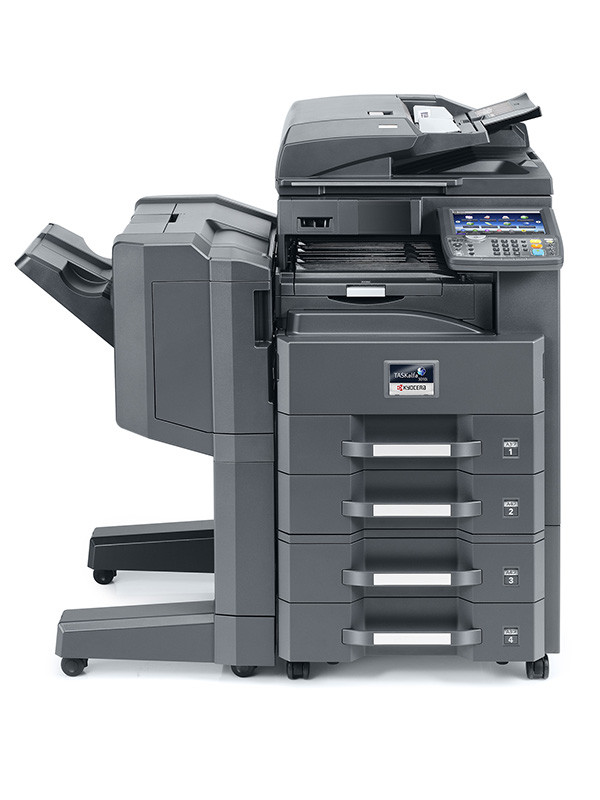
For offices where monochrome volume dominates, the Kyocera TASKalfa 3010i delivers 30-page-per-minute class A3 output with a high-yield toner that stretches replacement intervals far beyond standard cartridges. It takes the TK7107 black toner cartridge — the US version of the TK-7105, Kyocera part 1T02P80US0 — rated for 20,000 pages per ISO/IEC 19752. Copy, print, scan and fax converge in one departmental MFP with the refined i-series touchscreen interface operators learn in minutes.
The 3010i is built for the floor where black-and-white throughput is the daily reality, not the exception. Its long-life drum technology lasts the life of the machine under normal use, which makes toner the only routine consumable — no drum schedule to track, no second supply to stock. One cartridge, one rating, one reorder point for a full departmental multifunction: that simplicity is the machine's operating philosophy, and the listings on this page follow it.
Toner Cartridges for TASKalfa 3010i
| Cartridge | Color | Page Yield |
|---|---|---|
| TK7107 — Single Cartridge | Black | 20,000 pages |
| TK7107 — 2 Pack | Black | 20,000 pages |
| TK7107 — 3 Pack | Black | 20,000 pages |
| TK7107 — 5 Pack | Black | 20,000 pages |
| TK7107 — 10 Pack | Black | 20,000 pages |
Which cartridge should you buy?
At 20,000 pages per cartridge, the 3010i asks for toner a few times a year in a typical department — which makes the spare question, not the yield question, the real decision. A single cartridge plus a standing rule to reorder at the low-toner warning works for calm offices. Departments that cannot pause should standardize on the 2-pack: one cartridge working, one waiting, and the reorder triggered by the swap rather than by an empty machine. The 5 and 10 packs suit sites running several departmental machines on the same cartridge, where one delivery can restock the floor.
Chip, toner and everyday use
With the drum built for the machine's lifetime, a toner change is the only supply task this MFP ever asks for. Give the new cartridge a gentle side-to-side rock before installing so the toner bed is even, pull the seal in one motion, and seat the unit until it clicks. If the touchscreen still shows a toner message afterward, open the cover and reseat the cartridge once — a near-seated cartridge is the common cause. Keep the spare sealed, flat and away from heat, and it will be ready whenever the counter says so.
Frequently Asked Questions
Which toner does the Kyocera TASKalfa 3010i use?
The TK7107 black toner cartridge — the US version of the TK-7105, Kyocera part 1T02P80US0 — rated for 20,000 pages per ISO/IEC 19752.
Does the TASKalfa 3010i have fax?
Yes. The 3010i is a full A3 multifunction system with print, copy, scan and fax in one unit, fronted by the i-series touchscreen interface.
Does the 3010i need a separate drum unit?
No. It uses Kyocera's long-life drum technology, which lasts the life of the machine under normal use. Toner is the only routine consumable you need to stock for it.
How many pages does one TK7107 cartridge print?
About 20,000 pages at roughly 5% coverage per ISO/IEC 19752 — a full-size cartridge sized for departmental volumes. Denser output lowers the real figure, so high-coverage departments should keep one spare ahead.