




FS-C2126MFP Plus
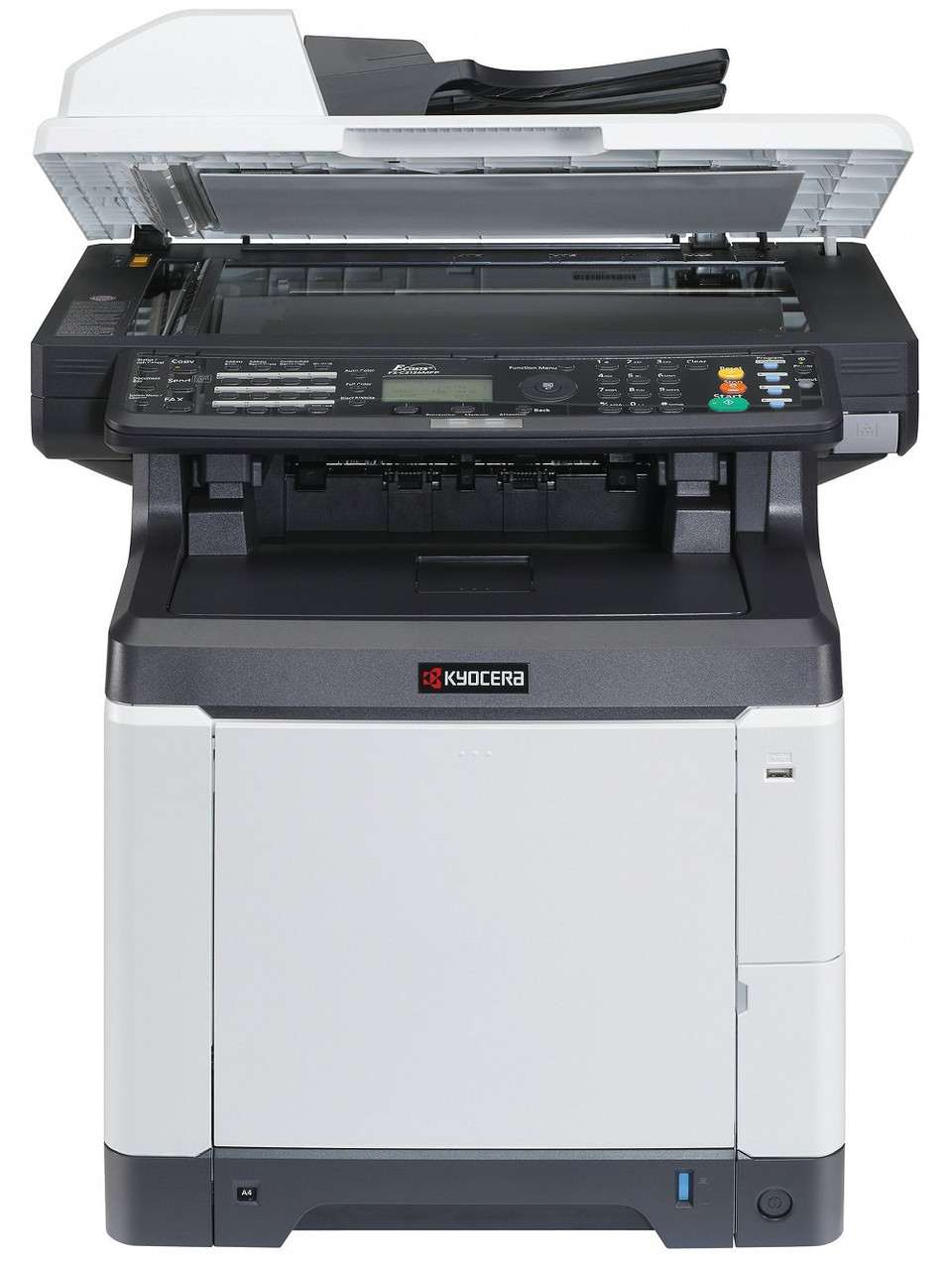
Kyocera created the FS-C2126MFP Plus for departments that settled on the 2126 color multifunction engine but wanted a beefier configuration from day one — additional trays, a finisher, or a higher-duty paper path. The supplies, happily, are unchanged from the base model: the four-cartridge TK-592 family, made up of the black TK-592K (factory number 1T02KV0US0, about 7,000 pages) and the three process colors, cyan TK-592C (1T02KVCUS0), magenta TK-592M (1T02KVBUS0) and yellow TK-592Y (1T02KVAUS0), at about 5,000 pages each per ISO/IEC 19798.
The Plus specification is about paper, not print: floors where the machine rarely sits idle get the tray capacity and finishing options those queues demand, while the shared engine means one driver, one toner family and one set of habits across the base and Plus machines. In practice that makes this the version an IT manager chooses once, for the busy corridor — color documents, copies and scans flowing through a single unit whose supply shelf holds exactly four cartridges. Keep those four stocked and the department's color output takes care of itself.
Toner Cartridges for FS-C2126MFP Plus
| Cartridge | Color | Page Yield |
|---|---|---|
| TK-592 — 4 Color Set (1T02KV0US0/ 1T02KVCUS0/ 1T02KVBUS0/ 1T02KVAUS0) | Black, Cyan, Magenta, Yellow | K about 7,000; colors about 5,000 pages |
| TK-592 — Premium 4 Color Set | Black, Cyan, Magenta, Yellow | K about 7,000; colors about 5,000 pages |
| TK-592K (1T02KV0US0) | Black | About 7,000 pages |
| TK-592C (1T02KVCUS0) | Cyan | About 5,000 pages |
| TK-592M (1T02KVBUS0) | Magenta | About 5,000 pages |
| TK-592Y (1T02KVAUS0) | Yellow | About 5,000 pages |
In European documentation the same family appears as the TK-590 series; the cartridges above are its North American TK-592 listings.
Which cartridge should you buy?
Color machines rarely empty all four cartridges together. Black does most of the work in mixed office printing and is rated highest here at about 7,000 pages, while each color is rated at about 5,000 — so the practical rhythm is single-cartridge replacement: order the color the panel names, swap it, and carry on. The 4-color set earns its place when several cartridges are running low together, after a long stretch without restocking, or when a department standardizes its shelf. The premium set is the same four cartridges in the premium-grade compatible build. Every option carries a 1-year warranty and 1-year returns.
Chip, toner and everyday use
Each of the four cartridges is read by the machine as it seats, so replace one color at a time and confirm the panel clears before closing up. Color yields are quoted per ISO/IEC 19798 at standard coverage; presentation decks and full-bleed graphics spend color toner far faster than letters do, while black text remains cheap. If one color starts banding or fading, remove that cartridge and rock it gently — then run a few pages so fresh toner works through. Store the set flat and sealed; keeping a full spare set in the cabinet is the simplest way to guarantee a color outage never stops a deadline.
Frequently Asked Questions
Which toner does the FS-C2126MFP Plus use?
The TK-592 family: black TK-592K at about 7,000 pages and cyan TK-592C, magenta TK-592M and yellow TK-592Y at about 5,000 pages each. The four cartridges are independent and are replaced one at a time as they run out.
How is the Plus different from the FS-C2126MFP?
Configuration, not capability. The Plus is a variant of the same FS-C2126MFP platform — same print engine, same fax capability, same TK-592 toners — specified with a heavier paper setup for busier floors. Toner ordered for either machine works in both.
Do I have to replace all four colors at once?
No. Each cartridge is independent, and the machine reports them separately. Replace only the color that is empty; the set listings exist for convenience and for restocking a shelf, not because the printer demands a matched four.
One color looks wrong on my prints. What should I check?
Identify the affected color first — a faded or streaky single color points to that cartridge. Reseat it, and if the output stays weak, rock it gently to redistribute toner. If a freshly fitted cartridge is not recognized, remove it and seat it again firmly so the machine can read its chip.
More printers that use the same cartridges
The TK-592 family also feeds these Kyocera color models: FS-C2026MFP, FS-C2026MFP Plus, FS-C2126MFP, FS-C2526MFP, FS-C2626MFP, FS-C5250DN, TASKalfa 400CI, TASKalfa 500CI, TASKalfa 552CI.