




FS-C5100DN
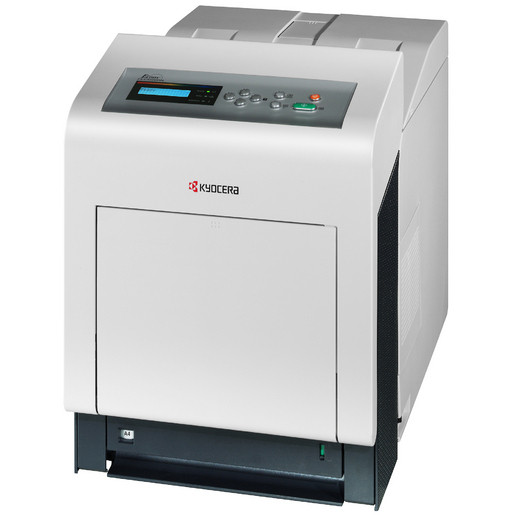
The FS-C5100DN takes the desktop color printer concept and makes it office-ready, adding built-in duplex and network connectivity to the base C5100 so the machine can be shared properly. It prints from the TK542 four-color family — black TK542K at about 5,000 pages, and cyan TK542C, magenta TK542M and yellow TK542Y at about 4,000 pages each per ISO/IEC 19798. In Kyocera's European numbering the same set is the TK-540 series, and the factory part numbers run 1T02HL0US0 for black, then 1T02HLCUS0, 1T02HLBUS0 and 1T02HLAUS0 for cyan, magenta and yellow.
Sharing changes the toner math. A personal color printer can wait out a slow week; a networked one serving a small workgroup cannot, and its two-sided standard output encourages exactly the long documents that drain cartridges. Because the DN model uses the identical set as the base C5100, a mixed setup of both machines draws from one supply shelf and color output stays consistent across the two.
Toner Cartridges for FS-C5100DN
| Cartridge | Color | Page Yield |
|---|---|---|
| TK542K | Black | ~5,000 pages |
| TK542C | Cyan | ~4,000 pages |
| TK542M | Magenta | ~4,000 pages |
| TK542Y | Yellow | ~4,000 pages |
| TK542 4 Color Set | Black, cyan, magenta, yellow set | See product page |
| TK542 2 Black | Black | ~5,000 pages per cartridge |
| TK542 3 Black | Black | ~5,000 pages per cartridge |
| TK542 5 Black | Black | ~5,000 pages per cartridge |
Which cartridge should you buy?
On a shared machine, black is the cartridge with a schedule: at roughly 5,000 pages it will cycle several times while a set of colors works through its 4,000. Offices that feel that rhythm buy black in the multi-packs and treat colors as singles, replacing each hue only when the printer calls for it. The 4 Color Set has a different job — a new installation, a machine returning from storage, or a general refresh when several channels report low in the same month. Buying the set for a single low color leaves three cartridges aging on a shelf for no benefit.
Chip, toner and everyday use
Cartridges on this platform are chipped; seat each one fully and let the printer complete its recognition before queuing work, especially on a shared device where three people may send jobs during a swap. Ratings assume about 5% coverage per color, and presentation decks with solid backgrounds can consume a color several times faster than the rating suggests — the printer's own gauge is the honest signal. Keep one spare black within reach of the machine at all times; it is the cartridge a shared printer will ask for first.
Frequently Asked Questions
Which toner does the FS-C5100DN use?
The TK542 family: TK542K black (~5,000 pages) with TK542C, TK542M and TK542Y colors (~4,000 pages each). Europe sells the identical set as the TK-540 series.
Does the FS-C5100DN use the same toner as the FS-C5100?
Yes. The DN model adds duplex and networking to the base machine but keeps the same TK542 set, so one shelf supplies both, and output matches across them.
Can I keep printing when one color runs out?
Black-only documents generally continue; color jobs wait for the empty channel. Since each color is a separate cartridge, replacing just that one restores full function.
Are compatible TK542 cartridges covered by a warranty?
Yes — a 1-year warranty and 1-year returns from Clever Supplies cover the compatible cartridges on this page.
More printers that use the same cartridges
This generation of Kyocera color machines drinks from the same black cartridge. You will find it in ECOSYS P6030CDN, ECOSYS P7035CDN, FS-5100DN, FS-C5100, FS-C5100DN, FS-C5200, FS-C5200DN, FS-C5300DN, FS-C5350DN, FS-C5400, FS-C5400DN.