




FS-5100DN
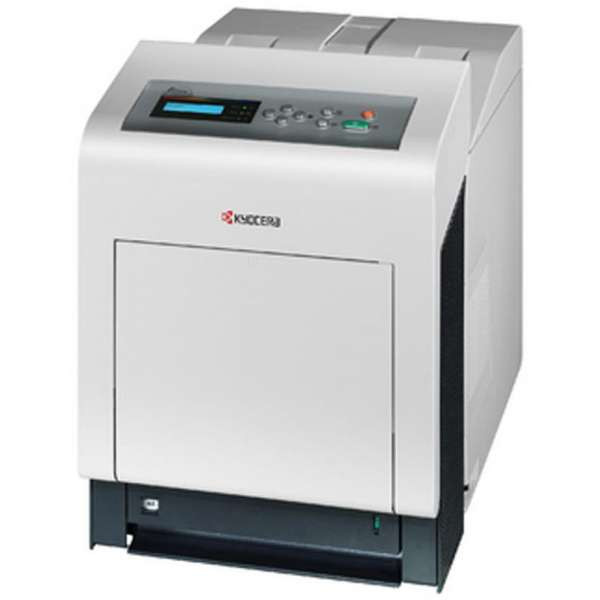
This page gathers the TK542 cartridge family in one place: the black TK542K, cyan TK542C, magenta TK542M and yellow TK542Y singles, black multi-packs for heavier monochrome volume, and the complete 4 Color Set for a full refresh. The printers these cartridges serve are listed at the bottom of the page, so the fastest way to confirm a match is to find your model there or read the code off the cartridge you are replacing.
A family page like this one earns its keep at reorder time. Instead of hunting four separate listings, the whole color engine is on one shelf: replace a single channel when one color fades, or take the set when the machine has been running long enough that the colors are aging together. Black, as always, moves fastest — most documents stay black even on color machines — which is why black alone is offered in two, three and five-cartridge cartons here.
Toner Cartridges for FS-5100DN
| Cartridge | Color | Page Yield |
|---|---|---|
| TK542 4 Color Set | Black, cyan, magenta, yellow set | See product page |
| TK542K | Black | See product page |
| TK542C | Cyan | See product page |
| TK542M | Magenta | See product page |
| TK542Y | Yellow | See product page |
| TK542 2 Black | Black | See product page |
| TK542 3 Black | Black | See product page |
| TK542 5 Black | Black | See product page |
Which cartridge should you buy?
Let the printer's own report decide. When a single color shows low, buy that single — the four channels are independent, and replacing a healthy color early wastes the life left in it. When two or more colors are low together, or a machine is being returned to service after heavy use, the 4 Color Set resets everything in one order and one delivery. Black deserves its own plan: a workgroup that prints mostly text will empty several blacks between color changes, so the black multi-packs exist to keep a spare permanently on the shelf instead of triggering a fresh order every time.
Chip, toner and everyday use
Each cartridge is chipped and read by the printer as it seats; push it fully home and let the recognition cycle finish before sending the next job. Toner level warnings are estimates built on coverage, so a cartridge flagged low can still hold useful life — a gentle side-to-side rock evens out the remaining toner when a job has to finish tonight. Store unopened cartridges flat, in their bags, away from sunlight and heat, and use the oldest stock first so nothing ages past its best on the shelf.
Frequently Asked Questions
Which cartridges does this page sell?
The TK542 family: TK542K black, TK542C cyan, TK542M magenta and TK542Y yellow as singles, the same black in 2, 3 and 5-cartridge packs, and all four colors together in the 4 Color Set.
Do I have to buy the full set when one color runs out?
No. Every color is a separate cartridge and the printer tracks them separately. The set is a convenience for a full refresh, not a requirement for a single low color.
Where are the page yields for these cartridges?
Yield figures live on each product page, where they are kept current; this overview lists the family and its pack options rather than repeating numbers that belong with the individual listings.
What cover do compatible cartridges carry here?
Clever Supplies backs its compatible cartridges with a 1-year warranty and 1-year returns.
More printers that use the same cartridges
The black cartridge on this page is shared across Kyocera's color line of this generation. It also powers ECOSYS P6030CDN, ECOSYS P7035CDN, FS-C5100, FS-C5100DN, FS-C5200, FS-C5200DN, FS-C5300DN, FS-C5350DN, FS-C5400, FS-C5400DN.