






 See Compatible Printers
 Read more about our ink!
Kyocera-mita
Compatible Kyocera-Mita TK542 Toner Cartridge Yellow (TK542Y)

Amazon Price:

- Page Yield:
- Color:4000
- Availability:
- In Stock
- Shipping:
- Calculated at Checkout
- Compatible Printers
- Specifications
- SKU:
- CS-Kyocera-Mita-TK542-Y
- Printer Brand:
- Kyocera-Mita
- OEM Number:
- TK542Y
- Ink Color:
- Yellow
- Page Yield:
- Color:4000
- Printer Type:
- Laser Cartridge
- Description
- Reviews

/> 

Clever Supplies brand products are made in the USA! Why pay more for cheaper product with a high defective rate? You will end up having to send it back to the manufacturer. Your time is valuable. Get a quality product that you KNOW will work. Purchase the Clever Supplies Compatible for Kyocera-Mita TK542 (TK542Y) Yellow Toner Cartridge and experience the difference! All Clever Supplies brand products are backed by '100% Quality Satisfaction' 1 year warranty against defects in materials and workmanship for all toner products. Free tech support for any problems for all Clever Supplies brand products. The use of Clever Supplies brand replacement laser toner cartridges and supplies does not void printer warranty. Premium Quality Replacement Toner Cartridge is made by ISO9001 Certified Factory to Meet or Exceed OEM Standards. These units are manufactured 100% brand new with all new parts including OPC drums, wiper blades, a smart chip and other internal parts, they are an economical alternative to expensive OEM TK542Y Compatible Toner Cartridges. The Compatible Toner Cartridges will produce the same amount of page yield as an OEM cartridge would. This is a Compatible for Kyocera-Mita TK542 Toner Cartridges guaranteed to perform with Kyocera-Mita Laser Printers. It replaces the original Kyocera-Mita TK542 Yellow. The use of compatible replacement Cartridges and supplies does not void Printer Warranty. Our Compatible for TK542Y. Cartridge is a replacement for OEM Kyocera-Mita. We offer a 100% Quality Satisfaction Guarantee on our Compatible for TK542Y Laser Toner Cartridges and supplies. For use in the following printers: FS-5100DN, FS-C5100, FS-C5100DN
Frequently Asked Questions
Yellow never seems to announce itself. How do I know when it has run out?
Watch the colors that depend on it. When yellow fades, greens slide toward blue, highlights wash out and warm tones go cold, often before any dramatic warning. The printer's test page settles it: a pale yellow block beside healthy cyan and magenta means this cartridge — code TK542Y — is the one to replace.
How do I make sure I am ordering the yellow and not another color?
By the last letter of the code. In this family Y is yellow: TK542Y. The black, cyan and magenta carry TK542K, TK542C and TK542M, and none of them fits the yellow slot, so read the code off the old cartridge and match it exactly.
Can the yellow be changed on its own, mid-run?
Yes. Pause the job, open the cover on the FS-C5100DN, exchange only the yellow cartridge and carry on. The other three slots are untouched, and the job resumes where it left off.
What should I check if prints still look off right after fitting it?
That the protective seal came away completely and the cartridge seated with a click. Then print a few color-heavy pages to let the new toner work through — a short run usually restores the greens and warm tones.
How long is a yellow cartridge likely to last?
It is rated at 4,000 pages at standard coverage. In an office where color is occasional, yellow is often the slowest cartridge to drain; in photo- and brochure-heavy work it can move much faster, which is why the test page matters more than the calendar.
What cover does this cartridge carry?
A 1-year warranty with 1-year free returns under our shipping & returns policy. The cover applies to this yellow cartridge on its own, independent of any other cartridge in the printer.
Why is yellow the cartridge worth ordering before it fully fails?
Because yellow fails quietly. Black announces itself in faded text and magenta in cold photographs, but a draining TK542Y shows up only as colors that look vaguely wrong — greens leaning blue, highlights washed out. By the time the drift is obvious, a batch of pages may already have gone out off-color. Ordering when the supply monitor first dips keeps the replacement ready before the quiet fade becomes visible work.
Before a long color job, how can I check the yellow level is up to it?
Glance at the printer's supply monitor first, then print a test page and look at the yellow block itself: pale yellow on white is hard to judge alone, so compare it against the cyan and magenta blocks beside it. If yellow is clearly the weakest of the three, fit the new cartridge before the run rather than discovering the shortage halfway through a stack of brochures.
Is there anything worth noting when I fit a yellow cartridge?
The date. Yellow drains so slowly in many offices that memory is a poor record of when the current cartridge went in, and a date written on the box or a note with the spare tells you at a glance how long it has served. That makes the next judgment — is this cartridge genuinely near its 4,000-page rating, or is something else off — a factual one instead of a guess.
What do I do with the yellow cartridge I take out?
Once the new TK542Y is in and the greens have come back into balance, the old unit can go. Return it to the packaging the replacement arrived in to contain any toner residue, and pass it to a recycling collection point with your other spent cartridges. There is no benefit in keeping an empty yellow as a spare — it has nothing left to give a future print run.
About This TK542Y Yellow Cartridge
This is the single yellow refill: part number TK542Y, rated at 4,000 pages and priced at $62.84. Because yellow fades quietly, it is the cartridge most often behind "the colors just look wrong" complaints — greens turning blue are its telltale sign. It is part of our compatible Kyocera-Mita range; orders ship from our warehouses in IL, PA, GA and CA, and support is available Monday to Friday, 9 AM to 5 PM CST.
Related Items

Kyocera-mita
Compatible Kyocera-Mita TK542 Toner Cartridge 3 Color Set (TK542C, TK542M, TK542Y)
/>


Kyocera-mita
Compatible Kyocera-Mita TK542 Toner Cartridge 6 Color Set (TK542C, TK542M, TK542Y)
/>
Kyocera-mita
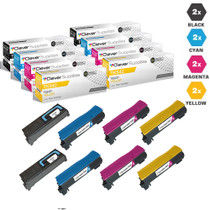
Compatible Kyocera-Mita TK542 Toner Cartridge 8 Color Set (TK542K, TK542C, TK542M, TK542Y)
/>
Kyocera-mita
Compatible Kyocera-Mita TK542 Toner Cartridge Magenta (TK542M)
/>