




FS-C5200
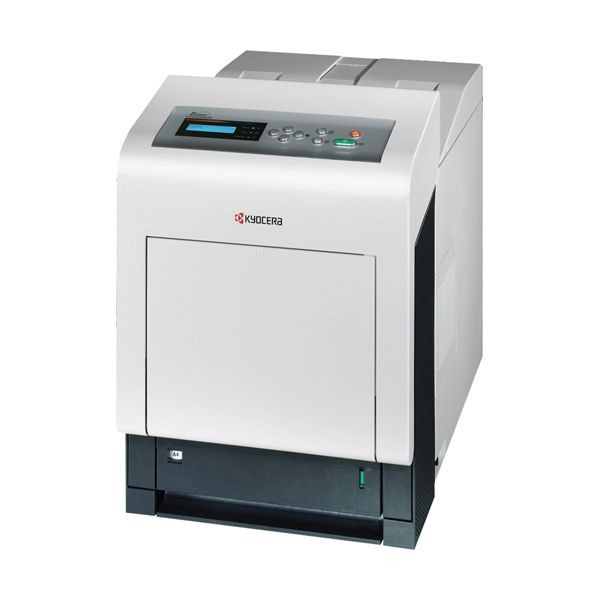
One tier above the 5100 line, the FS-C5200 brings color laser printing with a bit more speed and paper capacity for growing teams, and it runs its own dedicated supply set: the TK552 family. Black TK552K is rated for about 7,000 pages, while cyan TK552C, magenta TK552M and yellow TK552Y each carry about 6,000 pages per ISO/IEC 19798. North American stockists label this family TK-552 where European documents say TK-550, and the cartons also carry the OEM numbers 1T02HM0US0, 1T02HMCUS0, 1T02HMBUS0 and 1T02HMAUS0 in black, cyan, magenta, yellow order.
This is the machine a small office lands on when color stops being occasional. Regular color workloads — proposals, reports with charts, customer-facing documents every week — reward the larger cartridges: a 7,000-page black and 6,000-page colors mean the supply shelf turns over noticeably less often than on the tier below, and the set is deliberately separate from the 540 series above it, so there is no cross-tier confusion at reorder time.
Toner Cartridges for FS-C5200
| Cartridge | Color | Page Yield |
|---|---|---|
| TK552K | Black | ~7,000 pages |
| TK552C | Cyan | ~6,000 pages |
| TK552M | Magenta | ~6,000 pages |
| TK552Y | Yellow | ~6,000 pages |
| TK552 4 Color Set | Black, cyan, magenta, yellow set | See product page |
| TK552 2 Black | Black | ~7,000 pages per cartridge |
| TK552 3 Black | Black | ~7,000 pages per cartridge |
| TK552 5 Black | Black | ~7,000 pages per cartridge |
Which cartridge should you buy?
The yields frame the decision. With black and colors rated within a thousand pages of each other, a genuinely color-heavy office may find all four channels aging together — the one case where the 4 Color Set is the natural restock. Text-heavy offices live the opposite pattern: black cycles alone, and the black 2, 3 and 5-packs keep a spare permanently in reserve while colors are bought as singles, only when called for. Either way, resist stocking deep on colors "just in case"; an unopened color cartridge waiting a year helps nobody, while a missing black stops everything.
Chip, toner and everyday use
Swap one channel at a time and let the printer recognize the new chipped cartridge before starting the next; stacking swaps is how a good cartridge gets blamed for a recognition hiccup. Yield ratings are measured at light coverage, and this machine's typical diet — office documents with charts and logos — sits above that, so plan reorders from the on-screen levels rather than the calendar. A spare black stored flat in its sealed bag near the printer, rotated as stock arrives, is the whole storage policy this family needs.
Frequently Asked Questions
Which toner does the FS-C5200 use?
The TK552 family — TK552K black at about 7,000 pages and TK552C, TK552M, TK552Y at about 6,000 pages each. The same set is documented in Europe as the TK-550 series.
Do I need to replace all four colors at once?
No. Each TK552 cartridge is independent and the printer reports them separately, so a single low color is a single-cartridge job. The 4 Color Set exists for full refreshes, not as a requirement.
Will TK542 cartridges from the 5100 line fit the FS-C5200?
No. The FS-C5200's set is its own — TK552 — kept separate from the 540-series numbering of the tier below. Match the TK552 code on the cartridge you remove.
How are these compatible cartridges guaranteed?
They carry a 1-year warranty and 1-year returns from Clever Supplies.
More printers that use the same cartridges
Order the black cartridge once and it fits a whole shelf of Kyocera color hardware, including ECOSYS P6030CDN, ECOSYS P7035CDN, FS-5100DN, FS-C5100, FS-C5100DN, FS-C5200DN, FS-C5300DN, FS-C5350DN, FS-C5400, FS-C5400DN.