






 See Compatible Printers
 Read more about our ink!
Kyocera-mita
Compatible Kyocera-Mita TK-172 (TK172) Toner Cartridge Black 2 Pack

Amazon Price:

- Page Yield:
- Black: 7200
- Availability:
- In Stock
- Shipping:
- Calculated at Checkout
- Compatible Printers
- Specifications
- SKU:
- CS-KyoceraMita-TK-172-2BK
- Printer Brand:
- Kyocera-Mita
- OEM Number:
- TK172
- Ink Color:
- Black
- Page Yield:
- Black: 7200
- Printer Type:
- Laser Cartridge
- Condition:
- New Compatible
- Description
- Reviews



Kyocera Mita presents the TK172K black toner cartridge, specifically designed for FS 1320D and 1370DN printers, ensuring consistent and high-quality printing performance for black and white documents. With its high yield and efficiency, the TK172K cartridge provides cost-effective printing solutions for offices with moderate to high-volume printing needs. In addition to toner cartridges, toner cartridges are essential for maintaining print quality. The Kyocera Mita TK172 toner cartridge complements the printer's performance, delivering sharp and clear text documents. Whether it's reports, invoices, or letters, the TK172 toner cartridge ensures impressive prints, enhancing overall output quality. Kyocera Mita printers, part of the FS series, offer reliable and efficient printing solutions for various printing tasks. Paired with TK172 toner and toner cartridges, these printers ensure consistent and professional results, making them a trusted choice for users seeking dependable printing solutions.
Frequently Asked Questions
How do I confirm TK172 is the part number my printer is asking for?
Open the front cover and read the label on the cartridge already inside, or check the supplies information in the printer's menu: both give the cartridge designation directly. When it reads TK172, this 2-pack is the matching refill — the same code is printed on the box and on each cartridge inside it, so there is no variant or suffix to second-guess.
Why does this listing pair two cartridges together?
The FS-1370DN is a workhorse desktop printer, and its toner always seems to run out in the middle of a print run rather than between jobs. With this 2-pack at $34.19, one TK172 goes into the machine and the second stays sealed on the shelf, so a low-toner warning becomes a two-minute swap instead of an emergency order.
How many pages should I expect from each cartridge?
Each TK172 cartridge is rated at 7,200 pages, measured at the standard 5% page coverage used across the industry. A small office printing mostly letters and invoices will land close to that figure; pages heavy with graphics or solid black areas use toner faster, so real-world counts vary with what you print.
How should the spare cartridge be stored while it waits?
Leave it sealed in its box, stored flat in a cool, dry spot away from direct sunlight and heaters. Toner does not dry out the way ink does, and a cartridge kept sealed and indoors stays ready for the day the installed one runs low — there is no benefit to opening it early to "check" it.
How quickly can a replacement pack get to me?
Orders leave from whichever of our warehouses in IL, PA, GA and CA is closest to your delivery address. Delivery windows and the returns process are laid out on the shipping and returns page.
What if one cartridge in the pack turns out to be defective?
Each TK172 is covered individually by a 1-year warranty with 1-year free returns, and that protection applies whenever the cartridge is opened — including a spare installed months after the pack arrived. Keep the faulty unit, and reach support Monday through Friday, 9 AM to 5 PM CST to arrange what comes next.
What does a page actually cost with this 2-pack?
Divide the $34.19 pack price by the combined 14,400 rated pages and you land at roughly a quarter of a cent per page. That figure assumes the standard 5% coverage behind the TK172 rating; a month of dense, graphics-heavy printing will push the real cost up a little, while plain letters and invoices keep you right at it.
When is the right moment to order the next 2-pack?
Order on the day the shelf spare goes into the printer, not when the low-toner warning appears for the second cartridge. At that point you still have a full 7,200 rated pages of printing ahead of you, which is a generous buffer while the new pack travels from the nearest warehouse — the rotation never breaks and the shelf is never truly empty.
How can I learn my printer's real pages-per-cartridge figure?
Note the date and the printer's page counter each time you fit a TK172, then read the counter again when that cartridge runs low. Two or three cycles of that simple log tell you what your FS-1370DN actually gets from a cartridge with your documents, which is a far better planning number than the rating alone.
What should I do with the empty cartridge after a swap?
Slip the spent TK172 back into the replacement's packaging so toner residue stays contained, and set it aside for your usual electronics or office-supply recycling route rather than the general trash. Keeping the empty until the new cartridge has printed cleanly for a few days is also sensible — if anything looks wrong early, you still have the old unit on hand while you talk to support.
About This TK172 2-Pack
A continuity pack for a single desktop printer: two black TK172 cartridges for the 1370DN, sold by Kyocera-Mita reseller Clever Supplies at $34.19. One cartridge keeps the printer running today, the other waits on the shelf for the next low-toner warning, and each is rated at 7,200 pages.
Related Items

Kyocera-mita
Compatible Kyocera-Mita TK-172 (TK172) Toner Cartridge Black 4 Pack

Kyocera-mita
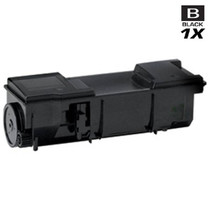
Compatible Kyocera Mita 1T02LZ0US0 (TK-172) Laser Toner Cartridge Black
/>
Kyocera-mita
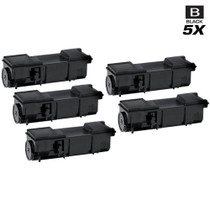
Compatible Kyocera Mita 1T02LZ0US0 (TK-172) Laser Toner Cartridges Black 5 Pack
/>

Kyocera-mita
Compatible Kyocera Mita 1T02LZ0US0 (TK-172) Laser Toner Cartridges Black 3 Pack
/>