




FS-1035MFP
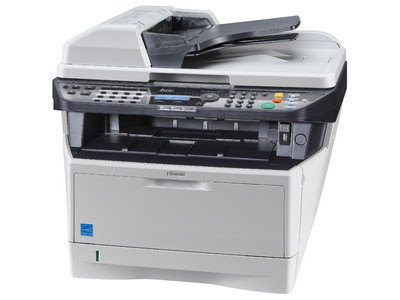
The Kyocera FS-1035MFP is a monochrome multifunction printer — print, copy, scan and fax — built on Kyocera's ECOSYS long-life design, and it feeds on a single black cartridge. North American stock sells that cartridge as the TK-1142 (1T02ML0US0), rated at about 7,200 pages; Kyocera's own toner chart lists the same cartridge for this model under its TK-1147 designation. One cartridge, one number to reorder, and nothing else on a recurring schedule.
This is the machine for a desk or small team that copies and scans as much as it prints. Because the ECOSYS design keeps long-life components inside the printer instead of inside the cartridge, the routine supply cupboard holds toner only — no drums or kits rotating through the budget. A roughly 7,200-page cartridge also means the swap interrupts work a few times a year rather than a few times a quarter, which matters when the same person ordering toner is the person using the machine.
Toner Cartridges for FS-1035MFP
| Cartridge | Color | Page Yield |
|---|---|---|
| TK-1142 (1T02ML0US0) | Black | ~7,200 pages |
| TK-1142 — Black 5 Pack | Black | ~7,200 pages each |
| TK-1142 — Premium Quality Black 5 Pack | Black | ~7,200 pages each |
Which cartridge should you buy?
There is only one cartridge decision here — how many at a time. A single TK-1142 suits a light-duty desk that prints in bursts and sits idle between them. Busier offices come out ahead with the 5-pack: the per-cartridge cost drops, and a spare is already in the cabinet the morning the low-toner message appears instead of starting a delivery wait. At about 7,200 pages per cartridge (ISO/IEC 19752, around 5% coverage), a 5-pack can carry a small team through a long stretch of everyday printing, copying and fax output.
Chip, toner and everyday use
The TK-1142's chip reports toner level to the FS-1035MFP, so the panel warning is a fair guide to when a spare should move from the shelf to the machine. When pages start to gray, removing the cartridge and rocking it gently end to end redistributes the toner and usually restores even coverage for the remaining pages. Because this model scans and copies constantly, keep the document glass clean as part of the same routine — streaks on copies are usually glass marks, not toner faults. Store unopened cartridges flat and away from heat.
Frequently Asked Questions
Which toner does the FS-1035MFP use?
One black cartridge: the TK-1142 in North American listings (Kyocera part 1T02ML0US0), rated at about 7,200 pages. Kyocera's chart shows the same cartridge for this model as the TK-1147, its European equivalent being the TK-1140.
What is the difference between the FS-1035MFP and the FS-1135MFP?
Both are 35-ppm A4 monochrome MFPs drinking from the same toner family. The FS-1135MFP is the higher-spec sibling, with a faster processor and more standard memory — but the cartridge you order is identical either way.
Does this printer need a separate drum unit replaced?
No recurring drum purchase belongs in this model's budget. The ECOSYS long-life approach keeps the drum as a long-life internal component, leaving toner as the only supply you reorder on a cycle.
What warranty backs the compatible TK-1142 cartridges?
They are covered by a 1-year warranty and 1-year returns, so a cartridge that underperforms is exchanged or refunded within that window.
More printers that use the same cartridges
The same black cartridge also serves the FS-1035 MFP, FS-1135 MFP, M2035dn and M2535dn.