




FS-1020D
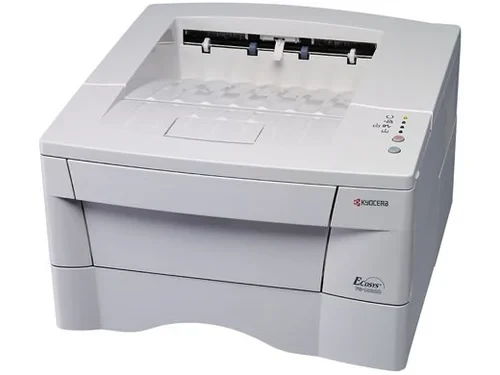
The letter at the end of the name is the whole sales pitch: on the Kyocera FS-1020D the duplexer is built in, so two-sided printing happens automatically instead of relying on anyone to turn a stack of paper over by hand. It is a monochrome laser that runs on one black cartridge, the TK-18 — Kyocera part number 370QB0KM, also listed in the no-dash form TK18 — rated for up to 7,200 pages per ISO/IEC 19752.
Think of this as the quiet cost-cutter of a small office. Halving paper use on every multi-page job is worth more over a year than most speed upgrades, and a 7,200-page cartridge means the supply drawer opens rarely. The drum is a separate, long-life component on this model and the cartridge carries toner only, so a replacement is a small, light box rather than a whole imaging assembly — cheaper to buy, cheaper to ship, and quicker to swap when the low-toner warning appears mid-job.
Toner Cartridges for FS-1020D
| Cartridge | Color | Page Yield |
|---|---|---|
| 370QB0KM (TK-18) | Black | Up to 7,200 pages |
| 370QB0KM (TK-18) — 5 Pack | Black | Up to 7,200 pages each |
| 370QB0KM (TK-18) — Premium 5 Pack | Black | Up to 7,200 pages each |
| TK18 | Black | Up to 7,200 pages |
| TK18 — 2 Black | Black | Up to 7,200 pages each |
| TK18 — 3 Black | Black | Up to 7,200 pages each |
| TK18 — 5 Black | Black | Up to 7,200 pages each |
| TK18 — 10 Black | Black | Up to 7,200 pages each |
Which cartridge should you buy?
With a single cartridge and a 7,200-page rating, the only real question is how many to keep on the shelf. A desk that prints a few hundred pages a month will take the best part of a year to empty one, so a single spare is plenty. A busier office that cannot afford a paused printer should look at the two and three packs; the five and ten packs suit sites running several machines from this family off one supply shelf, where the per-cartridge cost drops with each step up. There is no standard-versus-high-yield puzzle here — every listing on this page is the same cartridge in a different box count, and each is a compatible covered by a 1-year warranty and 1-year returns.
Chip, toner and everyday use
When output starts to fade, pull the cartridge and rock it gently from end to end a few times before ordering — the toner inside settles during long runs, and redistributing it coaxes out pages that the counter thinks are gone. The yield figure assumes the standard 5 percent coverage of the ISO test, so dense forms and bold graphics will finish a cartridge sooner than letters do. Fit the new cartridge until it clicks home and let the printer recognize the chip before sending work; a spare stored flat, sealed and out of direct sunlight keeps its rated life for when you need it.
Frequently Asked Questions
Which toner does the FS-1020D use?
One black cartridge: the TK-18, Kyocera part number 370QB0KM. It is a toner-only cartridge rated for up to 7,200 pages.
Does the FS-1020D need a separate drum replacement?
The drum on this model is a separate long-life component, not part of the cartridge. You replace only the toner as it runs out, which is a large part of why running this printer stays inexpensive.
Is duplex really standard, or an add-on?
Standard. The D in FS-1020D marks the built-in duplexer, so two-sided printing is available from the driver with no extra hardware to buy or fit.
How many pages will I actually get from one cartridge?
Up to 7,200 at the ISO/IEC 19752 test coverage. Offices printing mostly letters and reports usually land near that figure; heavy graphics pull it down. A gentle shake when pages first fade often recovers a useful reserve.
More printers that use the same cartridges
The TK-18 shelf is shared with these Kyocera and Copystar models:
CS-1820, FS-1018MFP, FS-1118MFP, KM-1500, KM-1815, KM-1818, KM-1820