






 See Compatible Printers
 Read more about our ink!
Kyocera-mita
Compatible Kyocera Mita 1T02LK0US0 (TK-8307K) Laser Toner Cartridge Black

Amazon Price:

- Page Yield:
- 25,000 Pages
- Availability:
- In Stock
- Shipping:
- Free Shipping
- Compatible Printers
- Specifications
- SKU:
- TK-8307K
- Printer Brand:
- Kyocera-mita
- OEM Number:
- 1T02LK0US0
- Ink Color:
- Black
- Page Yield:
- 25,000 Pages
- Printer Type:
- Laser Cartridge
- Condition:
- New Compatible
- Description
- Yields up to 25000 pages
- Trust compatible Kyocera Mita 1T02LK0US0 Toner Cartridge to provide outstanding print quality for all your important photos and documents
- Unlike bargain replacement inks Kyocera Mita toner cartridge are designed specifically to work with Kyocera Mita printers for exceptional reliability and performance
- Compatible with: Kyocera Mita CS: 3050CI 3550CI TASKalfa: 3050CI 3051 3550 3551CI Series Printers
- Supply Type: Toner
- Cartridge Yield Type: Standard
- Ink/Toner Cartridge Type: Compatible
- Ink/Toner Color: Black
- Ink/Toner Pack Size: 1/Pack
- Replaces the Following Manufacturer Numbers: TK-8307K / TK-8309K 1T02LK0US0 / 1T02LK0CS0
- Reviews

/> 

Compatible Kyocera Mita 1T02LK0US0 (TK-8307K) Laser Toner Cartridge in black color with yielding capacity of up to 25000 pages renders consistent convenience and better value.
Kyocera Mita TK-8307K Toner Cartridge in black color offer magnificent performance with Kyocera Mita printers. Cartridge is designed to provide great print quality for photos and documents.
Features:
Frequently Asked Questions
Two names appear for this cartridge — 1T02LK0US0 and TK-8307K. Which should I match?
Either one. 1T02LK0US0 is the full Kyocera part number and TK-8307K is the short family name for the same black cartridge. Check whichever appears on the unit you are replacing; a match on one is a match on both, and this single black cartridge is $78.63.
Why does the black cartridge carry a 25,000-page rating when the colors carry 15,000?
Because black does most of the work. Letters, reports, invoices and forms are overwhelmingly black text, so the family's black unit is built to a 25,000-page rating while each color is rated at 15,000. On a machine with a normal office mix, the black cartridge is still usually the first to empty — it simply starts from a bigger fill.
Is this the full-capacity cartridge or the reduced starter size?
Full capacity. This is the complete 25,000-page 1T02LK0US0 cartridge, not the smaller starter unit supplied with a new machine, so a replacement restores the machine's full interval between black changes.
Pages are coming out light right after I fitted it. What is the first thing to try?
Pull the cartridge back out and rock it slowly side to side several times, then push it firmly home. Toner compacts during shipping, and a cartridge seated with settled toner prints light for its first pages; redistributing the fill almost always brings the density back within a short run.
How long does the change itself take?
About two minutes, with no tools. Open the front cover of your TASKalfa 3050ci — the TASKalfa 3051ci and TASKalfa 3550ci work the same way — withdraw the old black unit, slide the new one in until it stops, close the cover and print.
What cover comes with the cartridge if something goes wrong?
A 1-year warranty and 1-year free returns, with the complete terms on our shipping & returns page. Stock ships from IL, PA, GA and CA warehouses, and support is available Monday–Friday, 9 AM–5 PM CST.
When should I order the next TK-8307K — at the first low-toner message or when the machine stops?
At the first message. The TASKalfa 3050ci flags low black well before the cartridge is truly empty, and that warning is your ordering window: order the 1T02LK0US0 then and the replacement arrives while the installed cartridge still has pages left. Waiting until the machine stops turns a two-minute swap into an office standing still. Keeping one spare beside the machine removes the question entirely — the next black is already there when the warning turns into an empty.
How do I learn how many months one black cartridge lasts us?
Use the machine's page counter. Read it on the day you fit a fresh TK-8307K, read it again a month later, and the difference is your true monthly volume. Divide that into the 25,000-page rating and you have a realistic months-per-cartridge figure for your own mix. A quiet office may stretch one black past a year, while a department printing reports all day may turn one over in a few months — the counter tells you which office you are.
What should I check on the box when the new black cartridge arrives?
Read the code on the carton label before opening it: it should say 1T02LK0US0 or TK-8307K, the two names for the same black cartridge. Matching the code on the box with the code on the unit you are about to replace takes seconds and catches a wrong-code delivery while the box is still sealed — an unopened cartridge is far simpler to exchange than one that has already been fitted.
What do I do with the spent black cartridge?
Recycle it as a toner cartridge rather than putting it in general waste. Most areas run a local drop-off or a waste service that accepts spent units, so slip the empty TK-8307K into the box the new one came in and set it aside for the next trip. Keep it only if the cartridge failed early: a faulty unit is covered by the 1-year warranty with 1-year free returns, and holding the unit makes the claim straightforward.
About This Kyocera TK-8307K Black Toner Cartridge
The black workhorse of the Kyocera-Mita TASKalfa 3050ci series, sold as 1T02LK0US0 / TK-8307K and rated at 25,000 pages for $78.63. Black is the cartridge a department changes most often, and this single is stocked for exactly that moment: keep one beside the machine, and the busiest slot on the printer is a two-minute fix instead of an emergency order.
Related Items
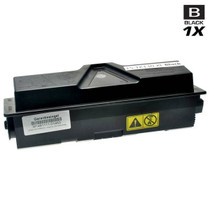
Kyocera-mita
Compatible Kyocera Mita 1T02HS0US0 (TK-132) Laser Toner Cartridge Black
/>


Kyocera-mita
Compatible Kyocera Mita 1T02LV0US0 (TK-3132) Laser Toner Cartridge Black
/>

Kyocera-mita
Compatible Kyocera Mita 1T02KV0US0 (TK-592K) Laser Toner Cartridge Black
/>

Kyocera-mita
Compatible Kyocera Mita 1T02GA0US0 (TK-332) Laser Toner Cartridge Black
/>