




FS-1370DN
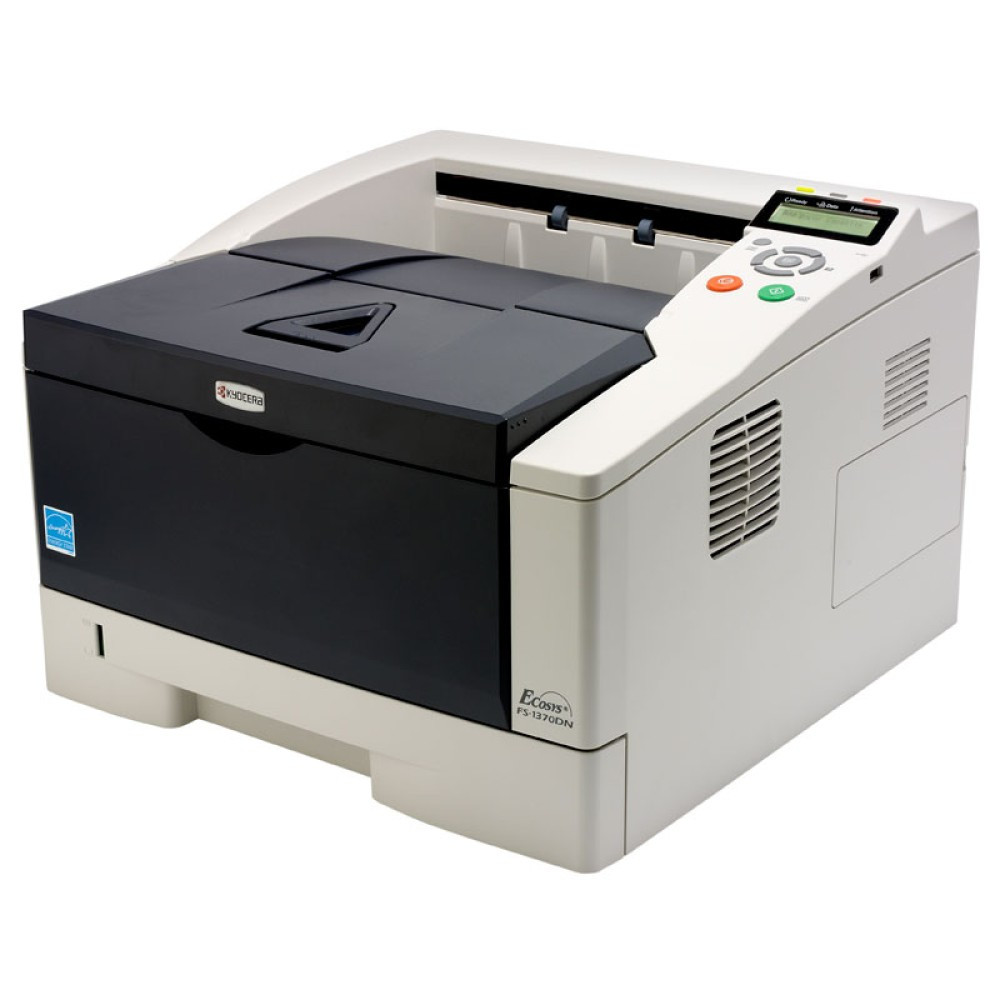
The Kyocera FS-1370DN is the networked member of this FS desktop line: a 35-ppm monochrome laser printer with automatic duplex and Ethernet sharing built in, so one unit can serve a whole workgroup instead of sitting tethered to a single PC. It prints with one black cartridge, sold under Kyocera factory number 1T02LZ0US0 and known by its short name as the TK-172, rated at about 7,200 pages. Everything on this page is that one cartridge, in single and multi-pack listings.
That last point is what makes the FS-1370DN easy to live with in a small office. A shared printer usually means shared headaches about supplies, but here the entire fleet conversation is one SKU: the front desk, the back office and the spare shelf all talk about the same cartridge. Because the machine is on the network, whoever notices the low-toner warning first can order against the same listing everyone else uses, and the duplex unit quietly cuts paper use on long reports, invoices and contracts without anyone changing a setting.
Toner Cartridges for FS-1370DN
| Cartridge | Color | Page Yield |
|---|---|---|
| 1T02LZ0US0 (TK-172) | Black | About 7,200 pages |
| 1T02LZ0US0 (TK-172) — 3 Pack | Black | About 7,200 pages per cartridge |
| 1T02LZ0US0 (TK-172) — 5 Pack | Black | About 7,200 pages per cartridge |
| 1T02LZ0US0 (TK-172) — Premium 5 Pack | Black | About 7,200 pages per cartridge |
Kyocera sells this same cartridge in Europe under the TK-170 name; in North America it is stocked as the TK-172 listed above, and the two names describe the same black toner for this printer family.
Which cartridge should you buy?
There is only one cartridge to choose here, so the real decision is pack size. A single cartridge suits a lightly used machine and keeps cash out of the supply cabinet. Offices that print every day usually do better with the 3-pack or 5-pack: at roughly 7,200 pages per cartridge, a multi-pack carries a shared printer through months of routine work and removes the scramble that follows an empty cartridge mid-week. The premium 5-pack is the same toner in Kyocera's premium-grade compatible build, worth considering where the printer handles customer-facing documents all day. Whichever size you pick, every listing above carries the same 1-year warranty and 1-year returns coverage.
Chip, toner and everyday use
Each cartridge carries a chip the printer reads on installation; if a freshly fitted cartridge is not recognized at first, power the printer down, reseat the cartridge firmly until it clicks, and restart. Page yields are quoted at the standard 5% coverage, so dense pages with logos and shaded tables will finish a cartridge sooner than plain letters do. When output starts to fade near the end of a cartridge, remove it and rock it gently side to side to redistribute the remaining toner — that usually restores even printing for a while. Store spares flat, sealed and away from direct light, and keep one on the shelf: a networked printer serves many desks, so an empty cartridge is never just one person's problem.
Frequently Asked Questions
Which toner does the FS-1370DN use?
It uses the Kyocera TK-172 black cartridge, factory number 1T02LZ0US0, rated at about 7,200 pages. That is the only cartridge this printer takes, and every listing in the table above is a version of it.
Is the TK-172 the same cartridge as the TK-170?
Yes, in practical terms. Kyocera markets this cartridge as the TK-170 in some regions and as the TK-172 in North America; the FS-1370DN and its close sibling the FS-1320D were documented under the TK-170 name, while the cartridges stocked on this page carry the TK-172 name and the 1T02LZ0US0 number.
What do the D and N in FS-1370DN stand for?
Duplex and network. The printer turns pages over automatically for two-sided output, and its Ethernet port lets a whole office share it as a network printer rather than connecting it to one computer by USB.
Why is my new cartridge not being recognized?
Start with the basics: remove the cartridge, check that all packing material and the sealing strip are fully removed, and refit it until it seats with a click. If the message persists, switch the printer off for a minute and restart it so it re-reads the chip. Compatible cartridges for this model are built to the same fit and chip specification as the original, and they are covered by a 1-year warranty if a cartridge proves faulty.
More printers that use the same cartridges
The TK-172 also feeds these Kyocera models: 1370DN, ECOSYS P2135D, ECOSYS P2135DN, FS-1320D, FS-1320D.