




FS-4020DN
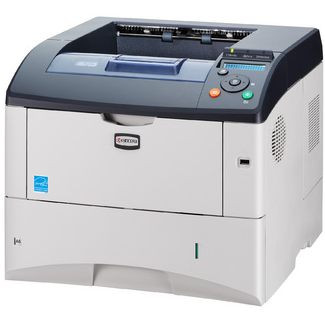
Kyocera positioned the FS-4020DN as the networked duplex workhorse of the 40-page-per-minute class, and both letters in the name are standard equipment rather than options: N for the Ethernet port, D for automatic two-sided printing. It is fed by a single high-capacity black cartridge — Kyocera part 1T02J20US0, sold under the short code TK-362 and listed in the older no-dash style as TK362 — rated at 20,000 pages per ISO/IEC 19752. One cartridge, one very long interval between orders.
This is a departmental printer in the plain sense: it sits on the network, takes jobs from everyone on the floor, and is expected to keep up in bulk. The robust paper handling shrugs off heavy daily duty, and the duplex unit halves paper consumption on the long reports and statement runs that dominate machines like this. What makes the FS-4020DN cheap to run is the pairing of that work rate with a 20,000-page cartridge — the toner budget per page stays low precisely because the cartridge is big, and changes are rare enough to plan around rather than react to.
Toner Cartridges for FS-4020DN
| Cartridge | Color | Page Yield |
|---|---|---|
| 1T02J20US0 (TK-362) | Black | 20,000 pages |
| 1T02J20US0 (TK-362) — 3 Pack | Black | 20,000 pages per cartridge |
| 1T02J20US0 (TK-362) — 5 Pack | Black | 20,000 pages per cartridge |
| 1T02J20US0 (TK-362) — Premium 5 Pack | Black | 20,000 pages per cartridge |
| TK362 | Black | 20,000 pages |
| TK362 — 2 Pack | Black | 20,000 pages per cartridge |
| TK362 — 3 Pack | Black | 20,000 pages per cartridge |
| TK362 — 5 Pack | Black | 20,000 pages per cartridge |
| TK362 — 10 Pack | Black | 20,000 pages per cartridge |
Both listing styles above are the same cartridge: the 1T02J20US0-numbered listings and the TK362 listings differ only in how the cartridge is named in the catalog.
Which cartridge should you buy?
Every option on this page is the same 20,000-page cartridge, so choose by volume. A single cartridge is already a substantial commitment of toner; the multi-packs exist for departments that measure a quarter's printing in hundreds of thousands of pages, and for storerooms serving the machine alongside others. A 10-pack, for scale, puts roughly 200,000 pages of coverage on the shelf — the kind of stock-up that ends toner ordering as a recurring task for the year. The premium 5-pack offers the same yield in Kyocera's premium-grade compatible build. All listings carry a 1-year warranty and 1-year returns.
Chip, toner and everyday use
Fit the cartridge with the printer on and let it read the chip as the unit seats; if recognition fails, slide the cartridge out and reseat it with a firm, even push. At 5% coverage the cartridge is rated for 20,000 pages, but duplex statement runs and dense forms spend toner faster — the page counter is a better reorder guide than the calendar. When density fades near the end, rock the cartridge gently side to side to redistribute the remaining toner and finish the run cleanly. Store spare cartridges sealed and flat, away from heat; a departmental machine should never wait on a toner delivery, so keep at least one spare in the room.
Frequently Asked Questions
Which toner does the FS-4020DN take?
The Kyocera TK-362 black cartridge, part number 1T02J20US0, rated at 20,000 pages. In our catalog it appears both under that factory number and under the TK362 name; the two listing styles are the same cartridge.
Is the TK-360 the same cartridge?
The TK-360 is the European name for this toner. North American stock — everything on this page — is sold as the TK-362, so if an older document or a European manual says TK-360, these are the cartridges to order.
Does the FS-4020DN print on both sides automatically?
Yes. Duplex printing is built in (that is the D in the name), as is the network connection (the N). Both were standard on this model rather than add-on options, which is a large part of why it suited departmental work.
What should I do if a new cartridge is not recognized?
Remove it, check that all seals and packing strips are fully taken off, and refit it firmly. If the message stays, power the printer off for a minute and restart so the chip is re-read. A cartridge that still refuses is covered by the 1-year warranty on these compatible listings.