




LaserJet M4555FSKM
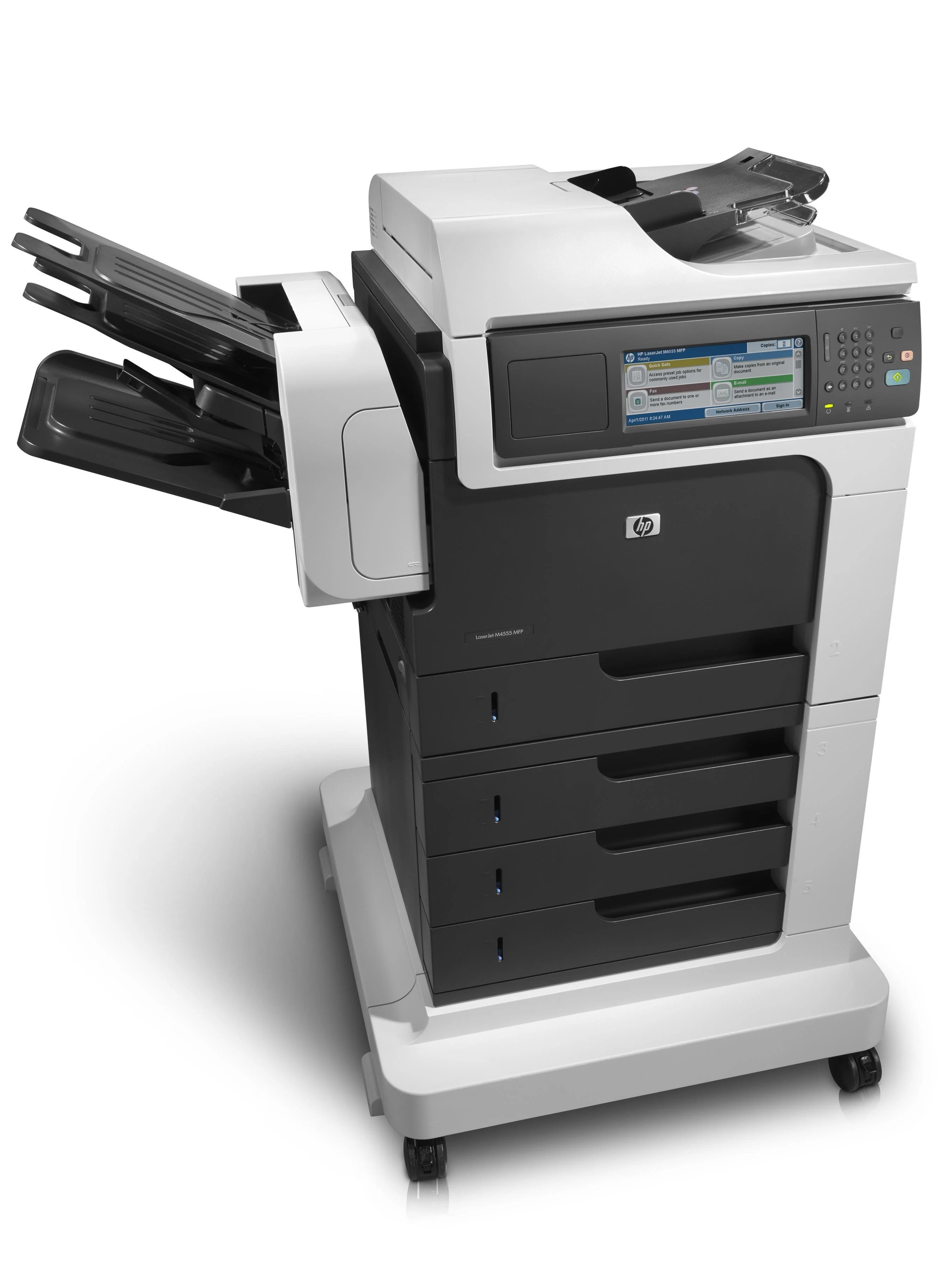
Among early-2010s LaserJets, the LaserJet M4555FSKM holds a familiar spot — a mono printer offices kept because it simply worked. Its cartridge story is refreshingly plain: the standard CE390A, listed singly as the 90A, and the high-yield CE390X, the 90X, shared across the whole family. The maximum-yield CE390XX and the jumbo CE390AJ three-pack extend the same shelf for heavier use.
The long badge suggests something exotic; the supplies are anything but. This variant drinks from the same deep shelf as every sibling on the family list, which is precisely why offices keep machines like it — toner is never a special order.
Toner Cartridges for LaserJet M4555FSKM
Listings carrying a model name
- 600 M601DN-Jumbo black cartridges (CE390A)
- M601N-Jumbo black cartridges (CE390A)
- M602DN-Jumbo black cartridges (CE390A)
- M602N-Jumbo black cartridges (CE390A)
- M602X-Jumbo black cartridges (CE390A)
- M603DN-Jumbo black cartridges (CE390A)
- M603N-Jumbo black cartridges (CE390A)
- M603XH-Jumbo black cartridges (CE390A)
- M4555-Jumbo black cartridges (CE390A)
- M4555 MFP-Jumbo black cartridges (CE390A)
- M4555F-Jumbo black cartridges (CE390A)
- M4555FSKM-Jumbo black cartridges (CE390A)
- M4555H-Jumbo black cartridges (CE390A)
- M601DN black cartridges (CE390X)
- M601N black cartridges (CE390X)
- M602DN black cartridges (CE390X)
- M602N black cartridges (CE390X)
- M602X black cartridges (CE390X)
- M603DN black cartridges (CE390X)
- M603N black cartridges (CE390X)
- M603XH black cartridges (CE390X)
- M4555 black cartridges (CE390X)
- M4555 MFP black cartridges (CE390X)
- M4555F black cartridges (CE390X)
- M4555FSKM black cartridges (CE390X)
- M4555H black cartridges (CE390X)
- M601DN-MICR black cartridges (CE390X)
- M601N-MICR black cartridges (CE390X)
- M602DN-MICR black cartridges (CE390X)
- M602N-MICR black cartridges (CE390X)
- M602X-MICR black cartridges (CE390X)
- M603DN-MICR black cartridges (CE390X)
- M603N-MICR black cartridges (CE390X)
- M603XH-MICR black cartridges (CE390X)
- M4555-MICR black cartridges (CE390X)
- M4555 MFP-MICR black cartridges (CE390X)
- M4555F-MICR black cartridges (CE390X)
- M4555FSKM-MICR black cartridges (CE390X)
- M4555H-MICR black cartridges (CE390X)
- LaserJet M4555FSKM black cartridge
Extended fills: jumbo and maximum yield
- 90A-Jumbo black cartridges 2 Pack (CE390A)
- 90A-Jumbo black cartridges 3 Pack (CE390A)
- 90A-Jumbo black cartridges 5 Pack (CE390A)
- 90A-Jumbo black cartridges 10 Pack (CE390A)
- CE390AJ Toner Cartridge Jumbo Yield Black 3 Pack/ HP 90AJ Toner
- CE390XX Toner Cartridge Maximum Yield Black 3 Pack/ HP 90XX Toner
- CE390XX Toner Cartridge Maximum Yield Black/ HP 90XX Toner
MICR listings
- CE390A black cartridge MICR/ HP 90A Toner
- 90A-MICR black cartridges (CE390A)
- 90A-MICR black cartridges 2 Pack (CE390A)
- 90A-MICR black cartridges 3 Pack (CE390A)
- 90A-MICR black cartridges 5 Pack (CE390A)
- 90A-MICR black cartridges 10 Pack (CE390A)
- CE390X Toner Cartridge High Yield Black MICR/ HP 90X Toner
- 90X-MICR black cartridges (CE390X)
- 90X-MICR black cartridges 2 Pack (CE390X)
- 90X-MICR black cartridges 3 Pack (CE390X)
- 90X-MICR black cartridges 5 Pack (CE390X)
- 90X-MICR black cartridges 10 Pack (CE390X)
Standard-yield listings
- CE390A black cartridge 10 Pack/ HP 90A Toner
- CE390A black cartridge 2 Pack/ HP 90A Toner
- CE390A black cartridge 3 Pack/ HP 90A Toner
- CE390A black cartridge 4 Pack/ HP 90A Toner
- 90A black cartridges (CE390A)
- 90A black cartridges 2 Pack (CE390A)
- 90A black cartridges 3 Pack (CE390A)
- 90A black cartridges 5 Pack (CE390A)
- 90A black cartridges 10 Pack (CE390A)
High-yield listings
- CE390X Toner Cartridge High Yield Black 2 Pack/ HP 90X Toner
- CE390X Toner Cartridge High Yield Black 3 Pack/ HP 90X Toner
- CE390X Toner Cartridge High Yield Black 5 Pack/ HP 90X Toner
- CE390X Toner Cartridge High Yield Black 10 Pack/ HP 90X Toner
- 90X black cartridges (CE390X)
- 90X black cartridges 2 Pack (CE390X)
- 90X black cartridges 3 Pack (CE390X)
- 90X black cartridges 5 Pack (CE390X)
- 90X black cartridges 10 Pack (CE390X)
- HP 90X (CE390X) black cartridge
- HP 90X (CE390X) Toner Cartridge 4 Black
Every listing is black, and each product page gives its yield.
Which cartridge should you buy?
Use one simple rule: pick the smallest fill that comfortably covers your month. Steady offices belong on the standard cartridge, bought in whatever pack size matches the cupboard. Busier ones should default to the high-yield and stop thinking about toner so often; jumbo and maximum-yield fills are for the heaviest desks. The model-named listings are the same cartridges under sibling badges. MICR stays a check-printing-only choice. Compatible cartridges are covered for one year, with one-year returns.
Chip, toner and everyday use
Installation is deliberately uneventful: strip the seal, slide the cartridge in until it seats, and let the printer read the chip. If a just-fitted cartridge is not recognized, remove it and refit it slowly rather than forcing anything. Keep the next cartridge boxed until the swap, and store it flat — a shelf life spent standing on end or in sunlight shows up later as uneven pages.
Frequently Asked Questions
Does the M4555FSKM need its own special cartridge?
No. Despite the long name, it uses the standard CE390A family cartridge shared with the other M4555 variants and the 600 series. Match the code on the cartridge you remove.
What do I do when the printer will not recognize a new cartridge?
Power the machine on, take the cartridge out, check that the sealing tape is fully removed, and refit it firmly. Recognition problems after a swap are almost always a seating or tape issue.
Can this printer run our check printing?
Yes, with a MICR listing from the groups above. The magnetic toner is what bank readers scan; keep a MICR cartridge for that job and standard fills for everything else.
Is the standard or the high-yield the better default here?
For a machine that prints every day, the high-yield usually wins on fewer interruptions alone. The standard cartridge remains the right pick for lighter or seasonal workloads.
More printers that use the same cartridges
The family that shares this cartridge, first half:
HP CE390A, LaserJet 600, LaserJet Enterprise 600, LaserJet Enterprise 600 M601, LaserJet Enterprise 600 M601DN, LaserJet Enterprise 600 M601N, LaserJet Enterprise 600 M602, LaserJet Enterprise 600 M602DN, LaserJet Enterprise 600 M602N, LaserJet Enterprise 600 M602X, LaserJet Enterprise 600 M603, LaserJet Enterprise 600 M603DN, LaserJet Enterprise 600 M603N, LaserJet Enterprise 600 M603XH, LaserJet Enterprise M4555, LaserJet Enterprise M4555 MFP, LaserJet Enterprise M4555F, LaserJet Enterprise M4555F MFP, LaserJet Enterprise M4555FSKM, LaserJet Enterprise M4555FSKM MFP, LaserJet Enterprise M4555H.
And the remainder of the family:
LaserJet Enterprise M4555H MFP, LaserJet M4555, LaserJet M4555 MFP, LaserJet M4555F, LaserJet M4555FSKM MFP, LaserJet M4555H, LaserJet M4555H MFP, LaserJet M4555f MFP, LaserJet M601, LaserJet M601DN, LaserJet M601N, LaserJet M602, LaserJet M602DN, LaserJet M602N, LaserJet M602X, LaserJet M603, LaserJet M603DN, LaserJet M603HX, LaserJet M603N, LaserJet M603XH, Laserjet M602dn.