




LaserJet M601N
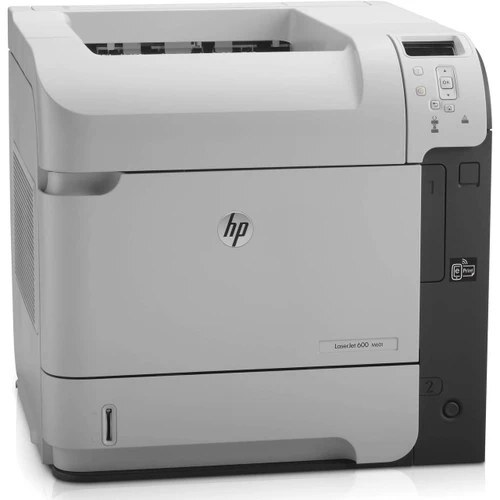
Dating from the early-2010s, the HP LaserJet M601N is a mono single-function printer built around one idea: everyday office document printing without drama. The LaserJet M601N was never about flash; it was about everyday office document printing, and on that measure it still delivers. The N in the LaserJet M601N name signals built-in networking, making the LaserJet M601N an easy shared printer for a small office.
HP built the LaserJet M601N around the HP 90A/90X cartridge family, so the CE390A you need is the same one 40 sibling models use. Heavier users of the LaserJet M601N can step up to the high-yield CE390X, while the standard CE390A covers lighter everyday office document printing.
Toner Cartridges for LaserJet M601N
This printer works with the following toner cartridges:
- HP CE390A
- HP CE390X
More HP Printers
- LaserJet 600
- LaserJet Enterprise 600
- LaserJet Enterprise 600 M601
- LaserJet Enterprise 600 M601DN
- LaserJet Enterprise 600 M601N
- LaserJet Enterprise 600 M602
- LaserJet Enterprise 600 M602DN
- LaserJet Enterprise 600 M602N
- LaserJet Enterprise 600 M602X
- LaserJet Enterprise 600 M603
- LaserJet Enterprise 600 M603DN
- LaserJet Enterprise 600 M603N
- LaserJet Enterprise 600 M603XH
- LaserJet Enterprise M4555
- LaserJet Enterprise M4555 MFP
- LaserJet Enterprise M4555F
- LaserJet Enterprise M4555F MFP
- LaserJet Enterprise M4555FSKM
- LaserJet Enterprise M4555FSKM MFP
- LaserJet Enterprise M4555H
- LaserJet Enterprise M4555H MFP
- LaserJet M4555
- LaserJet M4555 MFP
- LaserJet M4555F
- LaserJet M4555f MFP
- LaserJet M4555FSKM
- LaserJet M4555FSKM MFP
- LaserJet M4555H
- LaserJet M4555H MFP
- LaserJet M601
- LaserJet M601DN
- LaserJet M602
- LaserJet M602DN
- LaserJet M602N
- LaserJet M602X
- LaserJet M603
- LaserJet M603DN
- LaserJet M603HX
- LaserJet M603N
- LaserJet M603XH
Frequently Asked Questions
What toner cartridges does the LaserJet M601N use?
The LaserJet M601N uses CE390A, CE390X. For heavier printing, the CE390X high-yield version of CE390A fits the same LaserJet M601N. Order by these exact codes — cartridges made for other HP families won't fit or won't be recognized.
Why won't my LaserJet M601N print after a cartridge change?
If the LaserJet M601N won't print after a cartridge change, confirm the new CE390A is fully seated and its sealing tape was removed. Read any message on the printer's display and follow its steps. Removing and reinserting the cartridge with the printer powered on usually clears recognition errors.
How do I clear a paper jam in the LaserJet M601N?
Power off the LaserJet M601N, open its doors, and pull the jammed paper out slowly in the direction of the paper path — never against it. Check that the tray guides sit snug against the paper stack, since loose guides cause repeat jams. Fan the paper and avoid overfilling the tray.