




LaserJet Enterprise M4555 MFP
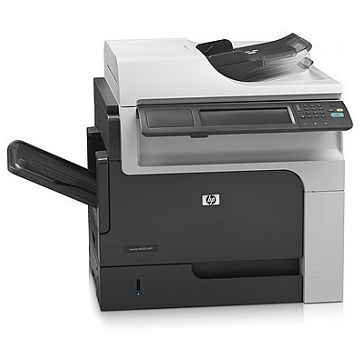
Dating from the early-2010s, the HP LaserJet Enterprise M4555 MFP is a mono multifunction printer built around one idea: everyday office document printing without drama. For everyday office document printing, the LaserJet Enterprise M4555 MFP remains a sensible pick — simple mechanics and consistently clean output.
The LaserJet Enterprise M4555 MFP shares its HP 90A/90X cartridges — including the CE390A — with 40 other HP models, keeping replacement options plentiful. For the LaserJet Enterprise M4555 MFP, the high-yield CE390X stretches the interval between cartridge swaps; the standard CE390A suits lighter everyday office document printing.
Toner Cartridges for LaserJet Enterprise M4555 MFP
This printer works with the following toner cartridges:
- HP CE390A
- HP CE390X
More HP Printers
- LaserJet 600
- LaserJet Enterprise 600
- LaserJet Enterprise 600 M601
- LaserJet Enterprise 600 M601DN
- LaserJet Enterprise 600 M601N
- LaserJet Enterprise 600 M602
- LaserJet Enterprise 600 M602DN
- LaserJet Enterprise 600 M602N
- LaserJet Enterprise 600 M602X
- LaserJet Enterprise 600 M603
- LaserJet Enterprise 600 M603DN
- LaserJet Enterprise 600 M603N
- LaserJet Enterprise 600 M603XH
- LaserJet Enterprise M4555
- LaserJet Enterprise M4555F
- LaserJet Enterprise M4555F MFP
- LaserJet Enterprise M4555FSKM
- LaserJet Enterprise M4555FSKM MFP
- LaserJet Enterprise M4555H
- LaserJet Enterprise M4555H MFP
- LaserJet M4555
- LaserJet M4555 MFP
- LaserJet M4555F
- LaserJet M4555f MFP
- LaserJet M4555FSKM
- LaserJet M4555FSKM MFP
- LaserJet M4555H
- LaserJet M4555H MFP
- LaserJet M601
- LaserJet M601DN
- LaserJet M601N
- LaserJet M602
- LaserJet M602DN
- LaserJet M602N
- LaserJet M602X
- LaserJet M603
- LaserJet M603DN
- LaserJet M603HX
- LaserJet M603N
- LaserJet M603XH
Frequently Asked Questions
Should I get the standard or high-yield cartridge for the LaserJet Enterprise M4555 MFP?
Both fit: CE390A is the standard cartridge and CE390X is the high-yield one for the LaserJet Enterprise M4555 MFP. Pick CE390X if you print a lot, since it goes longer between replacements; confirm the code on your current cartridge first.
Can I scan documents with the LaserJet Enterprise M4555 MFP?
Yes — the LaserJet Enterprise M4555 MFP is a multifunction printer with a built-in scanner, so you can scan to your computer, email, or a USB drive. Use the LaserJet Enterprise M4555 MFP's scanner glass for single pages and delicate originals.
Can the LaserJet Enterprise M4555 MFP make copies without a computer?
Yes — the LaserJet Enterprise M4555 MFP works as a standalone copier: place the original on the scanner and press copy on the control panel. The LaserJet Enterprise M4555 MFP needs no computer connection for basic copying.