




LaserJet M4555f MFP
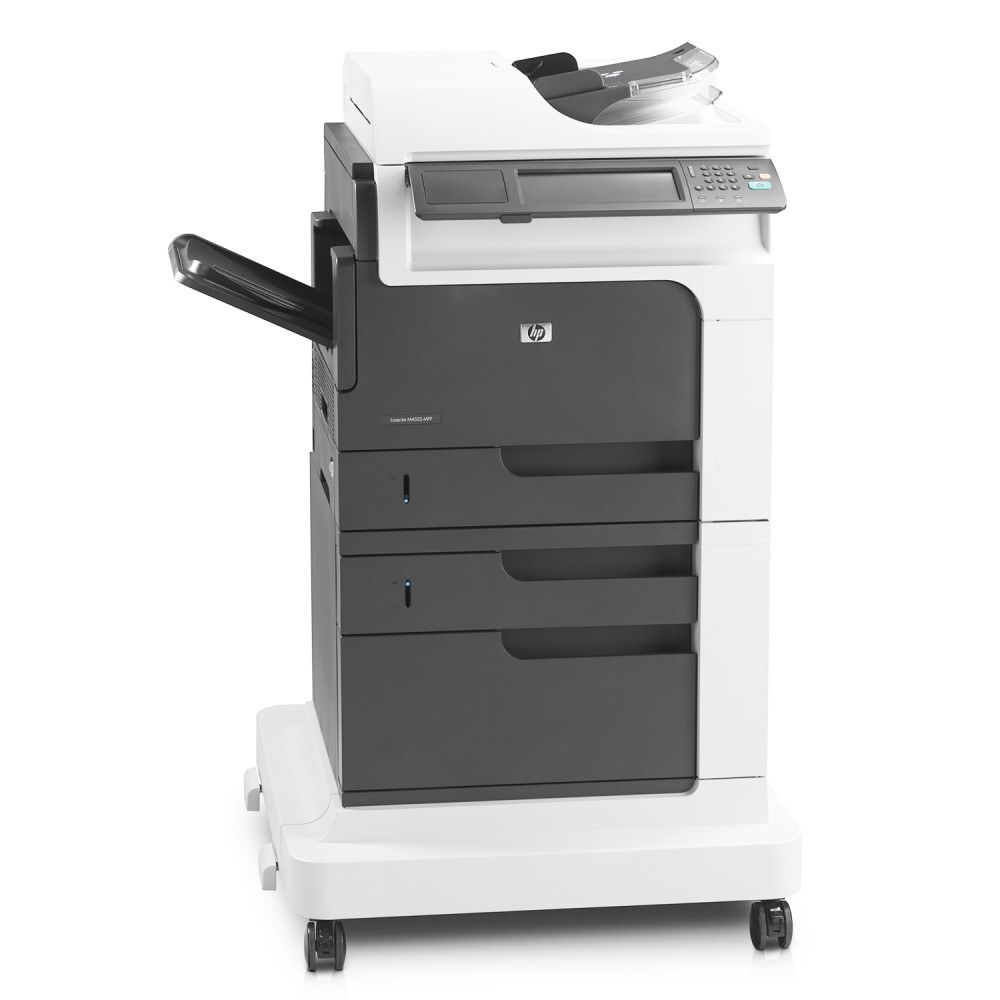
As a early-2010s mono multifunction printer, the LaserJet M4555f MFP earned its reputation the slow way — page after page of clean, reliable output. If your workload is everyday office document printing, the LaserJet M4555f MFP is the kind of printer that just keeps showing up. As an MFP, the LaserJet M4555f MFP folds scanning and copying into the same box — one machine doing the work of two.
Cartridge-wise, the LaserJet M4555f MFP belongs to the HP 90A/90X family (CE390A), which means 40 other models use the same supplies. Whether you want the OEM CE390A or a compatible HP 90A/90X cartridge for the LaserJet M4555f MFP, both are made to deliver the crisp output this printer is known for. The family's second cartridge, the CE390X, is the high-yield 90X option — a natural fit for the M4555f MFP's combined fax, copy and print workload.
Toner Cartridges for LaserJet M4555f MFP
This printer works with the following toner cartridges:
- HP CE390A
- HP CE390X
More HP Printers
- LaserJet 600
- LaserJet Enterprise 600
- LaserJet Enterprise 600 M601
- LaserJet Enterprise 600 M601DN
- LaserJet Enterprise 600 M601N
- LaserJet Enterprise 600 M602
- LaserJet Enterprise 600 M602DN
- LaserJet Enterprise 600 M602N
- LaserJet Enterprise 600 M602X
- LaserJet Enterprise 600 M603
- LaserJet Enterprise 600 M603DN
- LaserJet Enterprise 600 M603N
- LaserJet Enterprise 600 M603XH
- LaserJet Enterprise M4555
- LaserJet Enterprise M4555 MFP
- LaserJet Enterprise M4555F
- LaserJet Enterprise M4555F MFP
- LaserJet Enterprise M4555FSKM
- LaserJet Enterprise M4555FSKM MFP
- LaserJet Enterprise M4555H
- LaserJet Enterprise M4555H MFP
- LaserJet M4555
- LaserJet M4555 MFP
- LaserJet M4555F
- LaserJet M4555FSKM
- LaserJet M4555FSKM MFP
- LaserJet M4555H
- LaserJet M4555H MFP
- LaserJet M601
- LaserJet M601DN
- LaserJet M601N
- LaserJet M602
- LaserJet M602DN
- LaserJet M602N
- LaserJet M602X
- LaserJet M603
- LaserJet M603DN
- LaserJet M603HX
- LaserJet M603N
- LaserJet M603XH
Frequently Asked Questions
Can I use any HP toner cartridge in the LaserJet M4555f MFP?
No — the LaserJet M4555f MFP only accepts CE390A, CE390X. Toner cartridges are keyed to specific printer families, so one made for another HP model generally won't fit or be recognized. Stick to the codes listed for your LaserJet M4555f MFP.
When should I replace the toner in my LaserJet M4555f MFP?
Swap the CE390A when prints from the LaserJet M4555f MFP fade, streak, or the printer reports the cartridge as empty. "Toner low" warnings arrive earlier and still leave room to print, so keep a spare CE390A ready. Change it when quality visibly drops, not at the first warning.
How do I clear a paper jam in the LaserJet M4555f MFP?
Power off the LaserJet M4555f MFP, open its doors, and pull the jammed paper out slowly in the direction of the paper path — never against it. Check that the tray guides sit snug against the paper stack, since loose guides cause repeat jams. Fan the paper and avoid overfilling the tray.