




LaserJet M602N
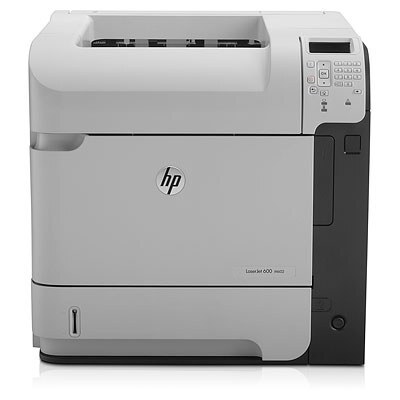
The LaserJet M602N arrived on the scene in the early-2010s as HP's mono single-function printer for everyday office document printing, and its staying power says the formula worked. Ask around about the LaserJet M602N and you'll hear the same story: years of everyday office document printing with minimal fuss. The N in the LaserJet M602N name signals built-in networking, making the LaserJet M602N an easy shared printer for a small office.
Cartridge-wise, the LaserJet M602N belongs to the HP 90A/90X family (CE390A), which means 40 other models use the same supplies. The LaserJet M602N also accepts the high-yield CE390X for busier stretches, alongside the standard CE390A for everyday office document printing.
Toner Cartridges for LaserJet M602N
This printer works with the following toner cartridges:
- HP CE390A
- HP CE390X
More HP Printers
- LaserJet 600
- LaserJet Enterprise 600
- LaserJet Enterprise 600 M601
- LaserJet Enterprise 600 M601DN
- LaserJet Enterprise 600 M601N
- LaserJet Enterprise 600 M602
- LaserJet Enterprise 600 M602DN
- LaserJet Enterprise 600 M602N
- LaserJet Enterprise 600 M602X
- LaserJet Enterprise 600 M603
- LaserJet Enterprise 600 M603DN
- LaserJet Enterprise 600 M603N
- LaserJet Enterprise 600 M603XH
- LaserJet Enterprise M4555
- LaserJet Enterprise M4555 MFP
- LaserJet Enterprise M4555F
- LaserJet Enterprise M4555F MFP
- LaserJet Enterprise M4555FSKM
- LaserJet Enterprise M4555FSKM MFP
- LaserJet Enterprise M4555H
- LaserJet Enterprise M4555H MFP
- LaserJet M4555
- LaserJet M4555 MFP
- LaserJet M4555F
- LaserJet M4555f MFP
- LaserJet M4555FSKM
- LaserJet M4555FSKM MFP
- LaserJet M4555H
- LaserJet M4555H MFP
- LaserJet M601
- LaserJet M601DN
- LaserJet M601N
- LaserJet M602
- LaserJet M602DN
- LaserJet M602X
- LaserJet M603
- LaserJet M603DN
- LaserJet M603HX
- LaserJet M603N
- LaserJet M603XH
Frequently Asked Questions
Can I use any HP toner cartridge in the LaserJet M602N?
No — the LaserJet M602N only accepts CE390A, CE390X. Toner cartridges are keyed to specific printer families, so one made for another HP model generally won't fit or be recognized. Stick to the codes listed for your LaserJet M602N.
How should I store spare toner for the LaserJet M602N?
Keep spare CE390A cartridges sealed in their original packaging until the LaserJet M602N needs them — toner breaks down faster in heat and humidity. Store them flat in a cool, dry spot away from direct sunlight. Don't open a new cartridge until you're ready to install it.
How do I clear a paper jam in the LaserJet M602N?
Power off the LaserJet M602N, open its doors, and pull the jammed paper out slowly in the direction of the paper path — never against it. Check that the tray guides sit snug against the paper stack, since loose guides cause repeat jams. Fan the paper and avoid overfilling the tray.