




LaserJet M603
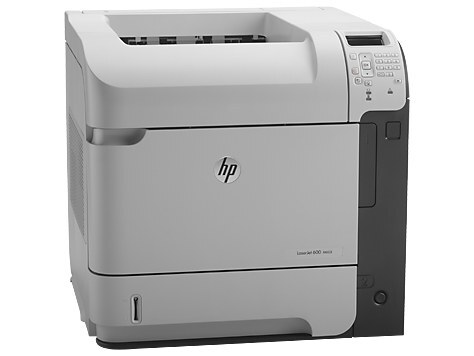
The LaserJet M603 is the base mono printer of the M603 line — the early-2010s workhorse for offices that print black-and-white documents all day.
HP 90A/90X cartridges feed it: CE390A standard or CE390X high-yield, compatible or genuine OEM. The M603's workload is the high-yield CE390X's home turf.
Toner Cartridges for LaserJet M603
This printer works with the following toner cartridges:
- HP CE390A
- HP CE390X
More HP Printers
- LaserJet 600
- LaserJet Enterprise 600
- LaserJet Enterprise 600 M601
- LaserJet Enterprise 600 M601DN
- LaserJet Enterprise 600 M601N
- LaserJet Enterprise 600 M602
- LaserJet Enterprise 600 M602DN
- LaserJet Enterprise 600 M602N
- LaserJet Enterprise 600 M602X
- LaserJet Enterprise 600 M603
- LaserJet Enterprise 600 M603DN
- LaserJet Enterprise 600 M603N
- LaserJet Enterprise 600 M603XH
- LaserJet Enterprise M4555
- LaserJet Enterprise M4555 MFP
- LaserJet Enterprise M4555F
- LaserJet Enterprise M4555F MFP
- LaserJet Enterprise M4555FSKM
- LaserJet Enterprise M4555FSKM MFP
- LaserJet Enterprise M4555H
- LaserJet Enterprise M4555H MFP
- LaserJet M4555
- LaserJet M4555 MFP
- LaserJet M4555F
- LaserJet M4555f MFP
- LaserJet M4555FSKM
- LaserJet M4555FSKM MFP
- LaserJet M4555H
- LaserJet M4555H MFP
- LaserJet M601
- LaserJet M601DN
- LaserJet M601N
- LaserJet M602
- LaserJet M602DN
- LaserJet M602N
- LaserJet M602X
- LaserJet M603DN
- LaserJet M603HX
- LaserJet M603N
- LaserJet M603XH
Frequently Asked Questions
Which cartridge codes fit the LaserJet M603?
The LaserJet M603 fits CE390A, CE390X. The code printed on the box is what matters; matching it exactly is how you avoid returns.
How do I install a new toner cartridge in my LaserJet M603?
Open the cartridge door on the LaserJet M603 and slide the old CE390A out by its handle — set it aside for recycling. Unpack the new CE390A, pull off its protective seal, and slide it straight in until it clicks. Close the door and print a test page from the LaserJet M603 to confirm.
Where do I get drivers and firmware for the LaserJet M603?
Download them from HP's official support site — search for the LaserJet M603 and choose your operating system. Current drivers fix printing, scanning, and connectivity problems, so keep them updated. Skip third-party driver sites, which often bundle unwanted software.