




LaserJet M601DN
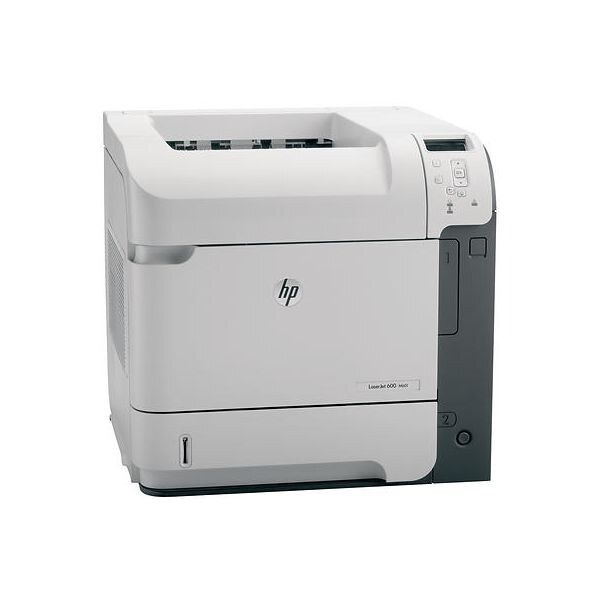
The LaserJet M601DN arrived on the scene in the early-2010s as HP's mono single-function printer for everyday office document printing, and its staying power says the formula worked. If your workload is everyday office document printing, the LaserJet M601DN is the kind of printer that just keeps showing up.
For the LaserJet M601DN, toner means the HP 90A/90X family: the CE390A cartridge, common to 40 models in the lineup. Keep the LaserJet M601DN printing with genuine HP CE390A cartridges or our compatible HP 90A/90X versions; either way, the LaserJet M601DN gets the toner it was designed for.
Toner Cartridges for LaserJet M601DN
This printer works with the following toner cartridges:
- HP CE390A
- HP CE390X
More HP Printers
- LaserJet 600
- LaserJet Enterprise 600
- LaserJet Enterprise 600 M601
- LaserJet Enterprise 600 M601DN
- LaserJet Enterprise 600 M601N
- LaserJet Enterprise 600 M602
- LaserJet Enterprise 600 M602DN
- LaserJet Enterprise 600 M602N
- LaserJet Enterprise 600 M602X
- LaserJet Enterprise 600 M603
- LaserJet Enterprise 600 M603DN
- LaserJet Enterprise 600 M603N
- LaserJet Enterprise 600 M603XH
- LaserJet Enterprise M4555
- LaserJet Enterprise M4555 MFP
- LaserJet Enterprise M4555F
- LaserJet Enterprise M4555F MFP
- LaserJet Enterprise M4555FSKM
- LaserJet Enterprise M4555FSKM MFP
- LaserJet Enterprise M4555H
- LaserJet Enterprise M4555H MFP
- LaserJet M4555
- LaserJet M4555 MFP
- LaserJet M4555F
- LaserJet M4555f MFP
- LaserJet M4555FSKM
- LaserJet M4555FSKM MFP
- LaserJet M4555H
- LaserJet M4555H MFP
- LaserJet M601
- LaserJet M601N
- LaserJet M602
- LaserJet M602DN
- LaserJet M602N
- LaserJet M602X
- LaserJet M603
- LaserJet M603DN
- LaserJet M603HX
- LaserJet M603N
- LaserJet M603XH
Frequently Asked Questions
Can I use any HP toner cartridge in the LaserJet M601DN?
No — the LaserJet M601DN only accepts CE390A, CE390X. Toner cartridges are keyed to specific printer families, so one made for another HP model generally won't fit or be recognized. Stick to the codes listed for your LaserJet M601DN.
Why won't my LaserJet M601DN print after a cartridge change?
If the LaserJet M601DN won't print after a cartridge change, confirm the new CE390A is fully seated and its sealing tape was removed. Read any message on the printer's display and follow its steps. Removing and reinserting the cartridge with the printer powered on usually clears recognition errors.
How can I get more pages out of each cartridge in the LaserJet M601DN?
Pick the higher-yield option when you order: the LaserJet M601DN accepts CE390X alongside CE390A, and the CE390X holds more toner for busier printing. Draft or toner-save mode in your driver stretches a CE390A further for everyday documents. Printing two-sided also cuts paper use in half.