




LaserJet Enterprise M4555FSKM MFP
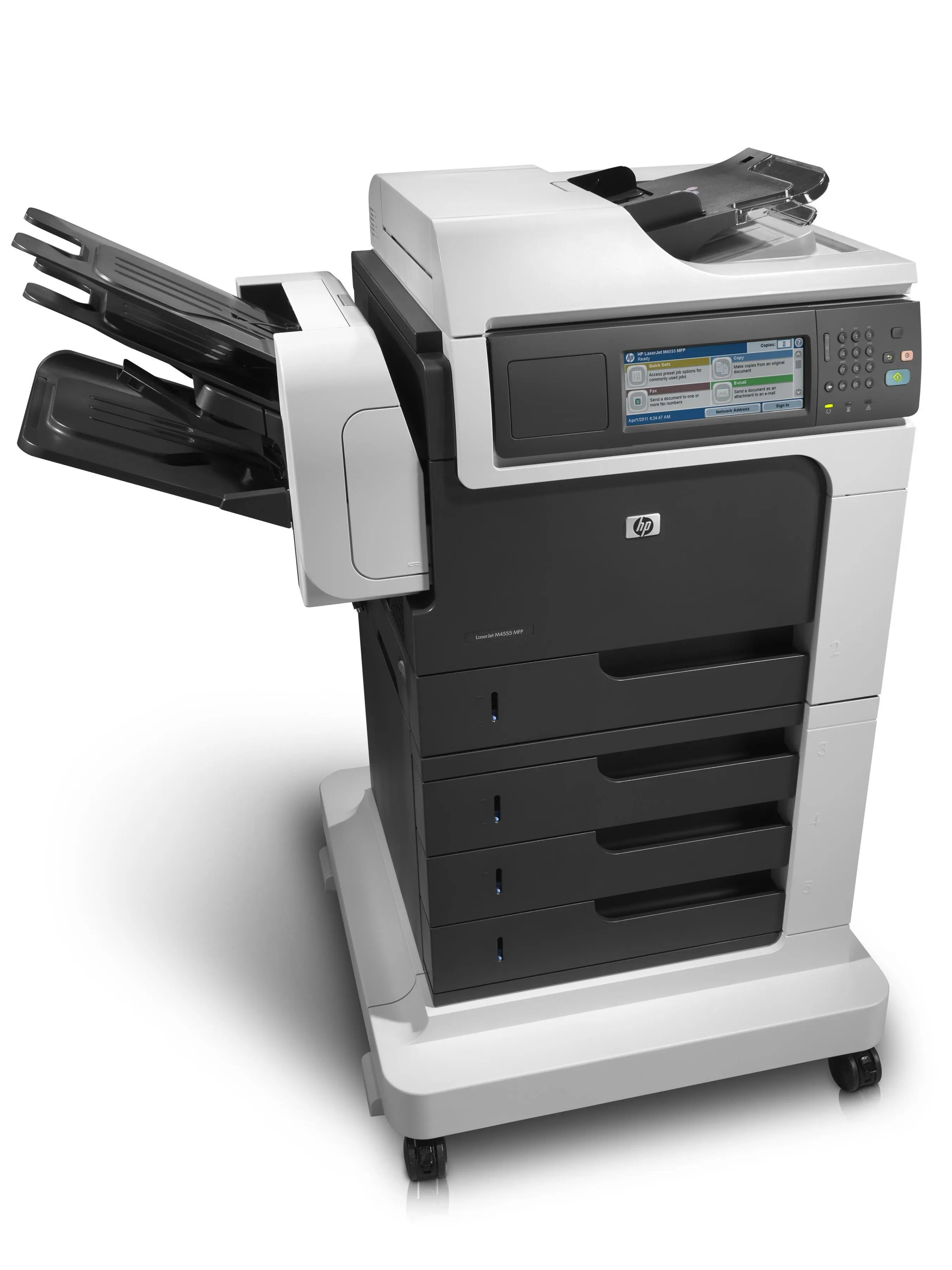
When printing alone isn't the whole job, the LaserJet Enterprise M4555FSKM MFP steps in as the do-everything version of the M4555 — print, scan, copy, and fax from a single early-2010s Enterprise chassis. The FSKM configuration bundles the full function set with expanded paper handling for workgroups that digitize as much as they print.
Under the hood it's the same durable mono engine as the base M4555, fed by HP 90A/90X cartridges — CE390A standard or CE390X high-yield. If your workflow mixes outgoing print with incoming scans and faxes, this is the M4555 to stock toner for.
Toner Cartridges for LaserJet Enterprise M4555FSKM MFP
This printer works with the following toner cartridges:
- HP CE390A
- HP CE390X
More HP Printers
- LaserJet 600
- LaserJet Enterprise 600
- LaserJet Enterprise 600 M601
- LaserJet Enterprise 600 M601DN
- LaserJet Enterprise 600 M601N
- LaserJet Enterprise 600 M602
- LaserJet Enterprise 600 M602DN
- LaserJet Enterprise 600 M602N
- LaserJet Enterprise 600 M602X
- LaserJet Enterprise 600 M603
- LaserJet Enterprise 600 M603DN
- LaserJet Enterprise 600 M603N
- LaserJet Enterprise 600 M603XH
- LaserJet Enterprise M4555
- LaserJet Enterprise M4555 MFP
- LaserJet Enterprise M4555F
- LaserJet Enterprise M4555F MFP
- LaserJet Enterprise M4555FSKM
- LaserJet Enterprise M4555H
- LaserJet Enterprise M4555H MFP
- LaserJet M4555
- LaserJet M4555 MFP
- LaserJet M4555F
- LaserJet M4555f MFP
- LaserJet M4555FSKM
- LaserJet M4555FSKM MFP
- LaserJet M4555H
- LaserJet M4555H MFP
- LaserJet M601
- LaserJet M601DN
- LaserJet M601N
- LaserJet M602
- LaserJet M602DN
- LaserJet M602N
- LaserJet M602X
- LaserJet M603
- LaserJet M603DN
- LaserJet M603HX
- LaserJet M603N
- LaserJet M603XH
Frequently Asked Questions
Does the LaserJet Enterprise M4555FSKM MFP use the same cartridge as other HP printers?
The LaserJet Enterprise M4555FSKM MFP takes CE390A (standard) or CE390X (high-yield). Match one of those two codes when ordering — cartridges from other HP families won't fit, so the code is what matters.
Can I scan documents with the LaserJet Enterprise M4555FSKM MFP?
Yes — the LaserJet Enterprise M4555FSKM MFP is a multifunction printer with a built-in scanner, so you can scan to your computer, email, or a USB drive. Use the LaserJet Enterprise M4555FSKM MFP's scanner glass for single pages and delicate originals.
Can the LaserJet Enterprise M4555FSKM MFP make copies without a computer?
Yes — the LaserJet Enterprise M4555FSKM MFP works as a standalone copier: place the original on the scanner and press copy on the control panel. The LaserJet Enterprise M4555FSKM MFP needs no computer connection for basic copying.