




LaserJet 600
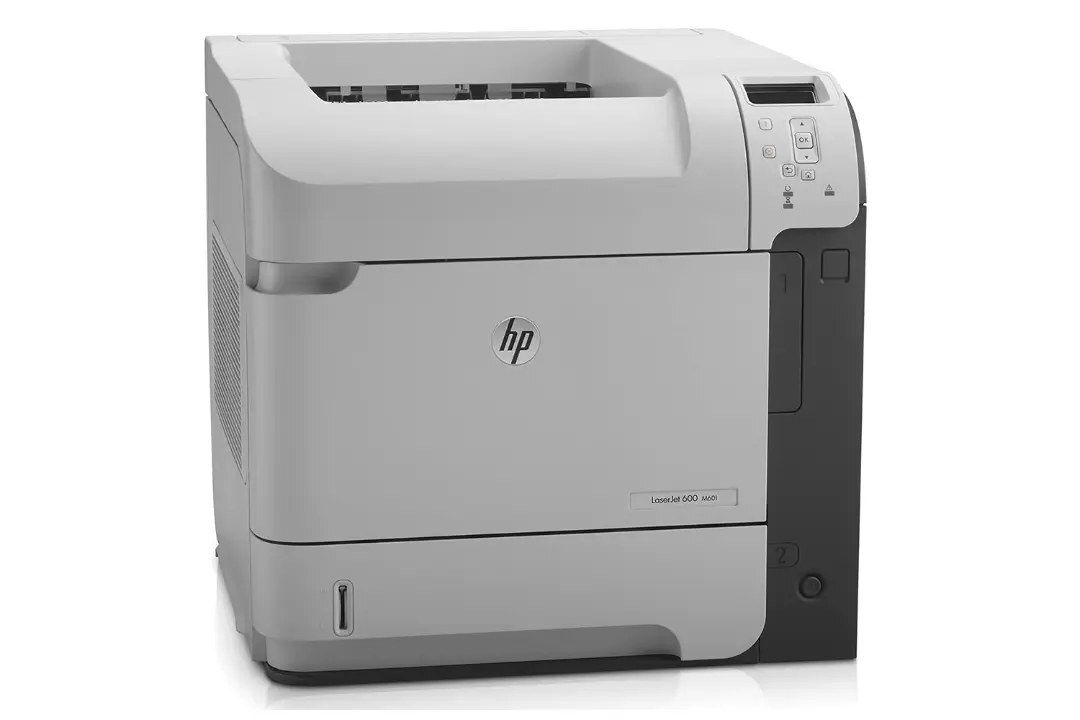
Built in the early-2010s for everyday office document printing, the LaserJet 600 is a mono single-function printer that has outlasted most of its contemporaries. If your workload is everyday office document printing, the LaserJet 600 is the kind of printer that just keeps showing up.
Like 40 other models in its family, the LaserJet 600 takes the HP 90A/90X cartridge line — look for the CE390A. Heavier users of the LaserJet 600 can step up to the high-yield CE390X, while the standard CE390A covers lighter everyday office document printing.
Toner Cartridges for LaserJet 600
This printer works with the following toner cartridges:
- HP CE390A
- HP CE390X
More HP Printers
- LaserJet Enterprise 600
- LaserJet Enterprise 600 M601
- LaserJet Enterprise 600 M601DN
- LaserJet Enterprise 600 M601N
- LaserJet Enterprise 600 M602
- LaserJet Enterprise 600 M602DN
- LaserJet Enterprise 600 M602N
- LaserJet Enterprise 600 M602X
- LaserJet Enterprise 600 M603
- LaserJet Enterprise 600 M603DN
- LaserJet Enterprise 600 M603N
- LaserJet Enterprise 600 M603XH
- LaserJet Enterprise M4555
- LaserJet Enterprise M4555 MFP
- LaserJet Enterprise M4555F
- LaserJet Enterprise M4555F MFP
- LaserJet Enterprise M4555FSKM
- LaserJet Enterprise M4555FSKM MFP
- LaserJet Enterprise M4555H
- LaserJet Enterprise M4555H MFP
- LaserJet M4555
- LaserJet M4555 MFP
- LaserJet M4555F
- LaserJet M4555f MFP
- LaserJet M4555FSKM
- LaserJet M4555FSKM MFP
- LaserJet M4555H
- LaserJet M4555H MFP
- LaserJet M601
- LaserJet M601DN
- LaserJet M601N
- LaserJet M602
- LaserJet M602DN
- LaserJet M602N
- LaserJet M602X
- LaserJet M603
- LaserJet M603DN
- LaserJet M603HX
- LaserJet M603N
- LaserJet M603XH
Frequently Asked Questions
Which toner cartridge does the LaserJet 600 use?
The LaserJet 600 uses the CE390A (standard yield) or the CE390X (high-yield) toner cartridge. Confirm the code printed on your current cartridge matches before ordering a replacement.
How do I fix smudged toner on prints from the LaserJet 600?
Smudges usually mean loose toner dust inside the LaserJet 600 — printing a few blank pages flushes it through. If smudging continues, check that the cartridge is seated properly in the LaserJet 600 and not leaking.
Why does my LaserJet 600 print a gray background on every page?
A gray background on the LaserJet 600 often comes from a worn cartridge or a dirty charge roller inside it. Replacing the CE390A or CE390X in the LaserJet 600 with a fresh cartridge usually clears it up.