




LaserJet M602
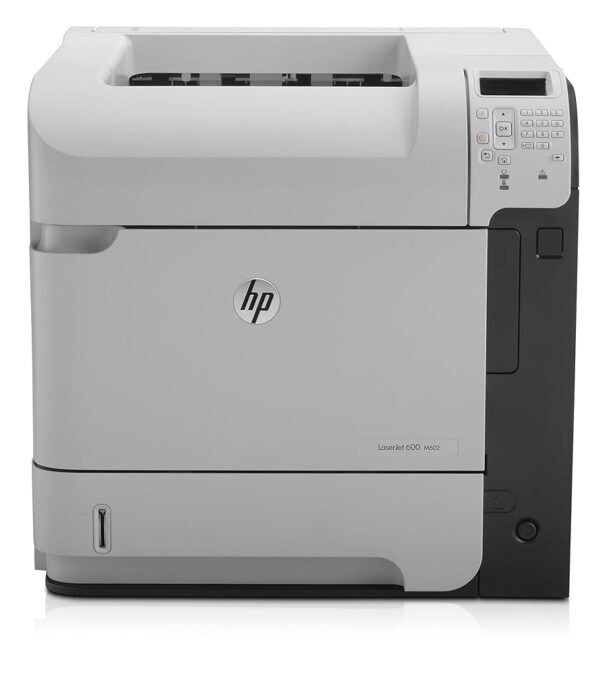
HP's mono range of the early-2010s included the LaserJet M602, a single-function printer aimed at everyday office document printing rather than spec-sheet bragging rights. So many LaserJet M602 units are still in service because everyday office document printing is exactly what this printer was designed for.
Keeping the LaserJet M602 fed is simple thanks to the HP 90A/90X family — the CE390A cartridge it shares with 40 other models. The LaserJet M602 also accepts the high-yield CE390X for busier stretches, alongside the standard CE390A for everyday office document printing.
Toner Cartridges for LaserJet M602
This printer works with the following toner cartridges:
- HP CE390A
- HP CE390X
More HP Printers
- LaserJet 600
- LaserJet Enterprise 600
- LaserJet Enterprise 600 M601
- LaserJet Enterprise 600 M601DN
- LaserJet Enterprise 600 M601N
- LaserJet Enterprise 600 M602
- LaserJet Enterprise 600 M602DN
- LaserJet Enterprise 600 M602N
- LaserJet Enterprise 600 M602X
- LaserJet Enterprise 600 M603
- LaserJet Enterprise 600 M603DN
- LaserJet Enterprise 600 M603N
- LaserJet Enterprise 600 M603XH
- LaserJet Enterprise M4555
- LaserJet Enterprise M4555 MFP
- LaserJet Enterprise M4555F
- LaserJet Enterprise M4555F MFP
- LaserJet Enterprise M4555FSKM
- LaserJet Enterprise M4555FSKM MFP
- LaserJet Enterprise M4555H
- LaserJet Enterprise M4555H MFP
- LaserJet M4555
- LaserJet M4555 MFP
- LaserJet M4555F
- LaserJet M4555f MFP
- LaserJet M4555FSKM
- LaserJet M4555FSKM MFP
- LaserJet M4555H
- LaserJet M4555H MFP
- LaserJet M601
- LaserJet M601DN
- LaserJet M601N
- LaserJet M602DN
- LaserJet M602N
- LaserJet M602X
- LaserJet M603
- LaserJet M603DN
- LaserJet M603HX
- LaserJet M603N
- LaserJet M603XH
Frequently Asked Questions
Which cartridge codes fit the LaserJet M602?
The LaserJet M602 fits CE390A, CE390X. The code printed on the box is what matters; matching it exactly is how you avoid returns.
How should I store spare toner for the LaserJet M602?
Keep spare CE390A cartridges sealed in their original packaging until the LaserJet M602 needs them — toner breaks down faster in heat and humidity. Store them flat in a cool, dry spot away from direct sunlight. Don't open a new cartridge until you're ready to install it.
How do I clear a paper jam in the LaserJet M602?
Power off the LaserJet M602, open its doors, and pull the jammed paper out slowly in the direction of the paper path — never against it. Check that the tray guides sit snug against the paper stack, since loose guides cause repeat jams. Fan the paper and avoid overfilling the tray.