




TopShot LaserJet Pro M275 MFP
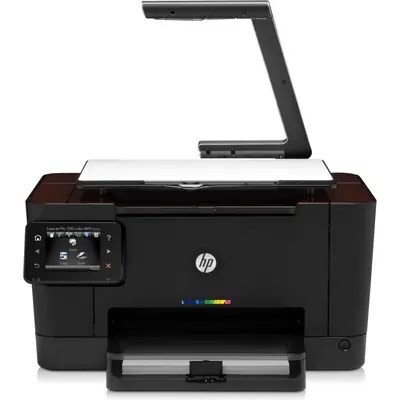
The Topshot LaserJet Pro M275 MFP is the early 2010s answer to crowded desks — a color LaserJet multifunction with printing, scanning and copying built in. Toner swaps on the Topshot LaserJet Pro M275 MFP mean the HP 126A family (CE310A through CE313A); compatible and genuine OEM versions are both available here.
The right cartridge for the Topshot LaserJet Pro M275 MFP is the one built for that exact machine, whether you choose compatible or genuine OEM. Compatible toner keeps the Topshot LaserJet Pro M275 MFP's everyday printing economical, and genuine OEM is there when you want the exact factory cartridge. Orders ship fast from Clever Supplies, so the Topshot LaserJet Pro M275 MFP spends less time waiting on toner. Written out in full, the family also includes CE311A for cyan work and CE312A for yellow, so a single faded color on the M275 can be swapped without touching the rest.
Toner Cartridges for TopShot LaserJet Pro M275 MFP
This printer works with the following toner cartridges:
- HP CE310A
- HP CE311A
- HP CE312A
- HP CE313A
More HP Printers
- Color CP1025
- Color CP1025NW
- Color LaserJet CP1025
- Color LaserJet CP1025nw
- Color LaserJet M175nw
- Color LaserJet Pro 100 Color MFP M175A
- Color LaserJet Pro 100 Color MFP M175NW
- Color LaserJet Pro 200 M275NW
- Color LaserJet Pro CP1025
- Color LaserJet Pro CP1025nw
- Color LaserJet Pro M175
- Color LaserJet Pro M175 MFP
- Color LaserJet Pro M175A
- Color LaserJet Pro M175nw
- Color LaserJet TopShot LaserJet Pro M275
- Color LaserJet TopShot LaserJet Pro M275NW
- Color MFP M175A
- Color MFP M175NW
- LaserJet Pro 100 Color M175A
- LaserJet Pro 100 Color M175N
- LaserJet Pro 100 Color M175W
- LaserJet Pro 100 color MFP M175NW
Frequently Asked Questions
Which cartridges fit the TopShot LaserJet Pro M275 MFP?
Use CE310A, CE311A, CE312A, CE313A in the TopShot LaserJet Pro M275 MFP — that is the full HP 126A set. Compatible replacements work fine as long as they are made for HP 126A; the TopShot LaserJet Pro M275 MFP will not accept cartridges from other HP families.
How do I clear a paper jam in the TopShot LaserJet Pro M275 MFP safely?
Power the TopShot LaserJet Pro M275 MFP off, open the covers, and pull the sheet out along the paper path — never sideways. Check behind the CE310A-series cartridges for torn scraps, then restart before printing.
What should I do when the TopShot LaserJet Pro M275 MFP shows a toner-low warning?
A toner-low message on the TopShot LaserJet Pro M275 MFP is an early warning, not a hard stop — you can typically keep printing while a replacement is on the way. When output starts looking faded, remove the cartridge, rock it gently side to side, and reinstall it to squeeze out extra pages.