






 See Compatible Printers
 Read more about our ink!
Hewlett Packard
Compatible HP CP1020 (CE312A) Toner Cartridge Yellow
- Page Yield:
- Yellow: 1,000 Pages
- Availability:
- In Stock
- Shipping:
- Calculated at Checkout

Amazon Price:

- Page Yield:
- Yellow: 1,000 Pages
- Availability:
- In Stock
- Shipping:
- Calculated at Checkout
- Compatible Printers
- Color LaserJet 100 MFP M175a
- Color LaserJet 100 MFP M175nw
- Color LaserJet CP1025nw
- Color LaserJet TopShot Pro M275
- LaserJet 100 MFP M175a
- LaserJet 100 MFP M175nw
- LaserJet Pro 100 MFP M175a
- LaserJet Pro 100 MFP M175nw
- LaserJet Pro CP1025nw
- LaserJet Pro TopShot Pro M275i>
- Color CP1020
- Color CP1025
- Color CP1025NW
- Color LaserJet CP1020
- Color LaserJet CP1025
- Color LaserJet M175nw
- Color LaserJet M476
- Color LaserJet M476DN
- Color LaserJet M476DW
- Color LaserJet M476NW
- Color LaserJet Pro 100
- Color LaserJet Pro 100 Color MFP M175A
- Color LaserJet Pro 100 Color MFP M175NW
- Color LaserJet Pro 200 M275NW
- Color LaserJet Pro CP1025
- Color LaserJet Pro M175
- Color LaserJet Pro M175 MFP
- Color LaserJet Pro M175A
- Color LaserJet Pro M175nw
- Color LaserJet Pro M476
- Color LaserJet Pro M476DN
- Color LaserJet Pro M476DW
- Color LaserJet Pro M476NW
- Color LaserJet Pro MFP M476
- Color LaserJet Pro MFP M476dn
- Color LaserJet Pro MFP M476dw
- Color LaserJet Pro MFP M476nw
- Color LaserJet TopShot LaserJet Pro M275
- Color LaserJet TopShot LaserJet Pro M275NW
- Color MFP M175A
- HP 126A
- HP 312A & 312X
- LaserJet Pro 100 Color M175A
- LaserJet Pro 100 Color M175N
- LaserJet Pro 100 Color M175W
- LaserJet Pro 100 color MFP M175NW
- TopShot LaserJet Pro M275 MFP
- Specifications
- SKU:
- CLS-HP-CP1020-Y
- Printer Brand:
- Hewlett Packard
- OEM Number:
- CE312A
- Ink Color:
- Yellow
- Page Yield:
- Yellow: 1,000 Pages
- Printer Type:
- Laser Cartridge
- Condition:
- New Compatible
- Description
- Reviews



The HP 126A Color LaserJet Series encompasses a range of printers designed to meet various printing needs, including the PRO 100 Color MFP M175A, PRO 100 Color MFP M175NW, CP1020, CP1025, CP1025NW, PRO 100, PRO M175, PRO M175A, PRO M175NW, PRO M175 MFP, TOPSHOT LASERJET PRO M275, TOPSHOT LASERJET PRO M275NW, LASERJET PRO 100 COLOR M175A, LASERJET PRO 100 COLOR M175N, and LASERJET PRO 100 COLOR M175W. Among the compatible cartridges are the CE310A Black, CE311A Cyan, CE313A Magenta, and CE312A Yellow, known collectively as the HP 126A toner cartridge or toner cartridge. These printers offer efficient printing solutions for both personal and professional use. The PRO 100 Color MFP M175A and M175NW models provide multifunction capabilities, including printing, scanning, and copying, while the CP1020 and CP1025 series deliver high-quality color printing for small office environments. The TOPSHOT LASERJET PRO M275 and M275NW models stand out with their innovative top shot scanning feature, ideal for capturing 3D objects and documents. With the HP 126A cartridges, users can expect reliable performance and vibrant color output for their printing tasks. The CE310A Black cartridge ensures crisp and sharp text, while the CE311A Cyan, CE313A Magenta, and CE312A Yellow cartridges deliver vivid hues and accurate color reproduction for graphics and images. Whether you're printing documents, presentations, or photos, the HP 126A Color LaserJet Series printers and cartridges provide the versatility and quality needed to produce professional results. Invest in these reliable printing solutions to streamline your workflow and achieve outstanding printouts with every use.
Frequently Asked Questions
What is in the box for my CP1020?
One yellow toner cartridge — the CE312A — priced at $38.12. It is the yellow supply for the HP 126A family, and on your print-only Color LaserJet CP1020 it feeds every yellow, green and warm tone the machine prints.
The CP1020 has no screen. How do I check the yellow level?
Print a supplies status page from the driver on your computer, or open the printer's toolbox software — each color reports its own bar. Yellow is worth checking even when prints still look acceptable, because it declines without the obvious gray fade that black shows.
Why have my greens started looking blue?
Green on paper is cyan plus yellow. When the yellow cartridge runs down, the cyan wins and greens cool toward blue. That shift is the classic first symptom of a tired CE312A on the CP1020 — the status page will confirm it in seconds.
How long does the 1,000-page rating stretch in a small office?
The rating assumes ordinary color coverage across the page. An office printing mostly text with a color logo or chart here and there uses yellow slowly, so one cartridge commonly serves for many months of CP1020 duty.
Is the swap different because the CP1020 is print-only?
The routine is the standard one: open the cartridge access, slide the old yellow unit out, slide the new CE312A in until it seats. No scanner or copier hardware is involved on this model, so the whole job is a minute at the front of the machine.
What guarantee backs the cartridge?
Every cartridge here carries a 1-year warranty and 1-year free returns, so a defective unit goes back without return postage landing on you.
How can I judge the yellow before it starts spoiling prints?
Use a warm test image — a sunset photograph or a page with skin tones and autumn colors. Yellow failure hides in cool subjects but shows early in warm ones, where missing yellow turns oranges muddy and faces waxy. Printing that one page every few weeks gives the CP1020's CE312A an honest examination that the status bar alone cannot provide.
Is there a way to learn how long a yellow actually lasts in our office?
Write the fitting date on the cartridge box and file the box rather than binning it. When the next change comes, the two dates give your office's true interval for this supply — which, on a print-only machine used mostly for text, is often far longer than the 1,000-page rating leads people to expect. One recorded cycle replaces every future guess.
Our office has a second machine from the same family. Can one spare cover both?
Yes. The CE312A is the shared yellow across this compact generation — the same cartridge serves the CP1020 and its M175 and CP1025 relatives — so a single shelf spare is a genuine spare for whichever machine flags first. That sharing is worth knowing before buying one spare per printer: the codes match across the family even where the model names on the doors do not.
Greens still look blue right after fitting the new yellow. What now?
Do not condemn the cartridge yet. Take it out and reseat it firmly — a unit that has not seated fully can under-deliver — then print the status or test page again and read the yellow block itself. If the block prints solid, the earlier pages were a seating issue; if it stays pale, run the machine's calibration and retest before treating the CE312A as faulty.
About This CE312A for the Color LaserJet CP1020 — the Print-Only Workhorse's Yellow
The Color LaserJet CP1020 does one job — printing — and its yellow supply is this CE312A from the 126A family. On a print-only machine every page that leaves the tray draws on these cartridges, so keeping the yellow healthy keeps the whole color balance honest: greens stay green, highlights stay warm, logos keep their color. One cartridge, 1,000-page rating, $38.12.
Parcels dispatch from IL, PA, GA and CA warehouses, which keeps transit short for most addresses; the shipping & returns page explains timing and return steps. Help is available Monday–Friday, 9 AM–5 PM CST, and sibling supplies for the same platform are listed under HP.
The rest of the color set is here too: the CE310A black (126A), the CE311A cyan (126A) and the CE313A magenta (126A). Stocking this cartridge also covers LaserJet Pro 100 Color MFP M175nw, Color LaserJet CP1020, Color LaserJet CP1025, Color LaserJet Pro CP1025, Color LaserJet Pro 200 M275nw, Color LaserJet CP1025nw, LaserJet Pro CP1025nw and Color LaserJet M175nw.
Related Items


Hewlett Packard
Compatible HP CP1020 (CE312A) Toner Cartridge Yellow


Hewlett Packard
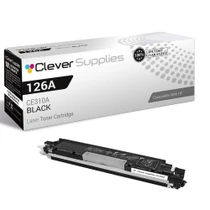
Compatible HP CP1020 (CE310A) Toner Cartridge Black


Hewlett Packard
Compatible HP CP1020 (CE310A CE311A CE312A CE313A) Toner Cartridge 5 Color Set


Hewlett Packard
Compatible HP CP1025NW (CE312A) Toner Cartridge Yellow