






 See Compatible Printers
 Read more about our ink!
Hewlett Packard
Compatible HP CP1020 (CE312A) Toner Cartridge Yellow
- Page Yield:
- Color: 1000
- Availability:
- In Stock
- Shipping:
- Calculated at Checkout

Amazon Price:

- Page Yield:
- Color: 1000
- Availability:
- In Stock
- Shipping:
- Calculated at Checkout
- Compatible Printers
- Color LaserJet 100 MFP M175a
- Color LaserJet 100 MFP M175nw
- Color LaserJet CP1025nw
- Color LaserJet TopShot Pro M275
- LaserJet 100 MFP M175a
- LaserJet 100 MFP M175nw
- LaserJet Pro 100 MFP M175a
- LaserJet Pro 100 MFP M175nw
- LaserJet Pro CP1025nw
- LaserJet Pro TopShot Pro M275i>
- Color CP1020
- Color CP1025
- Color CP1025NW
- Color LaserJet CP1020
- Color LaserJet CP1025
- Color LaserJet M175nw
- Color LaserJet M476
- Color LaserJet M476DN
- Color LaserJet M476DW
- Color LaserJet M476NW
- Color LaserJet Pro 100
- Color LaserJet Pro 100 Color MFP M175A
- Color LaserJet Pro 100 Color MFP M175NW
- Color LaserJet Pro 200 M275NW
- Color LaserJet Pro CP1025
- Color LaserJet Pro M175
- Color LaserJet Pro M175 MFP
- Color LaserJet Pro M175A
- Color LaserJet Pro M175nw
- Color LaserJet Pro M476
- Color LaserJet Pro M476DN
- Color LaserJet Pro M476DW
- Color LaserJet Pro M476NW
- Color LaserJet Pro MFP M476
- Color LaserJet Pro MFP M476dn
- Color LaserJet Pro MFP M476dw
- Color LaserJet Pro MFP M476nw
- Color LaserJet TopShot LaserJet Pro M275
- Color LaserJet TopShot LaserJet Pro M275NW
- Color MFP M175A
- HP 126A
- HP 312A & 312X
- LaserJet Pro 100 Color M175A
- LaserJet Pro 100 Color M175N
- LaserJet Pro 100 Color M175W
- LaserJet Pro 100 color MFP M175NW
- TopShot LaserJet Pro M275 MFP
- Specifications
- SKU:
- CS-HP-CP1020-Y-1
- Printer Brand:
- Hewlett Packard
- OEM Number:
- CE312A
- Ink Color:
- Yellow
- Page Yield:
- Color: 1000
- Printer Type:
- Laser Cartridge
- Condition:
- New Compatible
- Description
- Reviews



The HP 126A Color LaserJet Series encompasses a range of printers designed to meet various printing needs, including the PRO 100 Color MFP M175A, PRO 100 Color MFP M175NW, CP1020, CP1025, CP1025NW, PRO 100, PRO M175, PRO M175A, PRO M175NW, PRO M175 MFP, TOPSHOT LASERJET PRO M275, TOPSHOT LASERJET PRO M275NW, LASERJET PRO 100 COLOR M175A, LASERJET PRO 100 COLOR M175N, and LASERJET PRO 100 COLOR M175W. Among the compatible cartridges are the CE310A Black, CE311A Cyan, CE313A Magenta, and CE312A Yellow, known collectively as the HP 126A toner cartridge or toner cartridge. These printers offer efficient printing solutions for both personal and professional use. The PRO 100 Color MFP M175A and M175NW models provide multifunction capabilities, including printing, scanning, and copying, while the CP1020 and CP1025 series deliver high-quality color printing for small office environments. The TOPSHOT LASERJET PRO M275 and M275NW models stand out with their innovative top shot scanning feature, ideal for capturing 3D objects and documents. With the HP 126A cartridges, users can expect reliable performance and vibrant color output for their printing tasks. The CE310A Black cartridge ensures crisp and sharp text, while the CE311A Cyan, CE313A Magenta, and CE312A Yellow cartridges deliver vivid hues and accurate color reproduction for graphics and images. Whether you're printing documents, presentations, or photos, the HP 126A Color LaserJet Series printers and cartridges provide the versatility and quality needed to produce professional results. Invest in these reliable printing solutions to streamline your workflow and achieve outstanding printouts with every use.
Frequently Asked Questions
Which supply for the CP1020 is this?
The yellow cartridge: CE312A, the yellow unit of the HP 126A family, sold on its own at $38.12. On the Color LaserJet CP1020 it sits in the yellow position of the cartridge carousel.
How can I prove it is the yellow that is low, and not one of the others?
Print the printer's demo or supplies page from the driver. Each supply reports its own level, and the color test blocks show which hue has dropped out. If the green block renders blue-ish while the yellow block looks thin, the CE312A is your culprit — no parts-swapping detective work needed.
My color pages look "cold." Is that a yellow symptom?
Yes — the classic one. Yellow supplies the warmth; without it, greens cool to blue, oranges dull toward brown, and photographs lose their sunlight. The text stays crisp, which is why owners often blame paper or settings before toner.
What yield does the rating promise?
1,000 pages at standard coverage. On a print-only machine like the CP1020, pages are all the machine makes, so the rating maps cleanly onto the output tray: text-light, color-light work stretches it furthest.
When the old cartridge comes out, what should I do with it?
Bag it so loose toner stays contained, and recycle it through your local electronics or office-supply collection rather than household trash. Keep the new cartridge sealed until the moment it goes in.
What backs this cartridge if it misbehaves?
A 1-year warranty and 1-year free returns — contact support within the year and a defective unit goes back free.
How do I bring the yellow cartridge to the front on the CP1020?
The four supplies sit on a carousel, and the printer presents one position at a time. Use its cartridge-change control to rotate the carousel until the yellow position is at the front, lift the spent unit out and seat the new CE312A in its place. The machine handles the positioning; your part is simply matching the code to the position it presents.
What preparation does the new cartridge need before it goes in?
Rock it gently a few times so the toner lies level, then draw the sealing tape out straight, in a single motion, until it clears the cartridge completely. A tape torn halfway and left inside is the classic cause of streaky first pages that get blamed on the cartridge — the full, clean pull is thirty seconds of care that prevents most of them.
Can a settings mismatch make a healthy yellow look dull on this machine?
Yes. The driver adjusts how much toner each color lays down according to the media type it is told about, so a glossy setting running on plain paper — or the reverse — mutes warm colors even with a full CE312A fitted. Set the media type to the stock actually in the tray and print the page again before concluding the supply is at fault.
Is a spare worth shelf space for a print-only machine like this one?
For a desk that cannot pause, yes. The CP1020 does one job, so a color fault is not an inconvenience shared with copying or scanning — it stops the work itself. A sealed CE312A in the drawer, kept flat and out of the sun, turns that stop into a two-minute change, and the cartridge will wait there patiently for as long as it takes.
About This CE312A for the CP1020 — Diagnosing the Quiet Color on a Print-Only Machine
The CP1020 gives you exactly one diagnostic surface: what comes out of the tray. This page is written for that moment — when output from an otherwise healthy printer has gone subtly cold and you are deciding whether yellow is the cause. In the great majority of such cases it is: the CE312A (126A, 1,000 pages, $38.12) is the cartridge whose depletion rewrites every mixed color while leaving text untouched. The supplies page confirms it; this cartridge resolves it.
Orders dispatch from IL, PA, GA and CA warehouses; the shipping & returns page sets out delivery and returns. Support keeps Monday–Friday, 9 AM–5 PM CST hours, and further supplies for the platform sit under HP.
Color printing needs its partners alongside: the CE310A black (126A), the CE311A cyan (126A) and the CE313A magenta (126A). Owners of Color LaserJet Pro CP1025, Color LaserJet Pro 200 M275nw, Color LaserJet CP1025nw, LaserJet Pro CP1025nw, Color LaserJet M175nw, LaserJet Pro 100 Color MFP M175nw, Color LaserJet CP1020 and Color LaserJet CP1025 are shopping for this same cartridge.
Related Items


Hewlett Packard
Compatible HP CP1020 (CE312A) Toner Cartridge Yellow


Hewlett Packard
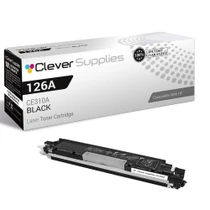
Compatible HP CP1020 (CE310A) Toner Cartridge Black


Hewlett Packard
Compatible HP CP1020 (CE310A CE311A CE312A CE313A) Toner Cartridge 5 Color Set


Hewlett Packard
Compatible HP CP1025NW (CE312A) Toner Cartridge Yellow