






 See Compatible Printers
 Read more about our ink!
Hewlett Packard
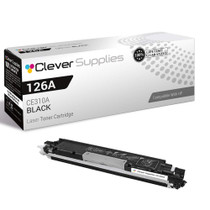
Compatible HP 100 COLOR MFP M175A (CE310A) Toner Cartridge Black

Amazon Price:

- Page Yield:
- Black: 1200
- Availability:
- In Stock
- Shipping:
- Calculated at Checkout
- Compatible Printers
- Color LaserJet 100 MFP M175a
- Color LaserJet 100 MFP M175nw
- Color LaserJet CP1025nw
- Color LaserJet TopShot Pro M275
- LaserJet 100 MFP M175a
- LaserJet 100 MFP M175nw
- LaserJet Pro 100 MFP M175a
- LaserJet Pro 100 MFP M175nw
- LaserJet Pro CP1025nw
- LaserJet Pro TopShot Pro M275i>
- Color CP1020
- Color CP1025
- Color CP1025NW
- Color LaserJet CP1020
- Color LaserJet CP1025
- Color LaserJet M175nw
- Color LaserJet M476
- Color LaserJet M476DN
- Color LaserJet M476DW
- Color LaserJet M476NW
- Color LaserJet Pro 100
- Color LaserJet Pro 100 Color MFP M175A
- Color LaserJet Pro 100 Color MFP M175NW
- Color LaserJet Pro 200 M275NW
- Color LaserJet Pro CP1025
- Color LaserJet Pro M175
- Color LaserJet Pro M175 MFP
- Color LaserJet Pro M175A
- Color LaserJet Pro M175nw
- Color LaserJet Pro M476
- Color LaserJet Pro M476DN
- Color LaserJet Pro M476DW
- Color LaserJet Pro M476NW
- Color LaserJet Pro MFP M476
- Color LaserJet Pro MFP M476dn
- Color LaserJet Pro MFP M476dw
- Color LaserJet Pro MFP M476nw
- Color LaserJet TopShot LaserJet Pro M275
- Color LaserJet TopShot LaserJet Pro M275NW
- Color MFP M175A
- HP 126A
- HP 312A & 312X
- LaserJet Pro 100 Color M175A
- LaserJet Pro 100 Color M175N
- LaserJet Pro 100 Color M175W
- LaserJet Pro 100 color MFP M175NW
- TopShot LaserJet Pro M275 MFP
- Specifications
- SKU:
- CLS-HP-100 COLOR MFP M175A-BK-1
- Printer Brand:
- Hewlett Packard
- OEM Number:
- CE310A
- Ink Color:
- Black
- Page Yield:
- Black: 1200
- Printer Type:
- Laser Cartridge
- Condition:
- New Compatible
- Description
- Reviews



The HP 126A Color LaserJet Series encompasses a range of printers designed to meet various printing needs, including the PRO 100 Color MFP M175A, PRO 100 Color MFP M175NW, CP1020, CP1025, CP1025NW, PRO 100, PRO M175, PRO M175A, PRO M175NW, PRO M175 MFP, TOPSHOT LASERJET PRO M275, TOPSHOT LASERJET PRO M275NW, LASERJET PRO 100 COLOR M175A, LASERJET PRO 100 COLOR M175N, and LASERJET PRO 100 COLOR M175W. Among the compatible cartridges are the CE310A Black, CE311A Cyan, CE313A Magenta, and CE312A Yellow, known collectively as the HP 126A toner cartridge or toner cartridge. These printers offer efficient printing solutions for both personal and professional use. The PRO 100 Color MFP M175A and M175NW models provide multifunction capabilities, including printing, scanning, and copying, while the CP1020 and CP1025 series deliver high-quality color printing for small office environments. The TOPSHOT LASERJET PRO M275 and M275NW models stand out with their innovative top shot scanning feature, ideal for capturing 3D objects and documents. With the HP 126A cartridges, users can expect reliable performance and vibrant color output for their printing tasks. The CE310A Black cartridge ensures crisp and sharp text, while the CE311A Cyan, CE313A Magenta, and CE312A Yellow cartridges deliver vivid hues and accurate color reproduction for graphics and images. Whether you're printing documents, presentations, or photos, the HP 126A Color LaserJet Series printers and cartridges provide the versatility and quality needed to produce professional results. Invest in these reliable printing solutions to streamline your workflow and achieve outstanding printouts with every use.
Frequently Asked Questions
My M175a came with a black cartridge that barely lasted — is this one bigger?
Almost certainly, yes. Printers ship with introductory cartridges that hold a fraction of a full fill. This CE310A is the standard replacement rated at 1,200 pages, so the first swap on a LaserJet Pro 100 M175a usually feels like the machine suddenly got a much bigger tank.
Which code should I match — the one on the box or the one on the cartridge?
The cartridge. Peel the old unit out and read its label: it will say CE310A. The 126A name on this listing is the same part under its family label, so a match on either code means you have the right black for the M175a.
Does copying on the M175a use this cartridge too?
Yes — a copy is a print, so black-and-white copies draw from this same CE310A. Scanning is the exception: sending a page to your computer uses no toner at all. Offices that copy paperwork all day will move through black noticeably faster than the page rating alone suggests.
How long should 1,200 pages last on a desk MFP like this?
At a typical single-desk pace of a few dozen pages a week, several months. The rating assumes 5% coverage text pages; a month of dense reports will shorten it, a month of short letters will stretch it well past the estimate.
The M175a sits right next to my desk — is the swap a messy job?
No. The cartridge lifts out from the top access in under two minutes, and the replacement drops into the black position after you pull its seal. Keep the new unit in its bag until the moment you fit it and there is nothing to spill.
What do I do with the empty cartridge?
Box it in the packaging the new one arrived in and recycle it — most office-supply and municipal programs accept toner cartridges. It should not go into general household waste.
Pages have gone faint — is the CE310A finished or just running low?
Lift the cartridge out and rock it gently from side to side, then print the page again. If the text comes back dark, the cartridge is near its end but still holds enough toner to finish ordinary work — the fade was powder settled away from where it is picked up. If the page stays faint after the rock, the unit is effectively empty and due for replacement.
After fitting this single, is it worth keeping a second one on hand?
For most M175a owners, yes. The black cartridge serves both printing and copying on this machine, so it is the one most likely to run out at an inconvenient moment. A sealed CE310A in the desk drawer costs little space, waits patiently for a year or more kept flat and away from heat, and turns the next empty warning into a two-minute swap.
What should the first pages look like after fitting?
Full, dark text from the first sheet onward — there is no bedding-in period to wait through. Print a document you know well and compare it against your memory of earlier copies. If the first page or two look right, the cartridge has settled; persistent lightness on a brand-new unit is not normal running-in and is worth raising while the packaging is still at hand.
Could I accidentally order a color cartridge instead of this black?
It is an easy slip, because the family codes differ by one digit. The black for the M175a is CE310A; the colors are CE311A cyan, CE312A yellow and CE313A magenta. Before ordering, match both the code and the word Black on the label of the cartridge you removed — the 126A family name alone covers all four, so it cannot tell them apart by itself.
About This Black Cartridge for the LaserJet Pro 100 M175a
The M175a is the straightforward member of HP's Pro 100 color MFP family — a USB-connected print, scan and copy machine built for one desk. Its black cartridge, the CE310A (126A), is this $38.66 unit. Because the M175a handles copies as well as prints, the black cartridge quietly serves two jobs, and it is the cartridge most owners replace first and most often. A full 1,200-page rating is a sensible size for the machine: big enough to forget about for a season, small enough that a spare fits in a desk drawer.
The cartridge is backed by a 1-year warranty and 1-year free returns. Orders are dispatched from warehouses in IL, PA, GA and CA; transit expectations and the returns route are laid out on our shipping & returns page. If you want a hand confirming the code before you buy, support is staffed Monday–Friday, 9 AM–5 PM CST. The same black unit also serves the wider family around the Color LaserJet CP1025nw, and the rest of the range is catalogued under HP.
Related Items

Hewlett Packard
Compatible HP 100 COLOR MFP M175A (CE310A) Toner Cartridge Black



Hewlett Packard
Compatible HP 100 COLOR MFP M175A (CE310A) Toner Cartridge 2 Black

Hewlett Packard
Compatible HP 100 COLOR MFP M175A (CE310A) Toner Cartridge 2 Black

Hewlett Packard
Compatible HP 100 COLOR MFP M175A (CE310A) Toner Cartridge 3 Black