




LaserJet Pro 100 Color M175N
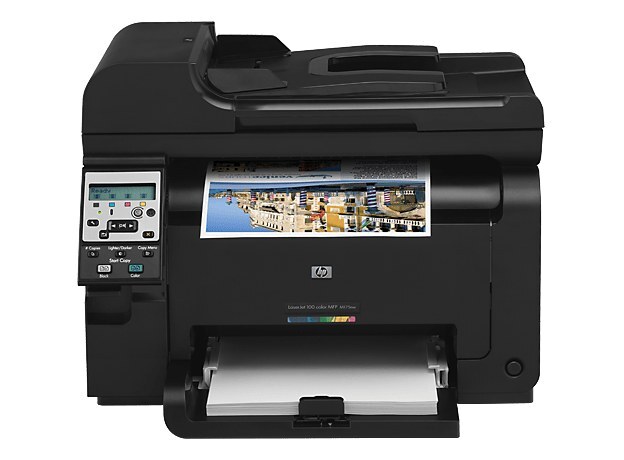
The N in the LaserJet Pro 100 Color M175N means built-in Ethernet — the networked member of the M175 color printer family in its alternate channel naming.
HP 126A toner feeds it (CE310A through CE313A), compatible or genuine OEM. Wired networking changes the setup, not the cartridge. Spelled out, the span also covers CE311A for cyan and CE312A for yellow, so the networked M175N's four slots can each be reordered by number.
Toner Cartridges for LaserJet Pro 100 Color M175N
This printer works with the following toner cartridges:
- HP CE310A
- HP CE311A
- HP CE312A
- HP CE313A
More HP Printers
- Color CP1025
- Color CP1025NW
- Color LaserJet CP1025
- Color LaserJet CP1025nw
- Color LaserJet M175nw
- Color LaserJet Pro 100 Color MFP M175A
- Color LaserJet Pro 100 Color MFP M175NW
- Color LaserJet Pro 200 M275NW
- Color LaserJet Pro CP1025
- Color LaserJet Pro CP1025nw
- Color LaserJet Pro M175
- Color LaserJet Pro M175 MFP
- Color LaserJet Pro M175A
- Color LaserJet Pro M175nw
- Color LaserJet TopShot LaserJet Pro M275
- Color LaserJet TopShot LaserJet Pro M275NW
- Color MFP M175A
- Color MFP M175NW
- LaserJet Pro 100 Color M175A
- LaserJet Pro 100 Color M175W
- LaserJet Pro 100 color MFP M175NW
- TopShot LaserJet Pro M275 MFP
Frequently Asked Questions
What toner does the LaserJet Pro 100 Color M175N use?
Yes — the LaserJet Pro 100 Color M175N works with compatible HP 126A cartridges (CE310A, CE311A, CE312A, CE313A) as well as genuine HP. Just confirm the cartridge code matches, since cartridges for other HP printers will not fit the LaserJet Pro 100 Color M175N.
Does printing in black-and-white save toner on the LaserJet Pro 100 Color M175N?
For the LaserJet Pro 100 Color M175N, compatible HP 126A cartridges cost less than OEM with the same fit, and printing drafts in grayscale stretches the color cartridges. Keep a spare set so you never pay rush prices.
Why are prints from my LaserJet Pro 100 Color M175N coming out faded or streaky?
Faded or streaky output on the LaserJet Pro 100 Color M175N usually means a cartridge is running low or toner has settled unevenly. Remove the affected cartridge, rock it gently to redistribute the toner, then reinstall and print a cleaning page from the printer's menu.