






 See Compatible Printers
 Read more about our ink!
Hewlett Packard
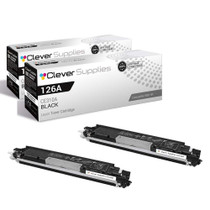
Compatible HP PRO 100 COLOR M175N (CE310A) Toner Cartridge 2 Black

Amazon Price:

- Page Yield:
- Black: 1200
- Availability:
- In Stock
- Shipping:
- Free Shipping
- Compatible Printers
- Color LaserJet 100 MFP M175a
- Color LaserJet 100 MFP M175nw
- Color LaserJet CP1025nw
- Color LaserJet TopShot Pro M275
- LaserJet 100 MFP M175a
- LaserJet 100 MFP M175nw
- LaserJet Pro 100 MFP M175a
- LaserJet Pro 100 MFP M175nw
- LaserJet Pro CP1025nw
- LaserJet Pro TopShot Pro M275i>
- Color CP1020
- Color CP1025
- Color CP1025NW
- Color LaserJet CP1020
- Color LaserJet CP1025
- Color LaserJet M175nw
- Color LaserJet M476
- Color LaserJet M476DN
- Color LaserJet M476DW
- Color LaserJet M476NW
- Color LaserJet Pro 100
- Color LaserJet Pro 100 Color MFP M175A
- Color LaserJet Pro 100 Color MFP M175NW
- Color LaserJet Pro 200 M275NW
- Color LaserJet Pro CP1025
- Color LaserJet Pro M175
- Color LaserJet Pro M175 MFP
- Color LaserJet Pro M175A
- Color LaserJet Pro M175nw
- Color LaserJet Pro M476
- Color LaserJet Pro M476DN
- Color LaserJet Pro M476DW
- Color LaserJet Pro M476NW
- Color LaserJet Pro MFP M476
- Color LaserJet Pro MFP M476dn
- Color LaserJet Pro MFP M476dw
- Color LaserJet Pro MFP M476nw
- Color LaserJet TopShot LaserJet Pro M275
- Color LaserJet TopShot LaserJet Pro M275NW
- Color MFP M175A
- HP 126A
- HP 312A & 312X
- LaserJet Pro 100 Color M175A
- LaserJet Pro 100 Color M175N
- LaserJet Pro 100 Color M175W
- LaserJet Pro 100 color MFP M175NW
- TopShot LaserJet Pro M275 MFP
- Specifications
- SKU:
- CLS-HP-PRO 100 COLOR M175N-2BK
- Printer Brand:
- Hewlett Packard
- OEM Number:
- CE310A
- Ink Color:
- Black
- Page Yield:
- Black: 1200
- Printer Type:
- Laser Cartridge
- Condition:
- New Compatible
- Description
- Reviews



The HP 126A Color LaserJet Series encompasses a range of printers designed to meet various printing needs, including the PRO 100 Color MFP M175A, PRO 100 Color MFP M175NW, CP1020, CP1025, CP1025NW, PRO 100, PRO M175, PRO M175A, PRO M175NW, PRO M175 MFP, TOPSHOT LASERJET PRO M275, TOPSHOT LASERJET PRO M275NW, LASERJET PRO 100 COLOR M175A, LASERJET PRO 100 COLOR M175N, and LASERJET PRO 100 COLOR M175W. Among the compatible cartridges are the CE310A Black, CE311A Cyan, CE313A Magenta, and CE312A Yellow, known collectively as the HP 126A toner cartridge or toner cartridge. These printers offer efficient printing solutions for both personal and professional use. The PRO 100 Color MFP M175A and M175NW models provide multifunction capabilities, including printing, scanning, and copying, while the CP1020 and CP1025 series deliver high-quality color printing for small office environments. The TOPSHOT LASERJET PRO M275 and M275NW models stand out with their innovative top shot scanning feature, ideal for capturing 3D objects and documents. With the HP 126A cartridges, users can expect reliable performance and vibrant color output for their printing tasks. The CE310A Black cartridge ensures crisp and sharp text, while the CE311A Cyan, CE313A Magenta, and CE312A Yellow cartridges deliver vivid hues and accurate color reproduction for graphics and images. Whether you're printing documents, presentations, or photos, the HP 126A Color LaserJet Series printers and cartridges provide the versatility and quality needed to produce professional results. Invest in these reliable printing solutions to streamline your workflow and achieve outstanding printouts with every use.
Frequently Asked Questions
What makes the M175n different, and does it use the same black?
The n in M175n denotes the wired-network version of the Pro 100 MFP — it plugs into the office network rather than a single computer. The black cartridge is unchanged: the CE310A, and this 2-pack at $58.82 supplies two of them for a machine that typically serves a small workgroup.
Why does a networked M175n want a spare on site?
Because more than one person's work stops when it stops. A workgroup MFP with an empty black cartridge is a queue of frustrated colleagues; the second cartridge in this pack turns that event into a two-minute interruption handled by whoever is nearest.
Both cartridges are the full standard fill?
Yes — two standard CE310A units, 1,200 pages each, factory sealed. The pack changes how many you hold, not what a cartridge is.
How do we track usage on a shared network machine?
The printer's status reporting over the network shows the black level to anyone connected, so the team can see it fall. Agree once that whoever sees the low warning says so — shared machines run dry through silence, not through toner.
Does the M175n's network connection survive a cartridge change?
Completely. The swap touches nothing electronic: old black out, seal off the new one, seat it, close up. The printer keeps its address and its queue throughout.
Where should the spare be kept in an office?
In the same cabinet as the paper, sealed and flat, with the date noted on the box. Office rule worth adopting: the person who fits the spare tells the person who orders supplies, the same day.
When the first cartridge from the pack goes in, what should happen with the second?
It stays sealed, with its arrival date noted on the box, in the supplies cabinet. Treat fitting that spare as the reorder signal: the day the second CE310A goes into the M175n, order the next pack, and the workgroup's black supply becomes a loop that never reaches empty. Each cartridge is a full 1,200-page unit, so that signal leaves a whole cartridge's worth of printing — weeks of cover — in which the delivery can arrive.
Our workgroup prints long reports with charts. How does that sit with the 1,200-page rating?
The rating assumes standard coverage, and a long text report tracks it fairly honestly — dense pages pull slightly harder, light memos slightly less. Charts are the quiet exception: a chart page spends color toner, not black, so it barely touches the CE310A beyond its axis labels and captions. For a documents-led workgroup, expect the black to land near its rating; the further your mix leans toward full-page graphics, the more the figure becomes about the colors instead.
How do we verify the pack when it is delivered?
Two cartons, both printed CE310A, both factory sealed — that is the whole check, and it takes ten seconds at the door. Confirm the seals are unbroken and the codes match what the M175n's removed cartridge showed. A delivery checked sealed is a delivery that can be corrected with a phone call; the same error found weeks later, at the machine, with a queue of colleagues behind it, is a much worse conversation.
What should the office do with the spent units as they accumulate?
Each empty goes back into the carton its replacement arrived in, marked spent, and the pair of cartons leaves together on the next recycling run. Boxing empties as they arise keeps the cabinet honest — anyone opening it can tell stock from waste at a glance — and it keeps a just-removed cartridge available for a day or two in case the new one misbehaves and support asks what came out.
About This CE310A 2-Pack for the Pro 100 Color M175n
The Pro 100 Color M175n is the networked workhorse of HP's compact MFP family, and its black cartridge — the CE310A — feeds everyone's documents, not just one desk's. This 2-pack pairs the working cartridge with its sealed successor, so a workgroup machine never waits on a delivery. Each cartridge is the standard 1,200-page unit from the 126A family, sized for steady small-office throughput.
Both cartridges carry a 1-year warranty, and the order includes 1-year free returns. We ship from warehouses in IL, PA, GA and CA; the shipping & returns page sets out delivery and returns. Support operates Monday–Friday, 9 AM–5 PM CST. The CE310A black is shared across this whole compact class, including the Color LaserJet CP1025nw, and everything else is catalogued under HP.
Related Items

Hewlett Packard
Compatible HP PRO 100 COLOR M175N (CE310A) Toner Cartridge 2 Black


Hewlett Packard
Compatible HP PRO 100 COLOR M175N (CE310A) Toner Cartridge Black

Hewlett Packard
Compatible HP PRO 100 COLOR M175N (CE310A) Toner Cartridge Black

Hewlett Packard
Compatible HP PRO 100 COLOR M175N (CE310A) Toner Cartridge 3 Black