




Color LaserJet Pro MFP M476dw
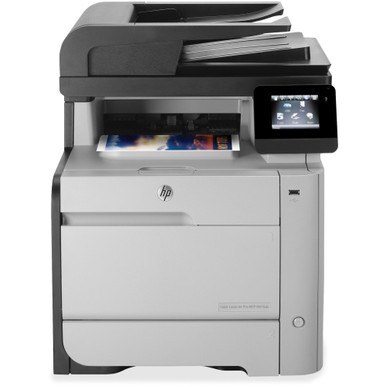
This 2014-era color all-in-one, the Color LaserJet Pro MFP M476dw, was engineered for the day-to-day demands of small workgroups. Reliability, not flash, is what keeps this machine on desks years later. Toner for this model comes from the HP 312A/312X family (CF380A, CF380X).
Stock both kinds and decide per job: genuine OEM CF380A, CF380X for presentations, compatible for internal prints. The Color LaserJet Pro MFP M476dw handles either without complaint.
Toner Cartridges for Color LaserJet Pro MFP M476dw
This printer works with the following toner cartridges:
- HP CF380A
- HP CF380X
- HP CF381A
- HP CF382A
- HP CF383A
More HP Printers
- Color LaserJet M476
- Color LaserJet M476DN
- Color LaserJet M476DW
- Color LaserJet M476NW
- Color LaserJet Pro M476
- Color LaserJet Pro M476DN
- Color LaserJet Pro M476DW
- Color LaserJet Pro M476NW
- Color LaserJet Pro MFP M476
- Color LaserJet Pro MFP M476dn
- Color LaserJet Pro MFP M476nw
Frequently Asked Questions
I lost the box — how do I identify which toner the Color LaserJet Pro MFP M476dw needs?
The Color LaserJet Pro MFP M476dw uses CF380A, CF380X, CF381A, CF382A and CF383A. Match the code on your current cartridge before ordering so you get the right fit.
Can I make copies on the Color LaserJet Pro MFP M476dw without a computer?
Yes. Put the page on the Color LaserJet Pro MFP M476dw's scanner, press the copy button on the control panel, set the number of copies, and start — no computer is needed.
How do I scan a document with the Color LaserJet Pro MFP M476dw?
Place the original on the Color LaserJet Pro MFP M476dw's scanner glass or in its document feeder, then start the scan from the control panel or your computer's scanning app. The file can be saved or emailed depending on your setup.