




Color LaserJet Pro 100 Color MFP M175A
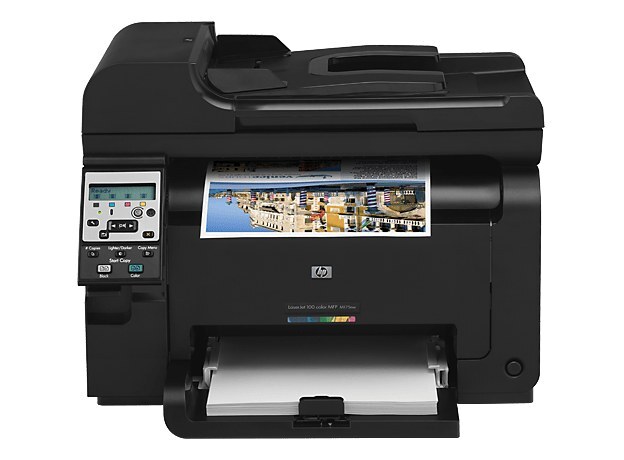
The Color LaserJet Pro 100 Color MFP M175A is the early-2010s answer to the crowded desk: color printing, scanning, and copying in a compact all-in-one. The A marks it as the base, USB-connected configuration.
HP 126A toner feeds it — CE310A black, CE311A cyan, CE312A magenta, CE313A yellow — in compatible or genuine OEM. One cartridge family for the whole MFP.
Toner Cartridges for Color LaserJet Pro 100 Color MFP M175A
This printer works with the following toner cartridges:
- HP CE310A
- HP CE311A
- HP CE312A
- HP CE313A
More HP Printers
- Color CP1025
- Color CP1025NW
- Color LaserJet CP1025
- Color LaserJet CP1025nw
- Color LaserJet M175nw
- Color LaserJet Pro 100 Color MFP M175NW
- Color LaserJet Pro 200 M275NW
- Color LaserJet Pro CP1025
- Color LaserJet Pro CP1025nw
- Color LaserJet Pro M175
- Color LaserJet Pro M175 MFP
- Color LaserJet Pro M175A
- Color LaserJet Pro M175nw
- Color LaserJet TopShot LaserJet Pro M275
- Color LaserJet TopShot LaserJet Pro M275NW
- Color MFP M175A
- Color MFP M175NW
- LaserJet Pro 100 Color M175A
- LaserJet Pro 100 Color M175N
- LaserJet Pro 100 Color M175W
- LaserJet Pro 100 color MFP M175NW
- TopShot LaserJet Pro M275 MFP
Frequently Asked Questions
Which toner cartridges are compatible with the Color LaserJet Pro 100 Color MFP M175A?
The Color LaserJet Pro 100 Color MFP M175A takes HP 126A cartridges (CE310A, CE311A, CE312A, CE313A), and both genuine HP and quality-compatible versions fit the same way. Match the number printed on your current cartridge to CE310A, CE311A, CE312A, CE313A before ordering.
Can I replace just the empty cartridge in my Color LaserJet Pro 100 Color MFP M175A, or the whole set?
Only the empty cartridge needs replacing in the Color LaserJet Pro 100 Color MFP M175A; the color cartridges are independent. Changing a half-full cartridge wastes toner and money.
How do I set up the Color LaserJet Pro 100 Color MFP M175A on a new computer?
Download the latest driver for the Color LaserJet Pro 100 Color MFP M175A from HP's official support site, choosing your exact operating system. Install it with the printer connected or on the same network, then print a test page.