






 See Compatible Printers
 Read more about our ink!
Hewlett Packard
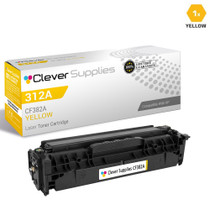
Compatible HP M476DN (CF382A) Toner Cartridge Yellow
- Page Yield:
- Color: 2700
- Availability:
- In Stock
- Shipping:
- Calculated at Checkout

Amazon Price:

- Page Yield:
- Color: 2700
- Availability:
- In Stock
- Shipping:
- Calculated at Checkout
- Compatible Printers
- Color LaserJet 100 MFP M175a
- Color LaserJet 100 MFP M175nw
- Color LaserJet CP1025nw
- Color LaserJet TopShot Pro M275
- LaserJet 100 MFP M175a
- LaserJet 100 MFP M175nw
- LaserJet Pro 100 MFP M175a
- LaserJet Pro 100 MFP M175nw
- LaserJet Pro CP1025nw
- LaserJet Pro TopShot Pro M275i>
- Color CP1020
- Color CP1025
- Color CP1025NW
- Color LaserJet CP1020
- Color LaserJet CP1025
- Color LaserJet M175nw
- Color LaserJet M476
- Color LaserJet M476DN
- Color LaserJet M476DW
- Color LaserJet M476NW
- Color LaserJet Pro 100
- Color LaserJet Pro 100 Color MFP M175A
- Color LaserJet Pro 100 Color MFP M175NW
- Color LaserJet Pro 200 M275NW
- Color LaserJet Pro CP1025
- Color LaserJet Pro M175
- Color LaserJet Pro M175 MFP
- Color LaserJet Pro M175A
- Color LaserJet Pro M175nw
- Color LaserJet Pro M476
- Color LaserJet Pro M476DN
- Color LaserJet Pro M476DW
- Color LaserJet Pro M476NW
- Color LaserJet Pro MFP M476
- Color LaserJet Pro MFP M476dn
- Color LaserJet Pro MFP M476dw
- Color LaserJet Pro MFP M476nw
- Color LaserJet TopShot LaserJet Pro M275
- Color LaserJet TopShot LaserJet Pro M275NW
- Color MFP M175A
- HP 126A
- HP 312A & 312X
- LaserJet Pro 100 Color M175A
- LaserJet Pro 100 Color M175N
- LaserJet Pro 100 Color M175W
- LaserJet Pro 100 color MFP M175NW
- TopShot LaserJet Pro M275 MFP
- Specifications
- SKU:
- CLS-HP-M476DN-Y
- Printer Brand:
- Hewlett Packard
- OEM Number:
- CF382A
- Ink Color:
- Yellow
- Page Yield:
- Color: 2700
- Printer Type:
- Laser Cartridge
- Condition:
- New Compatible
- Description
- Reviews



The HP 312A Color LaserJet Series presents a comprehensive range of printers and multifunction devices tailored for vibrant color printing needs. The PRO MFP M476DN offers efficient printing, scanning, copying, and faxing capabilities, while the PRO MFP M476DW enhances productivity with wireless connectivity. For seamless integration into office workflows, consider the PRO MFP M476NW, which combines versatility and performance. Discover the M476 series printers, including the M476DN, M476DW, and M476NW, designed to meet various printing requirements with ease. The CF380A Black, CF381A Cyan, CF383A Magenta, and CF382A Yellow toner cartridges ensure consistent and reliable print quality. Compatible with the HP 312A toner cartridge and toner cartridge options, these printers deliver professional results for both everyday documents and marketing materials. Experience hassle-free printing with the PRO M476DN, equipped with advanced features for efficient operation. The PRO M476DW offers enhanced connectivity options, allowing users to print from virtually anywhere. Meanwhile, the PRO M476NW stands out for its combination of performance and convenience, making it an ideal choice for busy work environments. Whether it's the PRO MFP M476 series or the M476 standalone printers, users can rely on the HP 312A Color LaserJet Series for exceptional print quality and reliability. With a comprehensive range of features and compatibility with HP 312A toner cartridges, these printers are the perfect solution for professional-grade color printing needs.
Cross-reference: HP CF382A, the 312A yellow toner cartridge (2,700 pages), is the same cartridge Canon sells as Canon Cartridge 131 (black 6272B001AA, high-capacity black 6273B001AA, cyan 6271B001AA, yellow 6269B001AA, magenta 6270B001AA) for the Canon Color imageCLASS MF624Cw, MF628Cw and MF8280Cw and the Color imageCLASS LBP7110Cw printers. Canon rates Cartridge 131 black at 1,800 pages, the high-capacity black at 2,400 pages and each color at 1,800 pages (ISO/IEC standard); HP sells the same cartridge across two generations as the 131A and 312A families.
Frequently Asked Questions
What is this listing for?
This listing names the machine directly: it is the yellow toner cartridge — code CF382A, part of HP's 312A color family — for the Color LaserJet Pro MFP M476dn, priced at $35.11 and rated at up to 2,700 pages. If your M476dn is the printer asking for yellow, this is its cartridge.
Does two-sided printing use yellow faster?
Duplex printing puts an image on both faces of the sheet, and the yield rating counts printed pages rather than sheets of paper. A double-sided color handout therefore spends yellow on two pages per sheet — the cartridge is not draining early; it is doing twice the visible work per leaf.
On a shared network printer, who notices yellow is low first?
Usually nobody, until a job comes out wrong — which is why the M476dn reports each cartridge level on its control panel and through its network status page. A ten-second check from your desk, once in a while, keeps a shared machine from surprising the whole office.
Which jobs around the office eat the most yellow?
Two-sided presentation handouts, training packets with highlighted sections, and copies of color originals are the big consumers. Plain text printing barely sips at it, and scans use none at all, since scanning only reads the page.
Do photocopies draw on this same cartridge?
They do. A color copy is printed output, so it spends yellow wherever the original carries warm tones. Incoming faxes, by contrast, print in black only and never draw on the yellow supply, no matter how busy the fax traffic gets.
How is the yellow cartridge changed on this model?
Open the front door, pull the cartridge drawer toward you, and lift the yellow unit out of its labeled slot. Seat the replacement, push the drawer home and close the door. The machine calibrates briefly and returns to ready.
About This Yellow Cartridge for the M476dn
The M476dn earns its place in a busy corner of the office — wired to the network, printing on both sides of the page, serving several people at once. Its yellow cartridge works just as hard, supplying the warmth in every handout and copy, and this CF382A restores it with a 2,700-page rating.
Shipping is handled from our warehouses in Illinois, Pennsylvania, Georgia or California, and the cartridge arrives covered by a 1-year warranty with 1-year free returns. Our support team works Monday through Friday, 9 AM to 5 PM CST, and the shipping and returns page carries the complete delivery and returns information.
Related Items


Hewlett Packard
Compatible HP PRO MFP M476 (CF382A) Toner Cartridge Yellow

Hewlett Packard
CS Compatible Replacement for HP CF382A Toner Cartridge Yellow/ HP 312A Toner
/>


Hewlett Packard
Compatible HP M476DN (CF380A) Toner Cartridge 3 Black


Hewlett Packard
Compatible HP M476DN (CF380A) Toner Cartridge 2 Black