




Color LaserJet Pro M476DN
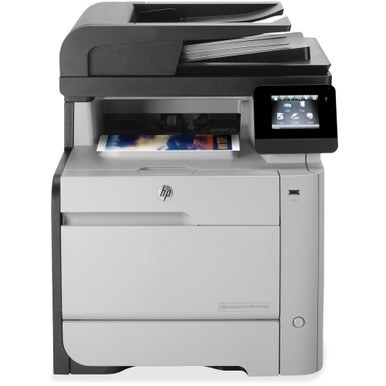
Duplex and network standard — the Pro M476DN is the 2014-era color laser for small workgroups that share one machine. Two-sided printing over the office LAN, ready for the team.
It runs HP 312A/312X toner: CF380A black (high-yield CF380X) with CF381A, CF382A, CF383A color. Genuine OEM and compatible cartridges are both stocked for the Pro M476DN.
Toner Cartridges for Color LaserJet Pro M476DN
This printer works with the following toner cartridges:
- HP CF380A
- HP CF380X
- HP CF381A
- HP CF382A
- HP CF383A
More HP Printers
- Color LaserJet M476
- Color LaserJet M476DN
- Color LaserJet M476DW
- Color LaserJet M476NW
- Color LaserJet Pro M476
- Color LaserJet Pro M476DW
- Color LaserJet Pro M476NW
- Color LaserJet Pro MFP M476
- Color LaserJet Pro MFP M476dn
- Color LaserJet Pro MFP M476dw
- Color LaserJet Pro MFP M476nw
Frequently Asked Questions
Can the Color LaserJet Pro M476DN use the high-yield CF380X?
The Color LaserJet Pro M476DN uses CF380A, CF380X, CF381A, CF382A and CF383A. Match the code on your current cartridge before ordering so you get the right fit.
How do I install a replacement CF380A cartridge in the Color LaserJet Pro M476DN?
Power the Color LaserJet Pro M476DN on, open the cartridge door, and slide the old CF380A out. Remove the seal and packing clips from the new cartridge, insert it firmly, close the door, and print a test page to confirm.
How do I clear a paper jam in the Color LaserJet Pro M476DN?
Switch the Color LaserJet Pro M476DN off, open the rear and toner doors, and ease the jammed sheet out along the paper path without tearing it. Fan the paper stack and reset the tray guides before you print again.