




Color LaserJet Pro MFP M476
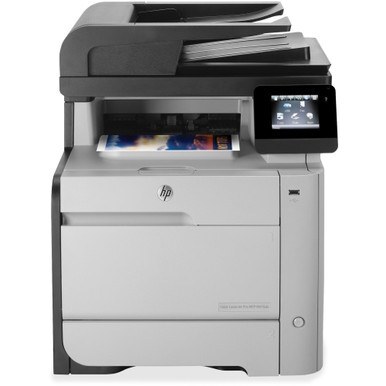
Built for small workgroups, the Color LaserJet Pro MFP M476 is a 2014-era color MFP that earned its keep on steady, everyday output. The machine's reputation rests on consistent output rather than gimmicks. HP matched this printer with the HP 312A/312X cartridge series (CF380A, CF380X).
Stock both kinds and decide per job: genuine OEM CF380A, CF380X for presentations, compatible for internal prints. The Color LaserJet Pro MFP M476 handles either without complaint.
Toner Cartridges for Color LaserJet Pro MFP M476
This printer works with the following toner cartridges:
- HP CF380A
- HP CF380X
- HP CF381A
- HP CF382A
- HP CF383A
More HP Printers
- Color LaserJet M476
- Color LaserJet M476DN
- Color LaserJet M476DW
- Color LaserJet M476NW
- Color LaserJet Pro M476
- Color LaserJet Pro M476DN
- Color LaserJet Pro M476DW
- Color LaserJet Pro M476NW
- Color LaserJet Pro MFP M476dn
- Color LaserJet Pro MFP M476dw
- Color LaserJet Pro MFP M476nw
Frequently Asked Questions
How do I verify replacement cartridges for the Color LaserJet Pro MFP M476 before buying?
CF380A, CF380X, CF381A, CF382A and CF383A are the cartridge codes for the Color LaserJet Pro MFP M476. Checking the label on the old cartridge is the fastest way to confirm.
What type of paper should I use in the Color LaserJet Pro MFP M476?
Standard office copy paper works well in the Color LaserJet Pro MFP M476; laser-rated paper gives the sharpest results. Avoid paper made only for inkjet printers, since it can cause problems in a laser printer.
Why is my Color LaserJet Pro MFP M476 printing blank pages?
Blank pages from the Color LaserJet Pro MFP M476 usually mean a cartridge seal was left on, a cartridge is empty, or a setting is off. Reseat the CF380A cartridge, confirm the seal was pulled, and check that paper is loaded properly.