




Color LaserJet TopShot LaserJet Pro M275NW
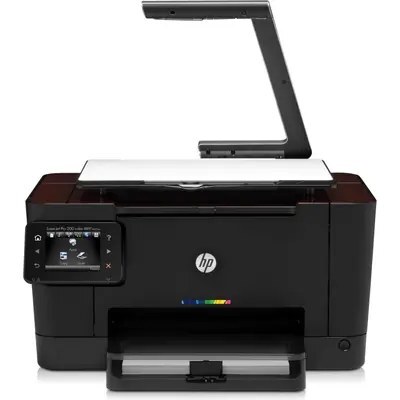
Overhead scanning plus wireless sharing: the Color LaserJet TopShot LaserJet Pro M275NW adds network and wireless connectivity to the TopShot's camera-head scanning and color printing.
HP 126A cartridges feed it (CE310A through CE313A), compatible or genuine OEM. The NW's wireless does not change the toner bay — just where the printer can live.
Toner Cartridges for Color LaserJet TopShot LaserJet Pro M275NW
This printer works with the following toner cartridges:
- HP CE310A
- HP CE311A
- HP CE312A
- HP CE313A
More HP Printers
- Color CP1025
- Color CP1025NW
- Color LaserJet CP1025
- Color LaserJet CP1025nw
- Color LaserJet M175nw
- Color LaserJet Pro 100 Color MFP M175A
- Color LaserJet Pro 100 Color MFP M175NW
- Color LaserJet Pro 200 M275NW
- Color LaserJet Pro CP1025
- Color LaserJet Pro CP1025nw
- Color LaserJet Pro M175
- Color LaserJet Pro M175 MFP
- Color LaserJet Pro M175A
- Color LaserJet Pro M175nw
- Color LaserJet TopShot LaserJet Pro M275
- Color MFP M175A
- Color MFP M175NW
- LaserJet Pro 100 Color M175A
- LaserJet Pro 100 Color M175N
- LaserJet Pro 100 Color M175W
- LaserJet Pro 100 color MFP M175NW
- TopShot LaserJet Pro M275 MFP
Frequently Asked Questions
Will any HP toner cartridge work in the Color LaserJet TopShot LaserJet Pro M275NW, or does it need a specific family?
The Color LaserJet TopShot LaserJet Pro M275NW takes HP 126A cartridges (CE310A, CE311A, CE312A, CE313A), and both genuine HP and quality-compatible versions fit the same way. Match the number printed on your current cartridge to CE310A, CE311A, CE312A, CE313A before ordering.
Should I replace the cartridge as soon as the Color LaserJet TopShot LaserJet Pro M275NW warns about low toner?
Order a replacement when the Color LaserJet TopShot LaserJet Pro M275NW first warns you, but don't toss the old cartridge — it often prints many more pages. If quality fades, redistribute the toner with a gentle shake and keep going until the Color LaserJet TopShot LaserJet Pro M275NW actually stops.
How do I set up the Color LaserJet TopShot LaserJet Pro M275NW on a new computer?
Setting up the Color LaserJet TopShot LaserJet Pro M275NW on a new computer means grabbing the full driver package from HP support and running the installer. Avoid generic drivers if you want full access to the Color LaserJet TopShot LaserJet Pro M275NW's features.