




Color LaserJet Pro 200 M275NW
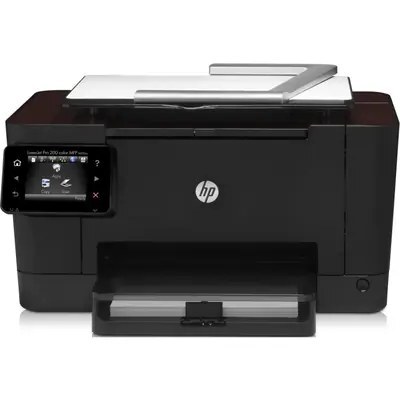
Wireless printing for the whole office, wired printing for the desktops that stay put — the M275NW covers both. This early-2010s color LaserJet joins the network over Ethernet or Wi-Fi, so placement follows the workflow instead of the cable run.
Under the hood it uses the HP 126A family: CE310A black plus CE311A, CE312A and CE313A color. Compatible and genuine OEM cartridges are both stocked for the M275NW.
Toner Cartridges for Color LaserJet Pro 200 M275NW
This printer works with the following toner cartridges:
- HP CE310A
- HP CE311A
- HP CE312A
- HP CE313A
More HP Printers
- Color CP1025
- Color CP1025NW
- Color LaserJet CP1025
- Color LaserJet CP1025nw
- Color LaserJet M175nw
- Color LaserJet Pro 100 Color MFP M175A
- Color LaserJet Pro 100 Color MFP M175NW
- Color LaserJet Pro CP1025
- Color LaserJet Pro CP1025nw
- Color LaserJet Pro M175
- Color LaserJet Pro M175 MFP
- Color LaserJet Pro M175A
- Color LaserJet Pro M175nw
- Color LaserJet TopShot LaserJet Pro M275
- Color LaserJet TopShot LaserJet Pro M275NW
- Color MFP M175A
- Color MFP M175NW
- LaserJet Pro 100 Color M175A
- LaserJet Pro 100 Color M175N
- LaserJet Pro 100 Color M175W
- LaserJet Pro 100 color MFP M175NW
- TopShot LaserJet Pro M275 MFP
Frequently Asked Questions
What are the correct toner cartridge numbers for the Color LaserJet Pro 200 M275NW?
The correct cartridges for the Color LaserJet Pro 200 M275NW are CE310A, CE311A, CE312A, CE313A (HP 126A). Whether you buy OEM or compatible, that number is what matters — anything outside HP 126A will not seat properly in the Color LaserJet Pro 200 M275NW.
Is it safe for the Color LaserJet Pro 200 M275NW to run compatible toner long term?
No — using a compatible cartridge doesn't void the Color LaserJet Pro 200 M275NW's hardware warranty on its own. If a cartridge ever caused damage, that would be on the cartridge, but normal compatible HP 126A cartridges are designed to the same fit as OEM.
The Color LaserJet Pro 200 M275NW dropped off my network — what should I try?
If the Color LaserJet Pro 200 M275NW drops off the network, restart both the printer and your router, then check that the wireless light is solid. Re-running wireless setup on the Color LaserJet Pro 200 M275NW usually reconnects it in a few minutes.