






 See Compatible Printers
 Read more about our ink!
Hewlett Packard
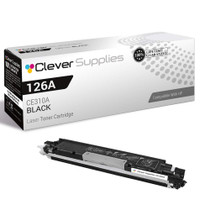
Compatible HP TOPSHOT LASERJET PRO M275NW (CE310A) Toner Cartridge Black

Amazon Price:

- Page Yield:
- Black: 1200
- Availability:
- In Stock
- Shipping:
- Calculated at Checkout
- Compatible Printers
- Color LaserJet 100 MFP M175a
- Color LaserJet 100 MFP M175nw
- Color LaserJet CP1025nw
- Color LaserJet TopShot Pro M275
- LaserJet 100 MFP M175a
- LaserJet 100 MFP M175nw
- LaserJet Pro 100 MFP M175a
- LaserJet Pro 100 MFP M175nw
- LaserJet Pro CP1025nw
- LaserJet Pro TopShot Pro M275i>
- Color CP1020
- Color CP1025
- Color CP1025NW
- Color LaserJet CP1020
- Color LaserJet CP1025
- Color LaserJet M175nw
- Color LaserJet M476
- Color LaserJet M476DN
- Color LaserJet M476DW
- Color LaserJet M476NW
- Color LaserJet Pro 100
- Color LaserJet Pro 100 Color MFP M175A
- Color LaserJet Pro 100 Color MFP M175NW
- Color LaserJet Pro 200 M275NW
- Color LaserJet Pro CP1025
- Color LaserJet Pro M175
- Color LaserJet Pro M175 MFP
- Color LaserJet Pro M175A
- Color LaserJet Pro M175nw
- Color LaserJet Pro M476
- Color LaserJet Pro M476DN
- Color LaserJet Pro M476DW
- Color LaserJet Pro M476NW
- Color LaserJet Pro MFP M476
- Color LaserJet Pro MFP M476dn
- Color LaserJet Pro MFP M476dw
- Color LaserJet Pro MFP M476nw
- Color LaserJet TopShot LaserJet Pro M275
- Color LaserJet TopShot LaserJet Pro M275NW
- Color MFP M175A
- HP 126A
- HP 312A & 312X
- LaserJet Pro 100 Color M175A
- LaserJet Pro 100 Color M175N
- LaserJet Pro 100 Color M175W
- LaserJet Pro 100 color MFP M175NW
- TopShot LaserJet Pro M275 MFP
- Specifications
- SKU:
- CS-HP-TOPSHOT LASERJET PRO M275NW-BK-1
- Printer Brand:
- Hewlett Packard
- OEM Number:
- CE310A
- Ink Color:
- Black
- Page Yield:
- Black: 1200
- Printer Type:
- Laser Cartridge
- Condition:
- New Compatible
- Description
- Reviews



The HP 126A Color LaserJet Series encompasses a range of printers designed to meet various printing needs, including the PRO 100 Color MFP M175A, PRO 100 Color MFP M175NW, CP1020, CP1025, CP1025NW, PRO 100, PRO M175, PRO M175A, PRO M175NW, PRO M175 MFP, TOPSHOT LASERJET PRO M275, TOPSHOT LASERJET PRO M275NW, LASERJET PRO 100 COLOR M175A, LASERJET PRO 100 COLOR M175N, and LASERJET PRO 100 COLOR M175W. Among the compatible cartridges are the CE310A Black, CE311A Cyan, CE313A Magenta, and CE312A Yellow, known collectively as the HP 126A toner cartridge or toner cartridge. These printers offer efficient printing solutions for both personal and professional use. The PRO 100 Color MFP M175A and M175NW models provide multifunction capabilities, including printing, scanning, and copying, while the CP1020 and CP1025 series deliver high-quality color printing for small office environments. The TOPSHOT LASERJET PRO M275 and M275NW models stand out with their innovative top shot scanning feature, ideal for capturing 3D objects and documents. With the HP 126A cartridges, users can expect reliable performance and vibrant color output for their printing tasks. The CE310A Black cartridge ensures crisp and sharp text, while the CE311A Cyan, CE313A Magenta, and CE312A Yellow cartridges deliver vivid hues and accurate color reproduction for graphics and images. Whether you're printing documents, presentations, or photos, the HP 126A Color LaserJet Series printers and cartridges provide the versatility and quality needed to produce professional results. Invest in these reliable printing solutions to streamline your workflow and achieve outstanding printouts with every use.
Frequently Asked Questions
What part number goes on the reorder note for this printer's black?
CE310A. It is the black cartridge of the 126A family and the unit the TopShot LaserJet Pro M275nw's print engine consumes. Jot the number on the supply-shelf note once and every future order is a ten-second task. This single is $38.66, rated at 1,200 pages.
Owners print a lot of greyscale manuals and guides — how does that treat this cartridge?
Greyscale is black toner doing all the work, shades and all. A TopShot desk that prints product guides, instruction sheets and returns paperwork in mono is living on the CE310A, and its 1,200-page rating is spent page by document page, exactly as rated.
Does the overhead scanner help diagnose a fading cartridge?
Indirectly, yes: scan a printed page and view it enlarged, and fading, banding or uneven density become unmistakable on screen. It is a neat trick the machine's design hands you — a magnifying glass for print quality, built into the same cabinet.
What is the physical change procedure?
At the cartridge bay only: the worn black lifts out, the fresh CE310A is rocked gently to level its toner, its seal is drawn out in full, and it seats into the black position. Close up, print a sheet, and compare it with the scan of the old output if you want the before-and-after.
How should a one-cartridge household time the purchase?
At the first low-toner notice. The printer's warning precedes real emptiness by a comfortable margin, and ordering then means this cartridge arrives while the old one is still producing acceptable pages — no gap in the machine's usefulness.
What protection accompanies it?
A 1-year warranty and 1-year free returns. Keep the packaging until the first pages satisfy you, and any early defect is resolved by exchange.
How should a spare CE310A for the TopShot be stored?
Sealed in its bag and box, lying flat in a cool, dark place — a cabinet shelf rather than anywhere sunlight or radiator heat reaches. Toner keeps its quality for a long while under those conditions, so a spare bought ahead is not a gamble. Keeping the box matters twice over: it protects the waiting cartridge now, and it becomes the packaging the spent unit travels to recycling in later.
Without watching the printer's warnings, how can you estimate how much life is left?
Count paper instead of pages on a screen. A ream is 500 sheets, and this cartridge is rated at 1,200 pages, so a TopShot desk can reckon roughly two reams of typical documents as most of a CE310A's life — heavier if the printing is dense manuals, lighter if it is mostly labels. When the second ream goes into the tray, the reorder conversation should already have happened.
The new cartridge is fitted but prints pale. What do you try before concluding it is faulty?
Reseat it. Lift the unit out, rock it gently once more to level the toner, confirm the seal came away completely when you prepared it, and seat it firmly back into the black position. A cartridge resting slightly off its seat, or toner still settled from transit, produces exactly that washed-out first impression. A few pages after a careful reseat should print at full strength; paleness that survives the reseat is the genuine article, and the cover exists for it.
What is the clean way to dispose of the cartridge this one replaced?
Put the spent CE310A into the bag and box the new cartridge arrived in — that packaging is made to contain residual toner in both directions — and take the sealed parcel to an office-supply or electronics recycling point. Never shake out or open a spent unit over a bin; what little powder remains stays inside its cartridge, and the sealed box keeps it off hands, desks and the scanner's glass upstairs.
About This CE310A Black Cartridge for the TopShot LaserJet Pro M275nw
Beneath the TopShot LaserJet Pro M275nw's camera arm sits a conventional color laser with a conventional appetite, and its black supply is this: the CE310A, the black member of the 126A family, a single cartridge at $38.66 rated at 1,200 pages. Manuals, labels and letters all come from it, and its quiet turnover is the routine cost of the machine's flashier talents.
We ship from IL, PA, GA and CA warehouses; the shipping & returns page explains delivery and returns. Questions are handled Monday–Friday, 9 AM–5 PM CST. Find this cartridge's family under the Color LaserJet CP1025nw page and the wider HP range.
Related Items

Hewlett Packard
Compatible HP TOPSHOT LASERJET PRO M275NW (CE310A) Toner Cartridge Black


Hewlett Packard
Compatible HP TOPSHOT LASERJET PRO M275NW (CE310A) Toner Cartridge 3 Black


Hewlett Packard
Compatible HP TOPSHOT LASERJET PRO M275 (CE310A) Toner Cartridge Black

Hewlett Packard
Compatible HP TOPSHOT LASERJET PRO M275NW (CE311A) Toner Cartridge Cyan