




Color LaserJet Pro MFP M476nw
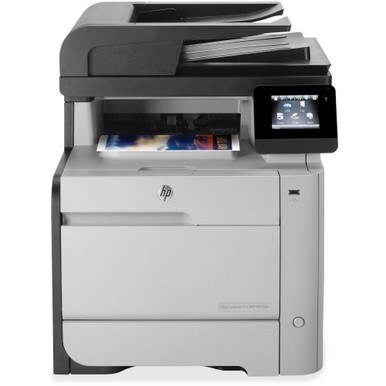
The Color LaserJet Pro MFP M476NW is the 2014-era all-in-one for cable-free workgroups — color print, scan, and copy with wireless and wired networking built in.
Its toner is the HP 312A/312X family: black CF380A (or high-yield CF380X) plus CF381A, CF382A, CF383A color. Compatible or genuine OEM, one cartridge line keeps the whole MFP running.
Toner Cartridges for Color LaserJet Pro MFP M476nw
This printer works with the following toner cartridges:
- HP CF380A
- HP CF380X
- HP CF381A
- HP CF382A
- HP CF383A
More HP Printers
- Color LaserJet M476
- Color LaserJet M476DN
- Color LaserJet M476DW
- Color LaserJet M476NW
- Color LaserJet Pro M476
- Color LaserJet Pro M476DN
- Color LaserJet Pro M476DW
- Color LaserJet Pro M476NW
- Color LaserJet Pro MFP M476
- Color LaserJet Pro MFP M476dn
- Color LaserJet Pro MFP M476dw
Frequently Asked Questions
What toner family powers the Color LaserJet Pro MFP M476nw?
The Color LaserJet Pro MFP M476nw runs the CF380 family: CF380A or high-yield CF380X for black, plus CF381A, CF382A and CF383A for color. Match those codes on your current cartridges — they're the only ones keyed for the Color LaserJet Pro MFP M476nw.
How do I clear a paper jam in the Color LaserJet Pro MFP M476nw?
Turn the Color LaserJet Pro MFP M476nw off and remove the jammed sheet slowly through the rear or toner access door, pulling in the direction of the paper path. Check for torn scraps, then reload the tray with fanned paper.
How do I install a replacement CF380A cartridge in the Color LaserJet Pro MFP M476nw?
Open the toner access door on the Color LaserJet Pro MFP M476nw, pull the used CF380A cartridge straight out, then unpack the new one, remove its seal and any clips, and slide it in until it clicks. Close the door and run a test print.