




LaserJet Pro 100 Color M175W
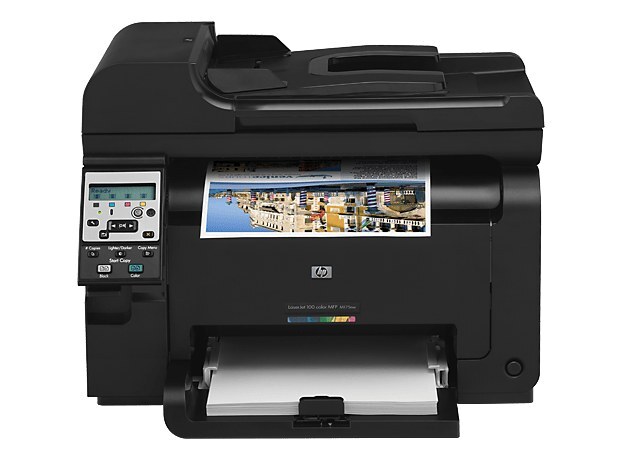
Wireless is the whole point of the LaserJet Pro 100 Color M175W — cable-free color printing from laptops and phones, in the alternate channel naming of the M175 line.
HP 126A cartridges power it: CE310A black, CE311A–CE313A color, compatible or genuine OEM. The W's wireless frees the printer from the desk; the toner bay stays the same. One member of that color range rarely gets named outright: CE312A, the yellow cartridge the M175W loads beside its black, cyan and magenta partners.
Toner Cartridges for LaserJet Pro 100 Color M175W
This printer works with the following toner cartridges:
- HP CE310A
- HP CE311A
- HP CE312A
- HP CE313A
More HP Printers
- Color CP1025
- Color CP1025NW
- Color LaserJet CP1025
- Color LaserJet CP1025nw
- Color LaserJet M175nw
- Color LaserJet Pro 100 Color MFP M175A
- Color LaserJet Pro 100 Color MFP M175NW
- Color LaserJet Pro 200 M275NW
- Color LaserJet Pro CP1025
- Color LaserJet Pro CP1025nw
- Color LaserJet Pro M175
- Color LaserJet Pro M175 MFP
- Color LaserJet Pro M175A
- Color LaserJet Pro M175nw
- Color LaserJet TopShot LaserJet Pro M275
- Color LaserJet TopShot LaserJet Pro M275NW
- Color MFP M175A
- Color MFP M175NW
- LaserJet Pro 100 Color M175A
- LaserJet Pro 100 Color M175N
- LaserJet Pro 100 color MFP M175NW
- TopShot LaserJet Pro M275 MFP
Frequently Asked Questions
Which cartridges fit the LaserJet Pro 100 Color M175W?
The correct cartridges for the LaserJet Pro 100 Color M175W are CE310A, CE311A, CE312A, CE313A (HP 126A). Whether you buy OEM or compatible, that number is what matters — anything outside HP 126A will not seat properly in the LaserJet Pro 100 Color M175W.
One color looks off on my LaserJet Pro 100 Color M175W — what should I check first?
Streaks on the LaserJet Pro 100 Color M175W are most often a low or dirty cartridge, not a printer failure. Try shaking the low cartridge side to side, and if the banding stays, replace that single HP 126A cartridge rather than the whole set.
Can I replace just the empty cartridge in my LaserJet Pro 100 Color M175W, or the whole set?
No — the LaserJet Pro 100 Color M175W lets you replace each HP 126A cartridge independently, so swap only the empty one. The printer's supplies status will tell you which of the four is actually low.