






 See Compatible Printers
 Read more about our ink!
Hewlett Packard
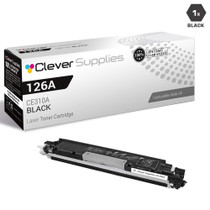
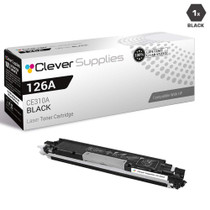
Compatible HP PRO 100 COLOR M175W (CE310A) Toner Cartridge Black

Amazon Price:

- Page Yield:
- Black: 1200
- Availability:
- In Stock
- Shipping:
- Calculated at Checkout
- Compatible Printers
- Color LaserJet 100 MFP M175a
- Color LaserJet 100 MFP M175nw
- Color LaserJet CP1025nw
- Color LaserJet TopShot Pro M275
- LaserJet 100 MFP M175a
- LaserJet 100 MFP M175nw
- LaserJet Pro 100 MFP M175a
- LaserJet Pro 100 MFP M175nw
- LaserJet Pro CP1025nw
- LaserJet Pro TopShot Pro M275i>
- Color CP1020
- Color CP1025
- Color CP1025NW
- Color LaserJet CP1020
- Color LaserJet CP1025
- Color LaserJet M175nw
- Color LaserJet M476
- Color LaserJet M476DN
- Color LaserJet M476DW
- Color LaserJet M476NW
- Color LaserJet Pro 100
- Color LaserJet Pro 100 Color MFP M175A
- Color LaserJet Pro 100 Color MFP M175NW
- Color LaserJet Pro 200 M275NW
- Color LaserJet Pro CP1025
- Color LaserJet Pro M175
- Color LaserJet Pro M175 MFP
- Color LaserJet Pro M175A
- Color LaserJet Pro M175nw
- Color LaserJet Pro M476
- Color LaserJet Pro M476DN
- Color LaserJet Pro M476DW
- Color LaserJet Pro M476NW
- Color LaserJet Pro MFP M476
- Color LaserJet Pro MFP M476dn
- Color LaserJet Pro MFP M476dw
- Color LaserJet Pro MFP M476nw
- Color LaserJet TopShot LaserJet Pro M275
- Color LaserJet TopShot LaserJet Pro M275NW
- Color MFP M175A
- HP 126A
- HP 312A & 312X
- LaserJet Pro 100 Color M175A
- LaserJet Pro 100 Color M175N
- LaserJet Pro 100 Color M175W
- LaserJet Pro 100 color MFP M175NW
- TopShot LaserJet Pro M275 MFP
- Specifications
- SKU:
- CS-HP-PRO 100 COLOR M175W-BK
- Printer Brand:
- Hewlett Packard
- OEM Number:
- CE310A
- Ink Color:
- Black
- Page Yield:
- Black: 1200
- Printer Type:
- Laser Cartridge
- Condition:
- New Compatible
- Description
- Reviews



The HP 126A Color LaserJet Series encompasses a range of printers designed to meet various printing needs, including the PRO 100 Color MFP M175A, PRO 100 Color MFP M175NW, CP1020, CP1025, CP1025NW, PRO 100, PRO M175, PRO M175A, PRO M175NW, PRO M175 MFP, TOPSHOT LASERJET PRO M275, TOPSHOT LASERJET PRO M275NW, LASERJET PRO 100 COLOR M175A, LASERJET PRO 100 COLOR M175N, and LASERJET PRO 100 COLOR M175W. Among the compatible cartridges are the CE310A Black, CE311A Cyan, CE313A Magenta, and CE312A Yellow, known collectively as the HP 126A toner cartridge or toner cartridge. These printers offer efficient printing solutions for both personal and professional use. The PRO 100 Color MFP M175A and M175NW models provide multifunction capabilities, including printing, scanning, and copying, while the CP1020 and CP1025 series deliver high-quality color printing for small office environments. The TOPSHOT LASERJET PRO M275 and M275NW models stand out with their innovative top shot scanning feature, ideal for capturing 3D objects and documents. With the HP 126A cartridges, users can expect reliable performance and vibrant color output for their printing tasks. The CE310A Black cartridge ensures crisp and sharp text, while the CE311A Cyan, CE313A Magenta, and CE312A Yellow cartridges deliver vivid hues and accurate color reproduction for graphics and images. Whether you're printing documents, presentations, or photos, the HP 126A Color LaserJet Series printers and cartridges provide the versatility and quality needed to produce professional results. Invest in these reliable printing solutions to streamline your workflow and achieve outstanding printouts with every use.
Frequently Asked Questions
Which black cartridge belongs in the M175w?
The CE310A — the black of the 126A family, and the number printed on the unit already inside your LaserJet Pro 100 Color MFP M175w. This is a single cartridge at $38.66, rated at 1,200 pages, made for the black slot of this wireless multifunction machine.
Why is a spare almost mandatory with a home MFP?
Because when the black empties on an MFP, two functions stop at once: the printer and the copier. A household that scans, copies homework and prints forms from one M175w feels an empty CE310A immediately. Keeping this single on hand means the outage lasts minutes, not days.
Does the wireless side of the M175w complicate a cartridge change?
No more than opening a drawer. The swap is done at the machine with the power on and the network untouched; phones and laptops that print to it over Wi-Fi notice nothing except that output is dark again. No re-pairing or setup follows a toner change.
How can you watch the black level from the couch?
The printer software on any connected computer shows the four supply levels. A wireless machine invites wireless habits: check the black gauge when it crosses your mind, and order this cartridge while the old one still has pages in it.
Copies at home look gray — is it this cartridge?
If printed pages are greying too, yes, almost certainly: copies and prints share the CE310A. If copies alone look dull while prints stay sharp, wipe the scanner glass before blaming toner — kitchen-adjacent MFPs collect a surprising film.
What cover does this single cartridge carry?
A 1-year warranty backs it, with 1-year free returns alongside. A unit that streaks or leaks early is replaced under that cover rather than nursed along.
What does the 1,200-page rating look like in real household use?
Spread across the M175w's ordinary work — printed forms, letters, homework and the copies that share this same CE310A — it is a long stretch. A home printing a few dozen pages a week measures the cartridge's life in months. Copy-heavy weeks, permission slips and multi-page documents for the whole family draw it down faster, so treat 1,200 as the planning figure and the software gauge as the truth as the level falls.
Where should a spare CE310A wait inside a home?
In its sealed carton, flat, in a drawer or cupboard at ordinary room temperature, away from radiators and sunny windowsills. Toner is dry powder and does not dry out the way liquid ink does, so a spare asks for nothing more than to be kept sealed, dry and out of strong heat until the day the printer asks for it. One known spot also means whoever is home can find it.
After fitting a fresh cartridge, how do we prove both printer and copier are fed again?
Run one of each. Print a document from a computer and then make a single copy at the glass — both jobs draw on the same CE310A, so a dark print followed by a dark copy confirms the change completely. It is a two-minute check, and it is worth doing while the old cartridge is still nearby, in case the new one needs a second look.
What should happen to the old cartridge once the new one is working?
Keep it until the replacement has printed and copied cleanly for a few days. If the new unit streaks or leaks early, the old cartridge helps show what changed, and the cartridge carries a 1-year warranty with 1-year free returns for exactly that situation. Once the new CE310A has proven itself, send the empty to recycling rather than back onto the shelf, where it risks being refitted by mistake.
About This CE310A Black Cartridge for the LaserJet Pro 100 Color MFP M175w
The LaserJet Pro 100 Color MFP M175w put a wireless print-scan-copy station into homes that had never owned one, and its hardest-working supply is this one: the CE310A, the 126A family's black cartridge, $38.66 as a single and rated at 1,200 pages. Documents print from it, copies are made from it, and its change takes two unhurried minutes at the machine.
Orders go out from our IL, PA, GA and CA warehouse locations; delivery and returns are described on the shipping & returns page. Support is available Monday–Friday, 9 AM–5 PM CST. This cartridge serves the whole compact family, including the Color LaserJet CP1025nw, with the full range filed under HP.
Related Items


Hewlett Packard
Compatible HP PRO 100 COLOR M175W (CE310A) Toner Cartridge 3 Black



Hewlett Packard
Compatible HP PRO 100 COLOR M175W (CE310A CE311A CE312A CE313A) Toner Cartridge 5 Color Set

Hewlett Packard
Compatible HP PRO 100 COLOR M175W (CE310A CE311A CE312A CE313A) Toner Cartridge 8 Color Set

Hewlett Packard
Compatible HP PRO 100 COLOR M175W (CE310A CE311A CE312A CE313A) Toner Cartridge 5 Color Set