




Color LaserJet M175nw
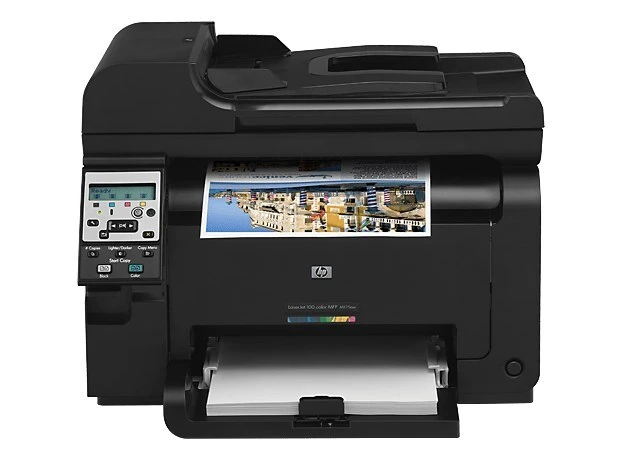
The M175NW brings wireless color printing to the small office — a compact early-2010s color laser that any laptop in the room can reach. No cables, no dedicated print server, just shared color.
It feeds on HP 126A toner: CE310A black plus CE311A, CE312A, CE313A color. Compatible and genuine OEM cartridges are both stocked for the M175NW.
Toner Cartridges for Color LaserJet M175nw
This printer works with the following toner cartridges:
- HP CE310A
- HP CE311A
- HP CE312A
- HP CE313A
More HP Printers
- Color CP1025
- Color CP1025NW
- Color LaserJet CP1025
- Color LaserJet CP1025nw
- Color LaserJet Pro 100 Color MFP M175A
- Color LaserJet Pro 100 Color MFP M175NW
- Color LaserJet Pro 200 M275NW
- Color LaserJet Pro CP1025
- Color LaserJet Pro CP1025nw
- Color LaserJet Pro M175
- Color LaserJet Pro M175 MFP
- Color LaserJet Pro M175A
- Color LaserJet Pro M175nw
- Color LaserJet TopShot LaserJet Pro M275
- Color LaserJet TopShot LaserJet Pro M275NW
- Color MFP M175A
- Color MFP M175NW
- LaserJet Pro 100 Color M175A
- LaserJet Pro 100 Color M175N
- LaserJet Pro 100 Color M175W
- LaserJet Pro 100 color MFP M175NW
- TopShot LaserJet Pro M275 MFP
Frequently Asked Questions
Can I use compatible (non-OEM) toner cartridges in my Color LaserJet M175nw?
Use CE310A, CE311A, CE312A, CE313A in the Color LaserJet M175nw — that is the full HP 126A set. Compatible replacements work fine as long as they are made for HP 126A; the Color LaserJet M175nw will not accept cartridges from other HP families.
How should I store a spare HP 126A cartridge for my Color LaserJet M175nw?
Keep spare cartridges for the Color LaserJet M175nw in their sealed packaging, stored upright in a cool, dry place away from sunlight. Open a cartridge only when the Color LaserJet M175nw actually needs it.
How do I connect the Color LaserJet M175nw to my wireless network?
The Color LaserJet M175nw supports printing from phones and tablets over your wireless network once it's connected. Make sure the mobile device and the Color LaserJet M175nw are on the same Wi-Fi, then use your phone's built-in print option.