






 See Compatible Printers
 Read more about our ink!
Hewlett Packard
Compatible HP PRO 100 CLR MFP M175NW (CE312A) Toner Cartridge Yellow

Amazon Price:

- Page Yield:
- Color: 1000
- Availability:
- In Stock
- Shipping:
- Calculated at Checkout
- Compatible Printers
- Color LaserJet 100 MFP M175a
- Color LaserJet 100 MFP M175nw
- Color LaserJet CP1025nw
- Color LaserJet TopShot Pro M275
- LaserJet 100 MFP M175a
- LaserJet 100 MFP M175nw
- LaserJet Pro 100 MFP M175a
- LaserJet Pro 100 MFP M175nw
- LaserJet Pro CP1025nw
- LaserJet Pro TopShot Pro M275i>
- Color CP1020
- Color CP1025
- Color CP1025NW
- Color LaserJet CP1020
- Color LaserJet CP1025
- Color LaserJet M175nw
- Color LaserJet M476
- Color LaserJet M476DN
- Color LaserJet M476DW
- Color LaserJet M476NW
- Color LaserJet Pro 100
- Color LaserJet Pro 100 Color MFP M175A
- Color LaserJet Pro 100 Color MFP M175NW
- Color LaserJet Pro 200 M275NW
- Color LaserJet Pro CP1025
- Color LaserJet Pro M175
- Color LaserJet Pro M175 MFP
- Color LaserJet Pro M175A
- Color LaserJet Pro M175nw
- Color LaserJet Pro M476
- Color LaserJet Pro M476DN
- Color LaserJet Pro M476DW
- Color LaserJet Pro M476NW
- Color LaserJet Pro MFP M476
- Color LaserJet Pro MFP M476dn
- Color LaserJet Pro MFP M476dw
- Color LaserJet Pro MFP M476nw
- Color LaserJet TopShot LaserJet Pro M275
- Color LaserJet TopShot LaserJet Pro M275NW
- Color MFP M175A
- HP 126A
- HP 312A & 312X
- LaserJet Pro 100 Color M175A
- LaserJet Pro 100 Color M175N
- LaserJet Pro 100 Color M175W
- LaserJet Pro 100 color MFP M175NW
- TopShot LaserJet Pro M275 MFP
- Specifications
- SKU:
- CLS-HP-L PRO 100 CLR MFP M175NW-Y
- Printer Brand:
- Hewlett Packard
- OEM Number:
- CE312A
- Ink Color:
- Yellow
- Page Yield:
- Color: 1000
- Printer Type:
- Laser Cartridge
- Condition:
- New Compatible
- Description
- Reviews



The HP 126A Color LaserJet Series encompasses a range of printers designed to meet various printing needs, including the PRO 100 Color MFP M175A, PRO 100 Color MFP M175NW, CP1020, CP1025, CP1025NW, PRO 100, PRO M175, PRO M175A, PRO M175NW, PRO M175 MFP, TOPSHOT LASERJET PRO M275, TOPSHOT LASERJET PRO M275NW, LASERJET PRO 100 COLOR M175A, LASERJET PRO 100 COLOR M175N, and LASERJET PRO 100 COLOR M175W. Among the compatible cartridges are the CE310A Black, CE311A Cyan, CE313A Magenta, and CE312A Yellow, known collectively as the HP 126A toner cartridge or toner cartridge. These printers offer efficient printing solutions for both personal and professional use. The PRO 100 Color MFP M175A and M175NW models provide multifunction capabilities, including printing, scanning, and copying, while the CP1020 and CP1025 series deliver high-quality color printing for small office environments. The TOPSHOT LASERJET PRO M275 and M275NW models stand out with their innovative top shot scanning feature, ideal for capturing 3D objects and documents. With the HP 126A cartridges, users can expect reliable performance and vibrant color output for their printing tasks. The CE310A Black cartridge ensures crisp and sharp text, while the CE311A Cyan, CE313A Magenta, and CE312A Yellow cartridges deliver vivid hues and accurate color reproduction for graphics and images. Whether you're printing documents, presentations, or photos, the HP 126A Color LaserJet Series printers and cartridges provide the versatility and quality needed to produce professional results. Invest in these reliable printing solutions to streamline your workflow and achieve outstanding printouts with every use.
Frequently Asked Questions
What exactly am I buying for the Pro 100 M175nw?
A single yellow cartridge, part number CE312A of the HP 126A family, for $38.12. It is one of the four supplies your LaserJet Pro 100 Color MFP M175nw runs on, and this listing is the yellow one only.
Do copies drain the yellow cartridge too, or just prints?
Both. On an MFP, a color copy is a print the machine makes from its own scan, so the same CE312A feeds photocopies as well as computer print jobs. A front-desk machine that copies color handouts all day works through yellow faster than its print count alone suggests.
How do I tell a low yellow from a dirty scanner glass?
Print a page from the computer. If a document printed from the PC shows greens turning blue while a copy of the same page looks fine, the scanner is innocent and the yellow cartridge is low — mixed colors lose their yellow component first.
What does the 1,000-page rating mean for an MFP's mixed workload?
It is measured on standard printed pages. Copies count the same way, page for page, so an office splitting its work between copying and printing should still expect roughly the rated life, adjusted for how colorful the pages are.
Can the colors be replaced one at a time on this machine?
Yes — each supply is independent. Swap the CE312A when its gauge empties and leave the remaining cartridges in place; the M175nw tracks them separately.
What protection comes with the purchase?
A 1-year warranty and 1-year free returns stand behind the cartridge, so a unit that fails early can be sent back free of charge.
The four 126A codes differ by one digit — how do I make sure I order yellow and not a neighbor?
Read the family as a map: CE310A is black, CE311A is cyan, CE312A is yellow and CE313A is magenta. The cartridges look alike, so the stamp on the unit you remove is the authority. Quote CE312A when you order and the color is settled; ordering by color name alone is how a cyan ends up on a desk that needed yellow.
Where should a spare CE312A wait in a small front-desk office?
Flat, still sealed in its box, inside the supply cabinet — away from radiators, sunny windows and damp. Toner is dry powder and keeps patiently for months under those conditions. On an M175nw the spare earns its shelf space quietly: because copies drain yellow without any print job announcing it, having the replacement already in the building turns a washed-out morning into a one-minute swap.
What should the first pages look like right after the swap?
Give the machine a page or two to settle. Print a document you know well — one with warm tones or a green chart element — and by the third or fourth page the colors should sit full and even. If one color block still looks thin after that, lift the CE312A out and reseat it firmly before suspecting the cartridge itself.
Can the paper make a healthy new yellow look weak?
Yes. The media-type setting in the driver and the stock in the tray both change how much toner a color lays down, and matte or recycled paper mutes warm tones noticeably. If a fresh CE312A looks dull, run the same page on plain office paper with the setting matched to it before blaming the supply — the cartridge is often innocent.
About This CE312A for the LaserJet Pro 100 Color MFP M175nw — Yellow for a Machine That Copies as Well as Prints
The Color LaserJet M175nw platform earns its keep at small front desks, where it prints, scans and copies in roughly equal measure. Its yellow — this CE312A, 126A family, 1,000-page rating, $38.12 — feeds all of that output, and it fades the way yellow always does: quietly, by letting greens cool toward blue long before any page looks obviously pale. A monthly look at the supplies gauge keeps it a planned purchase instead of an interruption.
Stock moves out of IL, PA, GA and CA warehouses; delivery windows and return instructions are on the shipping & returns page. Support answers Monday–Friday, 9 AM–5 PM CST, and the balance of the range for this platform is filed under HP.
Related Items


Hewlett Packard
Compatible HP PRO M175NW (CE312A) Toner Cartridge Yellow



Hewlett Packard
Compatible HP PRO M175NW (CE312A) Toner Cartridge Yellow


Hewlett Packard
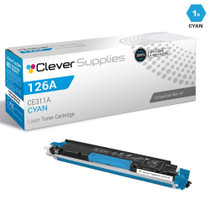
Compatible HP PRO 100 CLR MFP M175NW (CE311A CE312A CE313A) Toner Cartridge 3 Color Set
Hewlett Packard
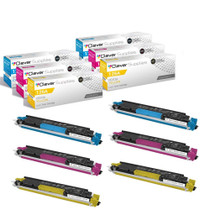
Compatible HP PRO 100 CLR MFP M175NW (CE311A CE312A CE313A) Toner Cartridge 6 Color Set