






 See Compatible Printers
 Read more about our ink!
Hewlett Packard
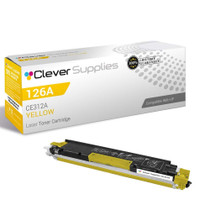
Compatible HP PRO M175NW (CE312A) Toner Cartridge Yellow

Amazon Price:

- Page Yield:
- Color: 1000
- Availability:
- In Stock
- Shipping:
- Calculated at Checkout
- Compatible Printers
- Color LaserJet 100 MFP M175a
- Color LaserJet 100 MFP M175nw
- Color LaserJet CP1025nw
- Color LaserJet TopShot Pro M275
- LaserJet 100 MFP M175a
- LaserJet 100 MFP M175nw
- LaserJet Pro 100 MFP M175a
- LaserJet Pro 100 MFP M175nw
- LaserJet Pro CP1025nw
- LaserJet Pro TopShot Pro M275i>
- Color CP1020
- Color CP1025
- Color CP1025NW
- Color LaserJet CP1020
- Color LaserJet CP1025
- Color LaserJet M175nw
- Color LaserJet M476
- Color LaserJet M476DN
- Color LaserJet M476DW
- Color LaserJet M476NW
- Color LaserJet Pro 100
- Color LaserJet Pro 100 Color MFP M175A
- Color LaserJet Pro 100 Color MFP M175NW
- Color LaserJet Pro 200 M275NW
- Color LaserJet Pro CP1025
- Color LaserJet Pro M175
- Color LaserJet Pro M175 MFP
- Color LaserJet Pro M175A
- Color LaserJet Pro M175nw
- Color LaserJet Pro M476
- Color LaserJet Pro M476DN
- Color LaserJet Pro M476DW
- Color LaserJet Pro M476NW
- Color LaserJet Pro MFP M476
- Color LaserJet Pro MFP M476dn
- Color LaserJet Pro MFP M476dw
- Color LaserJet Pro MFP M476nw
- Color LaserJet TopShot LaserJet Pro M275
- Color LaserJet TopShot LaserJet Pro M275NW
- Color MFP M175A
- HP 126A
- HP 312A & 312X
- LaserJet Pro 100 Color M175A
- LaserJet Pro 100 Color M175N
- LaserJet Pro 100 Color M175W
- LaserJet Pro 100 color MFP M175NW
- TopShot LaserJet Pro M275 MFP
- Specifications
- SKU:
- CS-HP-PRO M175NW-Y
- Printer Brand:
- Hewlett Packard
- OEM Number:
- CE312A
- Ink Color:
- Yellow
- Page Yield:
- Color: 1000
- Printer Type:
- Laser Cartridge
- Condition:
- New Compatible
- Description
- Reviews



The HP 126A Color LaserJet Series encompasses a range of printers designed to meet various printing needs, including the PRO 100 Color MFP M175A, PRO 100 Color MFP M175NW, CP1020, CP1025, CP1025NW, PRO 100, PRO M175, PRO M175A, PRO M175NW, PRO M175 MFP, TOPSHOT LASERJET PRO M275, TOPSHOT LASERJET PRO M275NW, LASERJET PRO 100 COLOR M175A, LASERJET PRO 100 COLOR M175N, and LASERJET PRO 100 COLOR M175W. Among the compatible cartridges are the CE310A Black, CE311A Cyan, CE313A Magenta, and CE312A Yellow, known collectively as the HP 126A toner cartridge or toner cartridge. These printers offer efficient printing solutions for both personal and professional use. The PRO 100 Color MFP M175A and M175NW models provide multifunction capabilities, including printing, scanning, and copying, while the CP1020 and CP1025 series deliver high-quality color printing for small office environments. The TOPSHOT LASERJET PRO M275 and M275NW models stand out with their innovative top shot scanning feature, ideal for capturing 3D objects and documents. With the HP 126A cartridges, users can expect reliable performance and vibrant color output for their printing tasks. The CE310A Black cartridge ensures crisp and sharp text, while the CE311A Cyan, CE313A Magenta, and CE312A Yellow cartridges deliver vivid hues and accurate color reproduction for graphics and images. Whether you're printing documents, presentations, or photos, the HP 126A Color LaserJet Series printers and cartridges provide the versatility and quality needed to produce professional results. Invest in these reliable printing solutions to streamline your workflow and achieve outstanding printouts with every use.
Frequently Asked Questions
What am I ordering for the Pro M175nw?
Its yellow cartridge — the CE312A from HP's 126A family — as a single unit at $38.12. Homework, worksheets and home-office pages from the LaserJet Pro M175nw all draw their yellow from this supply.
Worksheets with colored charts keep printing with blue-looking greens. Is that this cartridge?
Yes, that is the signature. Charts lean on green, green is mixed from cyan and yellow, and a finished yellow quietly takes the green with it. The supplies check shows the empty bar; replacing the CE312A brings the charts back to the colors the teacher sent.
How long will one cartridge serve a household?
It is rated for 1,000 pages at standard coverage. A home printer working through school terms — a few color pages most days, bursts at project time — typically measures this cartridge's life in months, and yellow is usually the household's least-frequent reorder.
Does printing photos at home use yellow faster?
Photographs are the densest work the printer does, and warm photo content — sunlight, skin, wood tones — is yellow-built. A photo-heavy month will show on this cartridge's gauge sooner than a document month.
Is the swap a parent-friendly job?
Entirely: open the access, exchange the cartridge at the yellow position, close up. The Color LaserJet M175nw presents each color at its own station, and the machine confirms the fresh unit on its next supplies report.
What cover backs the cartridge?
A 1-year warranty and 1-year free returns; if the cartridge fails within the year, it returns at no cost.
Most of what we print is black text. Why does the yellow level move at all?
Because a household's printing is never purely text. The worksheets carry colored charts, the homework includes diagrams, and the occasional photograph is dense with color. Every one of those pages spends a little CE312A, while the plain letters spend none. Over a school term the small withdrawals add up, which is why the yellow bar can surprise a family that feels it hardly prints in color at all.
Where can a busy household keep a spare cartridge without it getting damaged?
Indoors, in a cupboard or drawer at normal room temperature, still sealed in its box. The two places to avoid are the garage, which swings between summer heat and winter cold, and anywhere in direct sun. A CE312A asks for nothing more exotic than the conditions the paper beside it already enjoys. Kept that way, a spare bought in September is perfectly ready for the project that lands in March.
One side of a worksheet is printing paler than the other. Anything to try before replacing?
Yes. Lift the CE312A out and rock it slowly from side to side a handful of times, then refit it and print the worksheet again. Toner that has settled toward one end of a lightly used cartridge is a common cause of one-sided paleness, and redistributing it often evens the page out. If the pale side survives the rock unchanged, the cartridge is not settling — it is finishing, and its gauge will say so.
Once the swap is done, what should we do with the cartridge that came out?
Put it straight into the packaging the new CE312A arrived in and take it to a toner recycling point — many office-supply stores keep a collection bin. Do not leave it loose in a drawer, where it sheds dust and gets mistaken for a usable spare months later. Recycling the empty also closes the loop neatly for a household: the cartridge that printed the school year goes back as material rather than landfill.
About This CE312A for the Pro M175nw — Yellow for Homework, Charts and Home Photos
A home M175nw prints the family's paper life: homework with colored charts, worksheets, the occasional photograph for a project board. This CE312A (126A, 1,000-page rating, $38.12) is the yellow in all of it — the reason greens read as green on the geography chart and faces look warm in the printed photo. When those quietly go wrong together, this is the one-cartridge answer.
Deliveries ship from IL, PA, GA and CA warehouses; the shipping & returns page explains timing and returns. Support responds Monday–Friday, 9 AM–5 PM CST, and the platform's sibling supplies are gathered under HP.
Related Items


Hewlett Packard
Compatible HP PRO M175NW (CE312A) Toner Cartridge Yellow



Hewlett Packard
Compatible HP PRO 100 CLR MFP M175NW (CE312A) Toner Cartridge Yellow


Hewlett Packard
Compatible HP PRO M175 (CE312A) Toner Cartridge Yellow

Hewlett Packard
Compatible HP PRO 100 (CE312A) Toner Cartridge Yellow