






 See Compatible Printers
 Read more about our ink!
Hewlett Packard
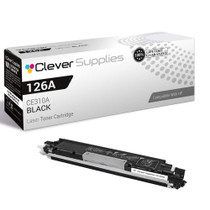
Compatible HP PRO 100 CLR MFP M175NW (CE310A) Toner Cartridge Black

Amazon Price:

- Page Yield:
- Black: 1200
- Availability:
- In Stock
- Shipping:
- Calculated at Checkout
- Compatible Printers
- Color LaserJet 100 MFP M175a
- Color LaserJet 100 MFP M175nw
- Color LaserJet CP1025nw
- Color LaserJet TopShot Pro M275
- LaserJet 100 MFP M175a
- LaserJet 100 MFP M175nw
- LaserJet Pro 100 MFP M175a
- LaserJet Pro 100 MFP M175nw
- LaserJet Pro CP1025nw
- LaserJet Pro TopShot Pro M275i>
- Color CP1020
- Color CP1025
- Color CP1025NW
- Color LaserJet CP1020
- Color LaserJet CP1025
- Color LaserJet M175nw
- Color LaserJet M476
- Color LaserJet M476DN
- Color LaserJet M476DW
- Color LaserJet M476NW
- Color LaserJet Pro 100
- Color LaserJet Pro 100 Color MFP M175A
- Color LaserJet Pro 100 Color MFP M175NW
- Color LaserJet Pro 200 M275NW
- Color LaserJet Pro CP1025
- Color LaserJet Pro M175
- Color LaserJet Pro M175 MFP
- Color LaserJet Pro M175A
- Color LaserJet Pro M175nw
- Color LaserJet Pro M476
- Color LaserJet Pro M476DN
- Color LaserJet Pro M476DW
- Color LaserJet Pro M476NW
- Color LaserJet Pro MFP M476
- Color LaserJet Pro MFP M476dn
- Color LaserJet Pro MFP M476dw
- Color LaserJet Pro MFP M476nw
- Color LaserJet TopShot LaserJet Pro M275
- Color LaserJet TopShot LaserJet Pro M275NW
- Color MFP M175A
- HP 126A
- HP 312A & 312X
- LaserJet Pro 100 Color M175A
- LaserJet Pro 100 Color M175N
- LaserJet Pro 100 Color M175W
- LaserJet Pro 100 color MFP M175NW
- TopShot LaserJet Pro M275 MFP
- Specifications
- SKU:
- CLS-HP-L PRO 100 CLR MFP M175NW-BK
- Printer Brand:
- Hewlett Packard
- OEM Number:
- CE310A
- Ink Color:
- Black
- Page Yield:
- Black: 1200
- Printer Type:
- Laser Cartridge
- Condition:
- New Compatible
- Description
- Reviews



The HP 126A Color LaserJet Series encompasses a range of printers designed to meet various printing needs, including the PRO 100 Color MFP M175A, PRO 100 Color MFP M175NW, CP1020, CP1025, CP1025NW, PRO 100, PRO M175, PRO M175A, PRO M175NW, PRO M175 MFP, TOPSHOT LASERJET PRO M275, TOPSHOT LASERJET PRO M275NW, LASERJET PRO 100 COLOR M175A, LASERJET PRO 100 COLOR M175N, and LASERJET PRO 100 COLOR M175W. Among the compatible cartridges are the CE310A Black, CE311A Cyan, CE313A Magenta, and CE312A Yellow, known collectively as the HP 126A toner cartridge or toner cartridge. These printers offer efficient printing solutions for both personal and professional use. The PRO 100 Color MFP M175A and M175NW models provide multifunction capabilities, including printing, scanning, and copying, while the CP1020 and CP1025 series deliver high-quality color printing for small office environments. The TOPSHOT LASERJET PRO M275 and M275NW models stand out with their innovative top shot scanning feature, ideal for capturing 3D objects and documents. With the HP 126A cartridges, users can expect reliable performance and vibrant color output for their printing tasks. The CE310A Black cartridge ensures crisp and sharp text, while the CE311A Cyan, CE313A Magenta, and CE312A Yellow cartridges deliver vivid hues and accurate color reproduction for graphics and images. Whether you're printing documents, presentations, or photos, the HP 126A Color LaserJet Series printers and cartridges provide the versatility and quality needed to produce professional results. Invest in these reliable printing solutions to streamline your workflow and achieve outstanding printouts with every use.
Frequently Asked Questions
The M175nw stopped mid-job with a black warning — what do I do first?
Finish-line triage: if the pages are still coming out dark, let the current job complete — the low warning arrives with reserve toner still inside. If text has already gone gray, the cartridge is done. This single CE310A at $38.66 is the replacement; fitting it takes about two minutes and the queued jobs simply resume.
Can I squeeze more pages out while the replacement ships?
A few. Take the old cartridge out, rock it gently side to side several times, and refit it — settled toner redistributes and usually yields a short run of acceptable pages. Treat it as a bridge across a day or two, not a revival.
Will changing the cartridge lose the jobs people already sent?
No. Jobs waiting in the queue stay queued through a cartridge swap; the M175nw does not clear its memory for a toner change. Printers come back from the swap and carry on where they stopped.
How do I avoid the mid-job stop next time?
Order at the warning, not at the fade. The status warning on this machine is deliberately early — treat it as your purchasing signal and the replacement will be in the drawer before the working cartridge truly empties.
Is there any warm-up or calibration after fitting?
The printer may take a moment on its first pages while the new cartridge settles; by page three or four, text should be crisp and even. No menu settings need touching for a like-for-like CE310A swap.
What goes wrong most often during an urgent swap?
A half-pulled sealing tape. Draw it straight out in one motion until it clears completely — a torn remnant left inside is the classic cause of streaks blamed on a 'bad cartridge'.
What does this single cartridge work out to per page?
The CE310A is $38.66 for a standard 1,200-page rating, which lands at a little over three cents a page. The rating assumes ordinary text coverage, and the M175nw's daily work — documents, forms, copied pages — tracks that assumption closely, so the figure is a fair planning number rather than a best case. Bought in a hurry or not, the rescue cartridge costs the same per page as it would have on a calm day.
How do I make sure my next order is the identical cartridge?
Read the stamp on the unit you removed and order by what it says: CE310A. The compact HP family shares its machines across several model names, which makes ordering by printer name alone a common source of mistakes, but the black cartridge's code never changes from one sibling to the next. Matching code to code guarantees the cartridge that arrives is the same standard unit that just came out of the black position.
The new cartridge is fitted — how do I confirm the fix before trusting it with a big job?
Print a few ordinary pages first. The M175nw may take a moment to settle a fresh CE310A, but by page three or four the text should be crisp, dark and even across the sheet. If it is still gray at that point, take the cartridge out and check the sealing tape came away completely in one piece — a remnant left inside is the classic hidden cause — then refit and test again.
What should I do with the spent cartridge once the new one is in?
Slip it into the carton the new CE310A arrived in and pass it to a recycling point. The old unit still carries traces of toner powder, and keeping it bagged inside its replacement's box contains that neatly until it leaves the office. It also keeps the code visible on the outside of the box — a handy reference the next time you reorder, since the empty is the one witness that never guesses.
About This CE310A Black Cartridge for the LaserJet Pro 100 M175nw
This is the rescue listing: one CE310A black cartridge for the LaserJet Pro 100 M175nw, bought when the machine has already announced it needs one. It is the standard cartridge — full 1,200-page rating, 126A family — at $38.66, identical to the unit that came out. The M175nw is a shared wireless MFP, so its black rarely empties at a convenient moment; the good news is that the fix is measured in minutes.
The cartridge is protected by a 1-year warranty with 1-year free returns. Orders are sent from warehouses in IL, PA, GA and CA; delivery estimates and the return process are on the shipping & returns page. Support is available Monday–Friday, 9 AM–5 PM CST. This black unit covers the whole 126A class, the Color LaserJet M175nw among them, and everything else for these printers is under HP.
Related Items

Hewlett Packard
Compatible HP PRO 100 CLR MFP M175NW (CE310A) Toner Cartridge Black



Hewlett Packard
Compatible HP PRO 100 CLR MFP M175NW (CE310A) Toner Cartridge 3 Black

Hewlett Packard
Compatible HP PRO 100 CLR MFP M175NW (CE310A) Toner Cartridge 3 Black


Hewlett Packard
Compatible HP PRO 100 CLR MFP M175NW (CE310A) Toner Cartridge 2 Black