






 See Compatible Printers
 Read more about our ink!
Hewlett Packard
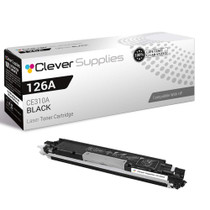
Compatible HP PRO 100 CLR MFP M175NW (CE310A) Toner Cartridge Black

Amazon Price:

- Page Yield:
- Black: 1200
- Availability:
- In Stock
- Shipping:
- Calculated at Checkout
- Compatible Printers
- Color LaserJet 100 MFP M175a
- Color LaserJet 100 MFP M175nw
- Color LaserJet CP1025nw
- Color LaserJet TopShot Pro M275
- LaserJet 100 MFP M175a
- LaserJet 100 MFP M175nw
- LaserJet Pro 100 MFP M175a
- LaserJet Pro 100 MFP M175nw
- LaserJet Pro CP1025nw
- LaserJet Pro TopShot Pro M275i>
- Color CP1020
- Color CP1025
- Color CP1025NW
- Color LaserJet CP1020
- Color LaserJet CP1025
- Color LaserJet M175nw
- Color LaserJet M476
- Color LaserJet M476DN
- Color LaserJet M476DW
- Color LaserJet M476NW
- Color LaserJet Pro 100
- Color LaserJet Pro 100 Color MFP M175A
- Color LaserJet Pro 100 Color MFP M175NW
- Color LaserJet Pro 200 M275NW
- Color LaserJet Pro CP1025
- Color LaserJet Pro M175
- Color LaserJet Pro M175 MFP
- Color LaserJet Pro M175A
- Color LaserJet Pro M175nw
- Color LaserJet Pro M476
- Color LaserJet Pro M476DN
- Color LaserJet Pro M476DW
- Color LaserJet Pro M476NW
- Color LaserJet Pro MFP M476
- Color LaserJet Pro MFP M476dn
- Color LaserJet Pro MFP M476dw
- Color LaserJet Pro MFP M476nw
- Color LaserJet TopShot LaserJet Pro M275
- Color LaserJet TopShot LaserJet Pro M275NW
- Color MFP M175A
- HP 126A
- HP 312A & 312X
- LaserJet Pro 100 Color M175A
- LaserJet Pro 100 Color M175N
- LaserJet Pro 100 Color M175W
- LaserJet Pro 100 color MFP M175NW
- TopShot LaserJet Pro M275 MFP
- Specifications
- SKU:
- CLS-HP-L PRO 100 CLR MFP M175NW-BK-1
- Printer Brand:
- Hewlett Packard
- OEM Number:
- CE310A
- Ink Color:
- Black
- Page Yield:
- Black: 1200
- Printer Type:
- Laser Cartridge
- Condition:
- New Compatible
- Description
- Reviews



The HP 126A Color LaserJet Series encompasses a range of printers designed to meet various printing needs, including the PRO 100 Color MFP M175A, PRO 100 Color MFP M175NW, CP1020, CP1025, CP1025NW, PRO 100, PRO M175, PRO M175A, PRO M175NW, PRO M175 MFP, TOPSHOT LASERJET PRO M275, TOPSHOT LASERJET PRO M275NW, LASERJET PRO 100 COLOR M175A, LASERJET PRO 100 COLOR M175N, and LASERJET PRO 100 COLOR M175W. Among the compatible cartridges are the CE310A Black, CE311A Cyan, CE313A Magenta, and CE312A Yellow, known collectively as the HP 126A toner cartridge or toner cartridge. These printers offer efficient printing solutions for both personal and professional use. The PRO 100 Color MFP M175A and M175NW models provide multifunction capabilities, including printing, scanning, and copying, while the CP1020 and CP1025 series deliver high-quality color printing for small office environments. The TOPSHOT LASERJET PRO M275 and M275NW models stand out with their innovative top shot scanning feature, ideal for capturing 3D objects and documents. With the HP 126A cartridges, users can expect reliable performance and vibrant color output for their printing tasks. The CE310A Black cartridge ensures crisp and sharp text, while the CE311A Cyan, CE313A Magenta, and CE312A Yellow cartridges deliver vivid hues and accurate color reproduction for graphics and images. Whether you're printing documents, presentations, or photos, the HP 126A Color LaserJet Series printers and cartridges provide the versatility and quality needed to produce professional results. Invest in these reliable printing solutions to streamline your workflow and achieve outstanding printouts with every use.
Frequently Asked Questions
What exactly is in the box when this single cartridge arrives?
One CE310A black cartridge, sealed in its protective bag inside the carton. That is the complete contents — the M175nw needs no tools, adapters or extra parts for a toner change, so nothing else is required. At $38.66 this is the plain single-unit listing for the black slot.
What should I inspect before I open the bag?
The label first: it should read CE310A (the 126A family). Then the bag's seal — intact means the cartridge has been protected from light and dust since packing. If the seal is broken on arrival, that is a reason to contact us before fitting it.
Talk me through the first minutes after fitting it.
Rock the cartridge gently five or six times to level the toner inside, pull the sealing tape out in one straight motion, and seat the unit in the black position. Close the printer and print a test page: expect the first page to look normal and the next few to confirm even, dark text.
Why rock a brand-new cartridge at all?
Toner settles and compacts in transit. A few gentle rocks loosen it so the first hundred pages draw evenly from across the cartridge instead of from one settled corner — it prevents most early complaints about one-sided fading.
Does the M175nw need its settings adjusted for a fresh cartridge?
None. A like-for-like CE310A swap is invisible to the machine's configuration: Wi-Fi, defaults and queues all carry on untouched. The supplies status simply reads full again.
How do I dispose of the packaging and the old unit?
The old cartridge goes into the new one's carton for recycling through any toner program. The bag and box are ordinary packaging waste. Keep one detail: the month you fitted the new cartridge, noted anywhere you will see it, turns the next reorder into a guess-free decision.
The first pages from the new cartridge are pale down one side — what should I try first?
Take the CE310A back out and rock it gently again. Toner settles into one corner of the cartridge in transit, and a cartridge fitted with its powder still piled to one side feeds that side first, which is exactly what one-sided fading looks like. A second gentle rock and a firm refit level the contents, and even darkness across the page should follow within the first few sheets.
I bought a second single as a spare — how should it wait its turn?
Exactly as it arrived: sealed inside its protective bag, lying flat in a cool drawer away from sunlight. The intact seal is what shields the cartridge from light and dust while it waits, so there is nothing to open, check or maintain in the meantime. Writing the month it arrived on the carton is the only bookkeeping worth doing — when its turn comes, you will know its story at a glance.
What does this single cartridge work out to per page?
At $38.66 for the standard 1,200-page CE310A rating, the black text this MFP lives on costs a little over three cents a page. That is the full, ordinary single-unit price with no bundle arithmetic involved, and because a shared M175nw's output is overwhelmingly text at standard coverage, the real cost per document tracks the rating closely enough to budget a school term or a quarter against it.
Several cartridges for this family share our supply drawer — how do I grab the right one without thinking?
Read the label, every time, and ignore the shape. The units in this family look near-identical on the shelf, but the black position takes only the cartridge stamped CE310A, while the color stations carry their own codes. The two-second label check before you open a bag is the whole system — it prevents both the wrong-cartridge fitting and the equal nuisance of breaking the seal on a color unit you did not need.
About This CE310A Black Cartridge for the LaserJet Pro 100 M175nw
Unboxing is the whole story here: a single, sealed CE310A black cartridge for the LaserJet Pro 100 M175nw — the standard 1,200-page unit from the 126A family, priced at $38.66. It exists for the straightforward job of replacing the black cartridge in HP's wireless Pro 100 MFP, with no bundles, no extras and no decisions beyond fitting it and printing the test page.
It comes with a 1-year warranty and 1-year free returns. We ship from warehouses in IL, PA, GA and CA, and the shipping & returns page describes delivery times and returns. A human support team is on hand Monday–Friday, 9 AM–5 PM CST. The CE310A also fits the wider compact family — the Color LaserJet M175nw included — with the full selection gathered under HP.
Related Items

Hewlett Packard
Compatible HP PRO 100 CLR MFP M175NW (CE310A) Toner Cartridge Black



Hewlett Packard
Compatible HP PRO 100 CLR MFP M175NW (CE310A) Toner Cartridge 3 Black

Hewlett Packard
Compatible HP PRO 100 CLR MFP M175NW (CE310A) Toner Cartridge 3 Black


Hewlett Packard
Compatible HP PRO 100 CLR MFP M175NW (CE310A) Toner Cartridge 2 Black